I run Scrivener 3.1.2 on my windows computer. The spelling is underlying every single word. After a bit of research, I found that the en-GB.dic file in my C:\Program Files\Scrivener3\hunspell\dict\English-en-gb folder is empty of any word. If I edit it on Notepad++, all I can see inside is:
301 Moved Permanently
301 Moved Permanently
nginx
I’ve tried downloading a .dic file found on Github and renaming it as per user manual. This does not fix the issue, even after restarting Scrivener. I assume I also need to do some manipulation with the .aff file in the same folder (also empty) but I do not know what.
Can someone help?
Hi.
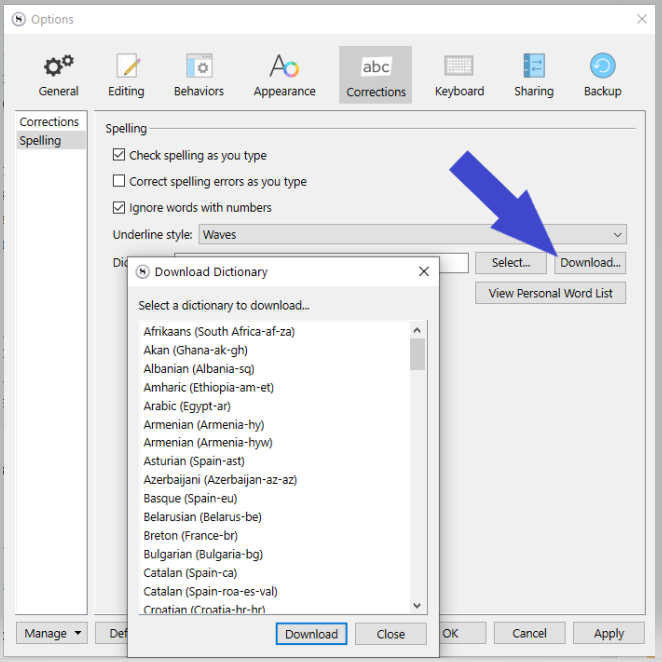
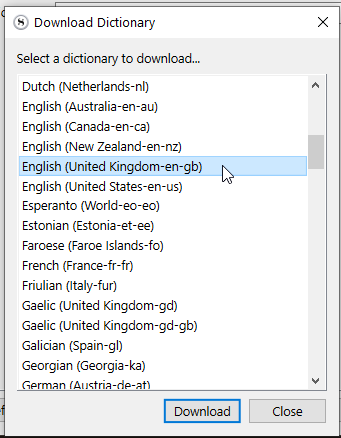
Just redownload it via Scrivener’s interface, in the options :
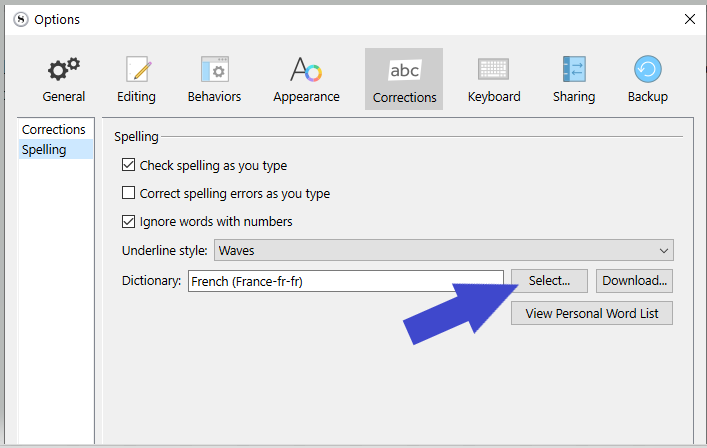
And then select it in the list of installed dictionaries :
2 Likes
Well - thanks for the suggestion, but I have tried that. I also tried deleting all entries in this subfolder, then re-download. The result is the same: an empty file. So, there is something wrong with the download itself: either Scrivener’s repository has an empty dictionary, or the code of my personal Scrivener client is pointing to a wrong address. Unfortunately, from where I am, I cannot do much more. I need someone from Scrivener Support to take an actual look into this issue, investigate, find out the root cause and / or send me a fix.
The dictionary files Scrivener downloads have moved since version 3.1.2, hence the in-app download not working. Upgrading Scrivener to the current 3.1.6 version will solve this, and would certainly be the recommended solution unless you’re unable to run 64-bit apps. The auto-updater in 3.1.2 won’t get you all the way to 3.1.6, so to upgrade you’ll need to get the full installer from our downloads page, but you can install directly over your existing copy (with Scrivener closed, of course) so things like your preferences and recent projects lists will persist.
Note that 3.1.4.1 is the last version to support 32-bit machines, so even if the architecture is a limitation on updating to 3.1.6, you could still upgrade to that, available here. It will have the same problem downloading dictionaries as 3.1.2, so in this case, you’ll want to manually download both the .dic and .aff files for the British English dictionary from the GitHub repository you found (or here is an option if yours didn’t have all the files), rename them as required, and replace the empty files in Scrivener’s hunspell/dict/English-en-gb directory.
1 Like