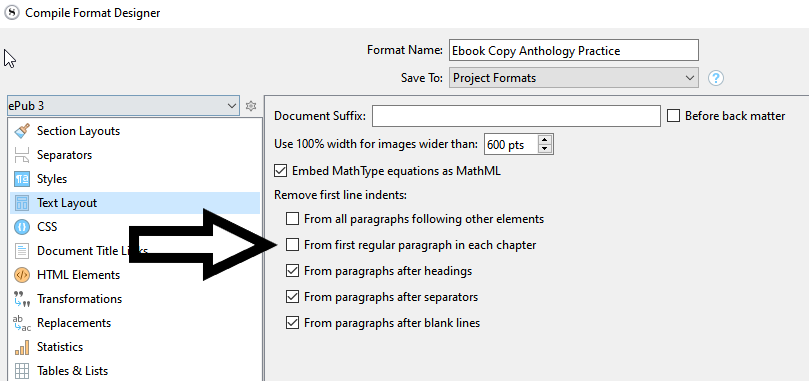
I’m not sure but it is worth trying, checking this option might fix all of your section layouts at once :
This is [or looks, depending] wrong too :
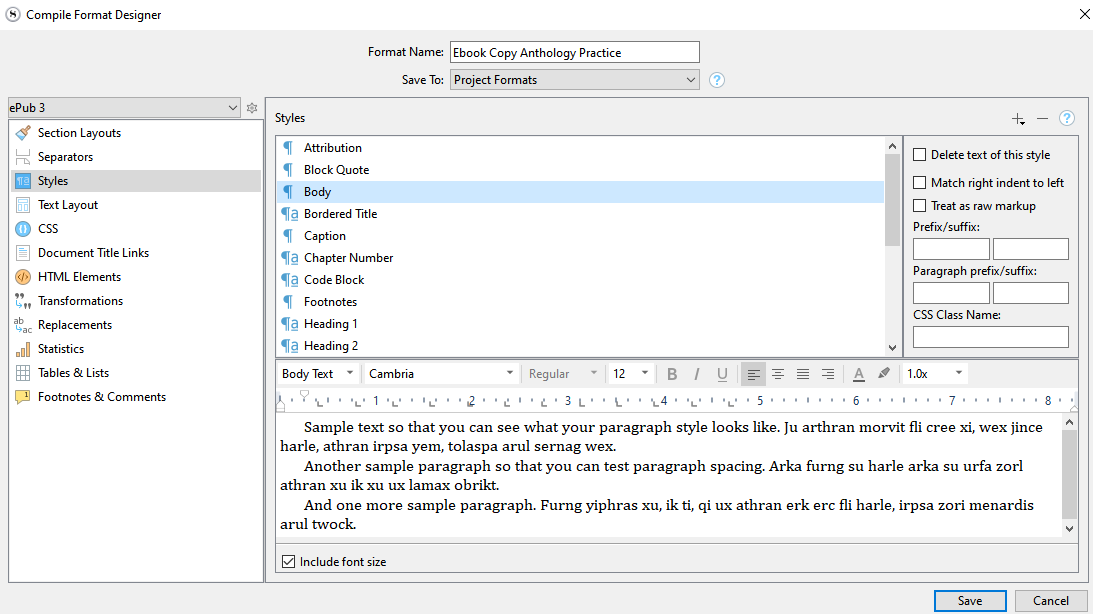
Did you use a style all over your body text ?
Whatever paragraph as a style applied won’t respond to your section layout’s formatting.
(Whether it also bypasses the text layout’s settings I’m not sure, but I think so.)
At this point, I would say that the simplest solution would be to create a style that has no indent (a duplicate of your present “body” style, but without the indent) and apply it to the first paragraph of your chapters/short stories. (A workaround. Not the way it should actually be done but…) ← Doing it like that, you could leave everything as it is.
The first paragraph should not be indented but the subsequent paragraphs should be? Like in this screenshot taken from an ePub?
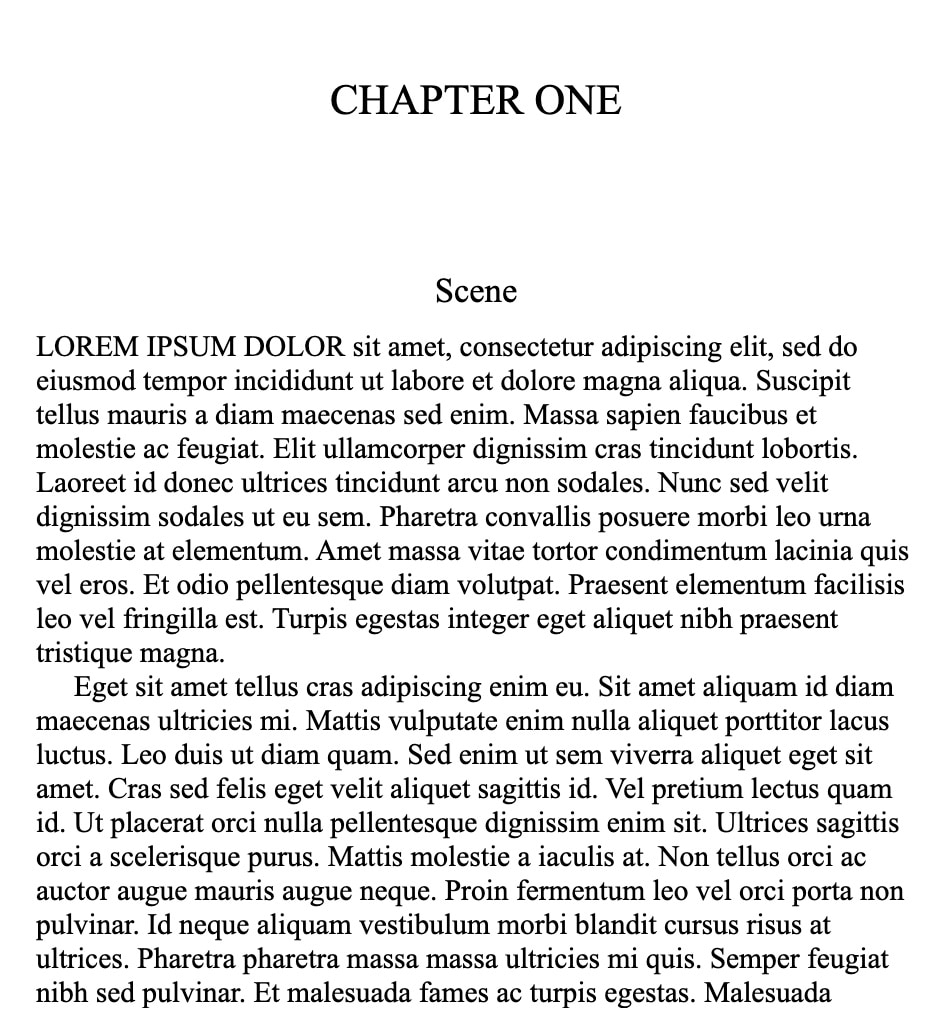
If yes, does the sample novel-with-parts project / ePub (attached below) work for you? It is based on the compile format you supplied.
NWP.zip (73.1 KB)
By the way if the problem is styles being used for body text, honestly I would just delete the body text style from your project. You could work around it with the Styles pane in the compile settings, but why set yourself up for having to remember to do that hassle every single time you set up a new format or project?
One should only have to go into the Styles pane if they have special text that needs special treatment that differs from how they designed its look in the main editor. The Styles pane is designed to be a special-case override, not a routine tool one is obligated to go through—or worse, somehow puzzle their way into when hitting problems like this.
If you’re nervous about nuking a style you spent so much time working with in your text while writing, fire off a quick File ▸ Back Up ▸ Back Up To... copy with a clearly indicated name, like “My Book - Pre-Body Style Deletion”. Now you’re safe. If worst case stuff happens, you can delete the damaged copy and unzip a fresh one from its current state right now.
Bottom line: if styles is the problem, then almost all of the above in this thread can be put aside. The stock “Ebook” compile format already does exactly what you want of it—with no tweaking, no customisation. But it’s not going to work if you’re in essence telling the compiler that the way you formatted each and every paragraph in your book is more important than anything your compile settings have to say about it.
2 Likes
Thank you guys so much for all of your help and hints, I really appreciate the time you have devoted to helping me.
I managed to get my first line indents dropped! What I did was open a new document and compare the default compile settings. Turns out, I needed to add a prefix and suffix to the titles of one of my section layouts, which repaired that issue.
I also managed to fix the failure to indent after blank lines. I used “view invisibles” and saw the lines weren’t actually blank; some had a single space inside them. I was able to delete the spaces and now everything looks great!
Only… I’m returning a stylesheet error in the EPUB validator. I’ll have to try to fix whatever that error is, but that’s for a different forum 
What ??? 
I was stunned. I opened a completely different “Novel with Parts” document, and when I viewed its title options, it had <$rst_scene> as the prefix and a carriage return as the suffix. It was weird but it worked.
But now I’m having a validation issue. The error code is in the CSS stylesheet, but when I run the file through Calibre’s autocorrect syntax, it fixes the error. The fixed file looks great and passes the validator. I would like to fix it in Scrivener though, because I’d like to save and use it as a template for future anthologies.
One way or another, @AmberV, who offered you a solution a few posts above, is the grand guru around here.
(He’s like the sacred tree of knowledge.)
You should do as he said.
2 Likes
Is there any way I can revive this conversation RLKlaus pls? I think I am trying to do the opposite. I want the first line of each chapter after Chapter heading to KEEP the indent but it is removing it when I compile which is driving me mad. I’m trying to use your comment and work around to move backwards…to do what you did in reverse but it’s not working.
Oh and I should mention, Amber, that the reason I need the first indents KEPT in SEVERAL chapters is because they are speech (I don’t use styles BTW I don’t know how). One of them is speech without inverted speech commas. The other chapter is a script and I want the first character indented, as all the subsequent characters are.
Hey all, I’m running Scrivener for Windows 3.1.6.0 on Windows 10, and the function to remove the first ident in a chapter does not seem to work.
I use folders as chapter titles, and scene for the text (all set to No Style).
Via Compile / Format: epub3 / Text Layout, I set it to “Remove first line idents: From first regular paragraph in each chapter” (option 2, I tried option 3 as well) but it does not remove the first ident.
I used this in the past and it worked well - any idea what I’m doing wrong?
I’m aware I could manually change all first paragraphs via the editor, but I’m sure this simple option worked before? Grateful for any help
I’d start by having a look at the conversation above, which goes over responses to someone else asking exactly the same question.
If it used to work in the past, by the way, then it would be useful I think to open up one of those older projects, test compile it, and if it still works fine, figure out what you’re doing different now.
1 Like
Thank you for the advise, I compared a test project,. and it turned out it ONLY works when the “Compile / Format / Text Layout” setting is set to “From paragraphs after blank lines” only (last option). Not inituitive, but works 
There are indeed some issues with these settings (on Windows), last I looked at them, in that some of the conditions they describe are almost impossible to achieve given other underlying bugs/noise in the output. The settings themselves produce CSS that is designed to work against fairly clean HTML output, but if you’ve ever looked at the HTML you get in a program like Sigil, it’s far from that (which is a much bigger problem that causes all kinds of other problems, not just with these settings). That’s what I mean by noise.
It’s one of those things where fixing the settings themselves would probably be counter-productive because then you’re making something work against another thing that is flawed. It’s better to fix the flaws, so that the simple formatting works the way it should, but that’s a much bigger task. One of these days!
1 Like