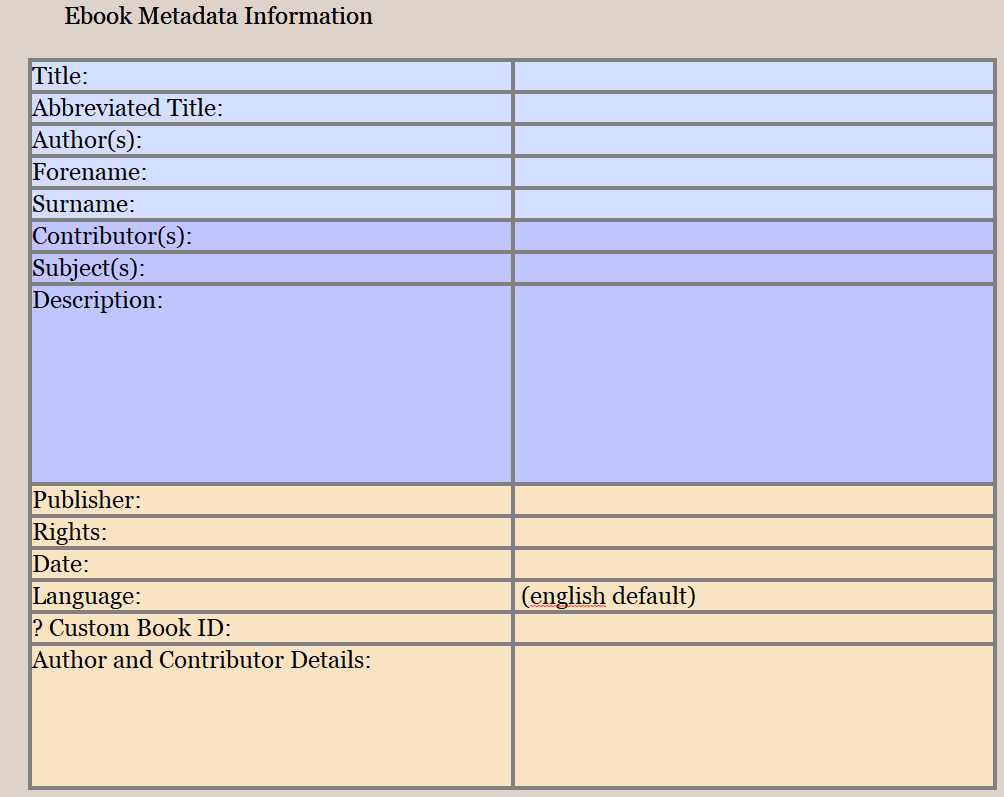
Just to better understand, that file, once compiled, it doesn’t go in the book ?
Otherwise, why not just put it in the binder where it should be in each of your books ?
Or, is it a page/file, in your front matter, but that should differ from a book to another ?
By the way, if relevant, the front matter and back matter you pick for a compile is associated, per project, with the compile format. Meaning that you could duplicate your compile format and have it recall the proper front/back matter.
If you can set your other informations embeded in the compile format, you’d only have to pick the right version of the compile format for each of your books.
For example, if, when you speak of the title, it is as regard to the pages’ header. You set it up in the compiler’s metadata, but it is actually a placeholder, in the page setup, that looks for it. You could replace the placeholder for the title yourself. No placeholder, no title in the compiler’s metadata.
I think I understand now. You actually wish for a compile setup file. (?) If so, the way to go is really to have a compile format per situation.
. . . . . . .
You could also consider at some point splitting your project into per-book ones.
You can easily have a subfolder front matter (and backmatter) for each novella under the umbrella folders and simply choose the correct folders for front and back matter per book. You could create a folder for Ebook metadata and have a template to enter the info for each novella, but if in one project, no I do not believe you could.
In the compile dialog, one of the panes has entry fields for Title, Forname, Surname, Keywords, etc. For epub there’s book identifier, etc. The values there are persistent - once set, they stay the same for every compilation until you change them to something else.
I’d like a way to “load” those from a settings file, so I don’t need to keep changing them every time I compile a new novella (or a new version/edition of the novella).
Calibre can do it. After you’ve compiled. (As an alternative to your request. If it helps.)
. . . . . . .
I am curious as to how deep a compile format’s replacements go. Perhaps you could use that, along a set of compile formats dedicated to each of your novellas.
You’d have something like “%Title” in the Title metadata of the compile panel, and the compile format’s replacements to replace “%Title” with your novella’s title.
In short, you’d be using the replacements of each compile format so to use your own placeholders system.
I’ve merged your query in with the original feature request thread for this. I do agree that multi-target output with extended metadata requirements aren’t the best for rich text users right now.
However I would also say that on the whole an easier to learn and use multi-target (book/article/whatever) system would be of benefit anyway. Right now it’s more like a collection of hidden features (such as the Front/Back matter naming scheme, described in the user manual PDF under §23.4.1, subheading Linking Front/Back Matter to Compile Groups) and obscure combinations of checkboxes. Continuing to tack on more patches, such as an “Export/Import Metadata” button, feels like the wrong way to go to me.
Those comfortable with XML files could edit the Settings/compile.xml file, where you will find all of these values stored under <MetaData>. One could then swap out sets from this file (in fact on the fly, so long as Compile is closed, as it reads from this file whenever opening it).
With Markdown-based output, it is much more flexible and easy to do this, as you can define such book-defining values right in the compile group itself, leaving the compile settings to general things that won’t change, like the author or genre.