They’re selling your data which you can change in the Privacy settings. You need Canva Premium if you’re going to use Canva AI.
I’m a legacy user of Adobe and Affinity. The new Affinity app just so happens to export as an ePub. I tried a Chapter that has footnotes but I’d use Scrivener if I could figure the Compile settings that will allow the pub footnotes to tap on the word, not the footnote number.
I’ve set everything to “no”:
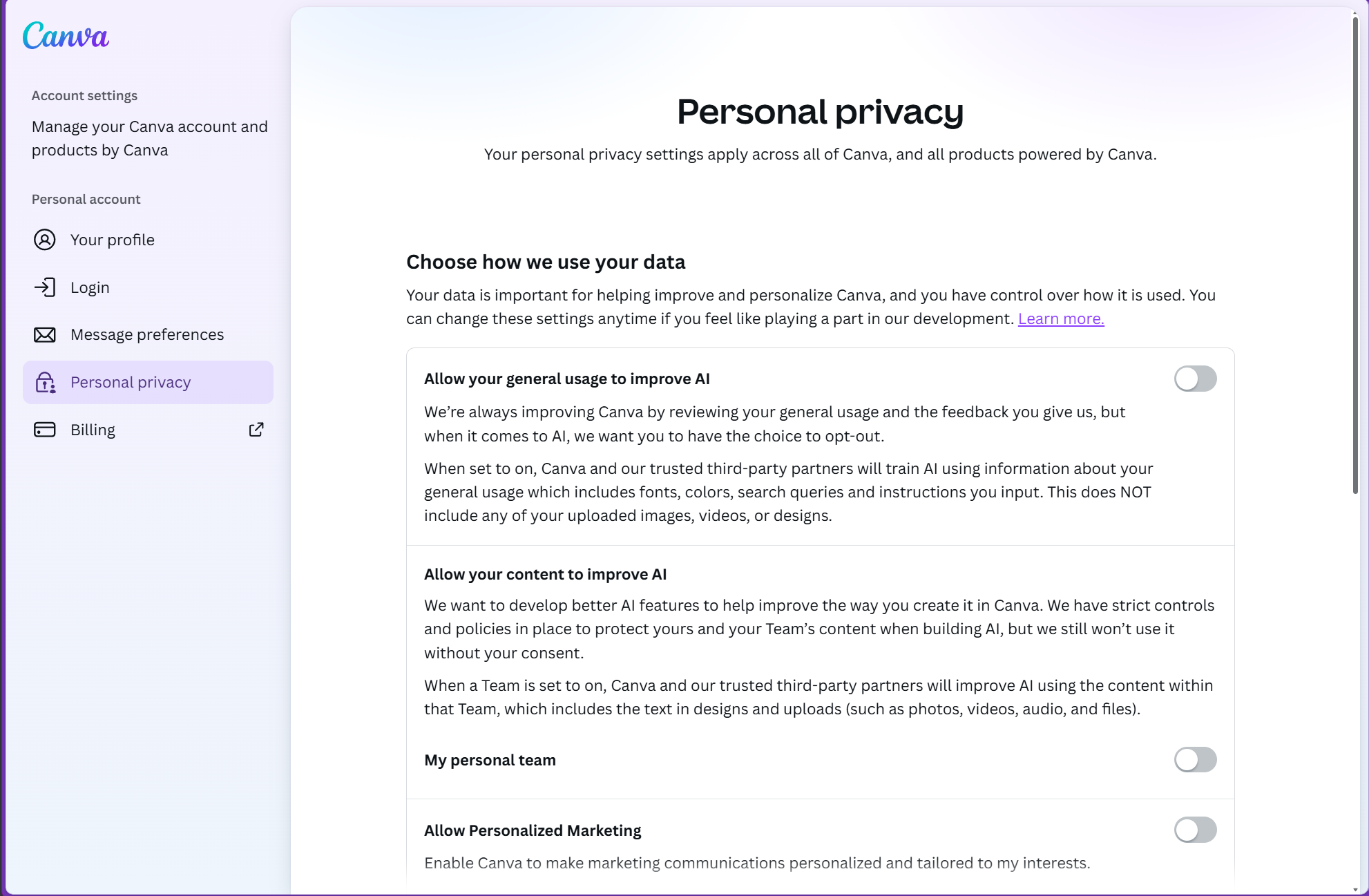
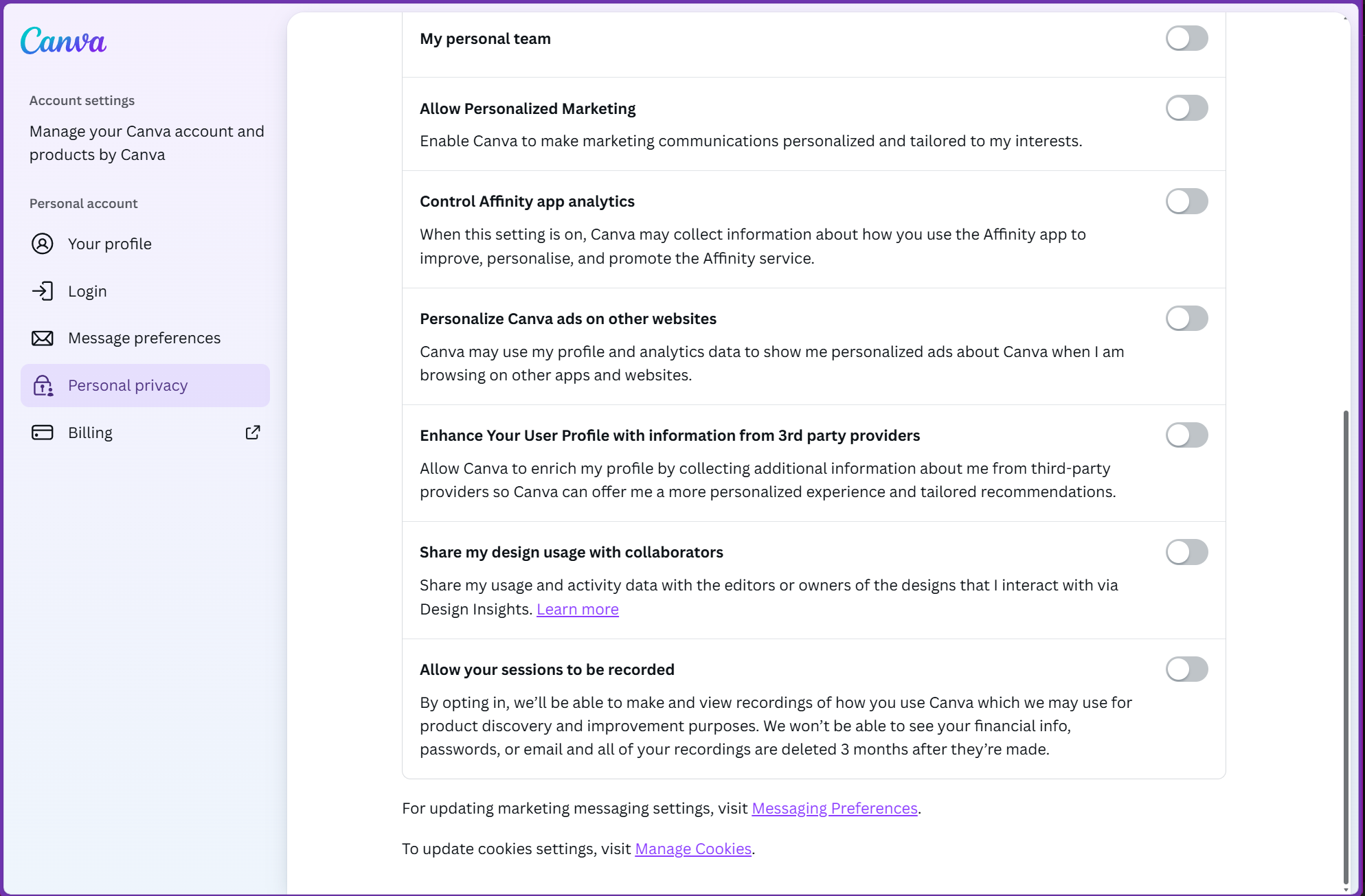
I’m holding off making a decision one way or the other on using Affinity, but if it’s true that I can keep my projects entirely local, I might be comfortable using it. I need more time to drill down on this before I can make a fully informed decision.
1 Like
The scary part is that the answer is a firm “maybe?”. The safe route to make that a “yes” would be to cut it off from the Internet. But then it appears they don’t appreciate that at all. So, who knows.
No. Well, actually I’m not sure if the App Store version had some sort of trial period (does Apple even allow this?), but they definitely sold it there. In addition to their direct sales via the Serif site. I bought both versions 1 and 2 via Apple’s App Store and never had a “Serif account”.
2 Likes
Have you had a chance to test its ePub capabilities? I had used InDesign in the past but frankly it was just a slog to work with it in this regard.
1 Like
Good work! Everything is local. You can open any of your Affinity files from within Affinity and it will create a new file with .af as the format. The hard part for me has been figuring out the Customization options. so that I’ve got a Studio that resembles the other 3 separate apps.
1 Like
I did one chapter that had 3 Footnotes. I’m trying to figure out in Scrivener how the entire word(s) can be highlighted as a tappable footnote for epub/Kindle. Copying directly from Scrivener into Layout mode in Affinity was seamless. I exported it as a reflowable epub. The number footnotes are tappable and show at the end of the chapter.
1 Like
Going offline (i.e. disconnecting from the Internet) to maintain privacy is too inconvenient and bothersome. If they had an option to download the software for desktop use without requiring users to login, then I’d be OK with it. I have zero interest in Canva’s cloud storage and less interest in their AI. For any cloud storage need, I’ll stick with iCloud and Dropbox.
2 Likes
We can opt out of AI and cloud storage and turn off all sharing. Even so, you’re opposed to logging in when launching the software. I take your point.
I might be comfortable with it. Still mulling.
1 Like
IMHO, logging in to use the software makes ‘freedom’ a sham. If you login, they have an eye on you. If they were truly about “creative freedom,” they shouldn’t require you to login to use it at all, unless you needed their cloud services, AI and collaborative functions.
But, to each their own.
4 Likes
Affinity works well for book design. The biggest issues are the lack of automation features and few layout or export features compared to InDesign.
For simple covers and interiors, it’s a solid alternative.