On Vincent’s advice I’m firing up a new thread to ask this.
Background on the project: LitRPG fantasy.
LitRPG treats the world like a game. POV characters usually have “Character sheets” “inventories” and the like, just as if they were suddenly sucked into Skyrim or World of Warcraft.
The problem is, these sheets can break immersion for the reader. My beta readers suggested making the sheets either a picture or an actual “sheet” within the book, which would basically be 1-3 pages of “record” that the reader can scroll right past. Those interested in the crunchy bits can get them, but most people want to get back to the story.
I know ONE way I can do this: Document 1 (story, text), Document 2 (Sheet, PDF format), Document 3 (return to story, text). This should compile as:
Concentrating, he brought up his character record again.
Character Record Here
“What on earth?” He thought.
The problem with this method is that currently my Binder documents are one chapter per document. I don’t like splitting chapters over multiple documents or having more than one chapter in a document. I’d really like to get the above compilation WITHOUT having to make the PDF files their own documents.
Thoughts? Suggestions?
It appears that the only way Scrivener can do this is by exporting the PDFs as an image file. These worked more or less exactly as I wanted.
Adobe acrobat is very expensive. I was able to locate a tool that did the export swiftly and well formatted for text. I am not a spammer, and so will not post a link, but the tool is called “PDF24” and is free and fully featured if anyone else needs to do anything similar.
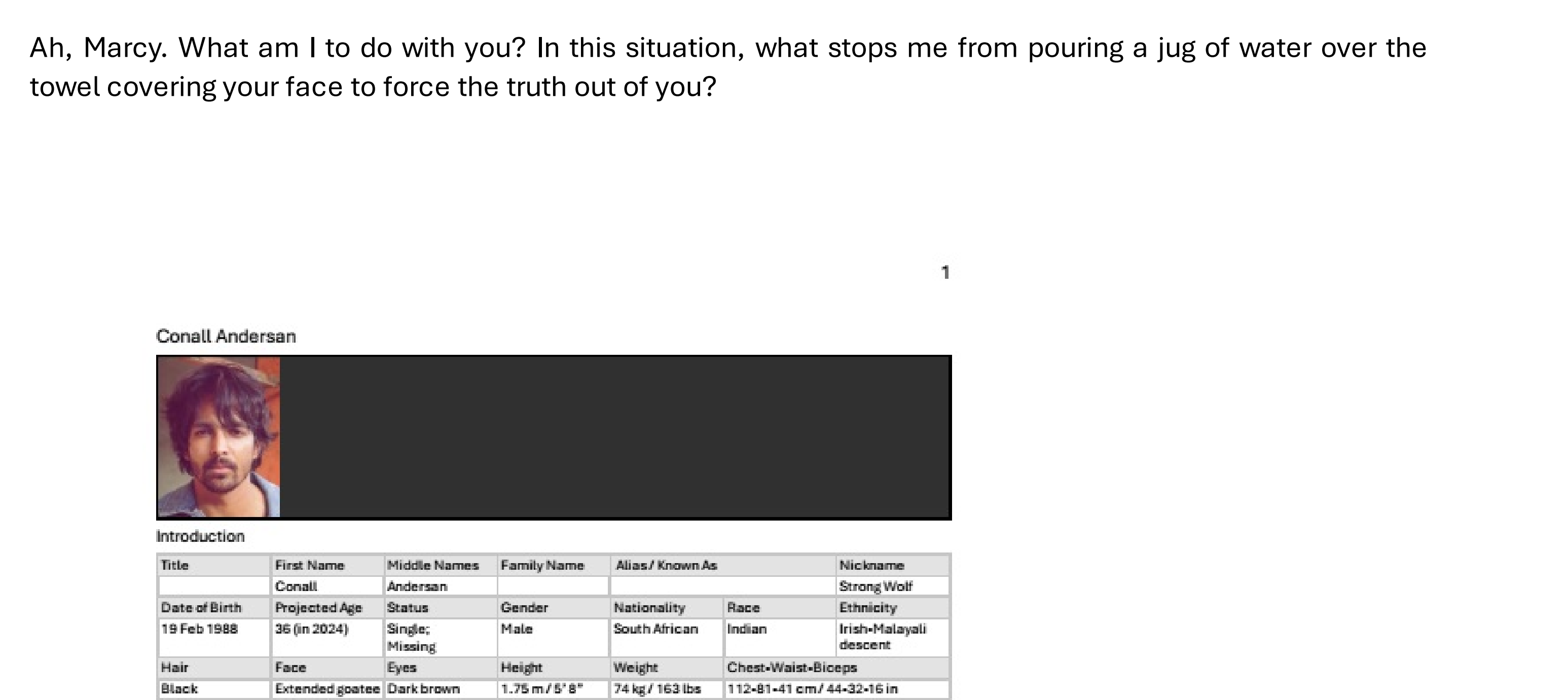
My test of exporting a PDF (mainly text with a single picture) to PNG looks dismal.
Here’s an example of what I did to get it to work from Scrivener:
Extract:
Ah, Marcy. What am I to do with you? In this situation, what stops me from pouring a jug of water over the towel covering your face to force the truth out of you?
<$IMG:C:\Users{MyUsername}\Documents\Scrivener~~~ Extract ~~~.png>
Or from using a mixture of ammonia, resorcinol, and parabens—I assure you, it isn’t cruelty-free.
Crappy-looking result:
However, if your Character Sheet is a RTF file in your project, you can include it using the <$Include> placeholder.
Extract:
Ah, Marcy. What am I to do with you? In this situation, what stops me from pouring a jug of water over the towel covering your face to force the truth out of you?
<$Include:Sample> (I named the character sheet “sample”.)
Or from using a mixture of ammonia, resorcinol, and parabens—I assure you, it isn’t cruelty-free.
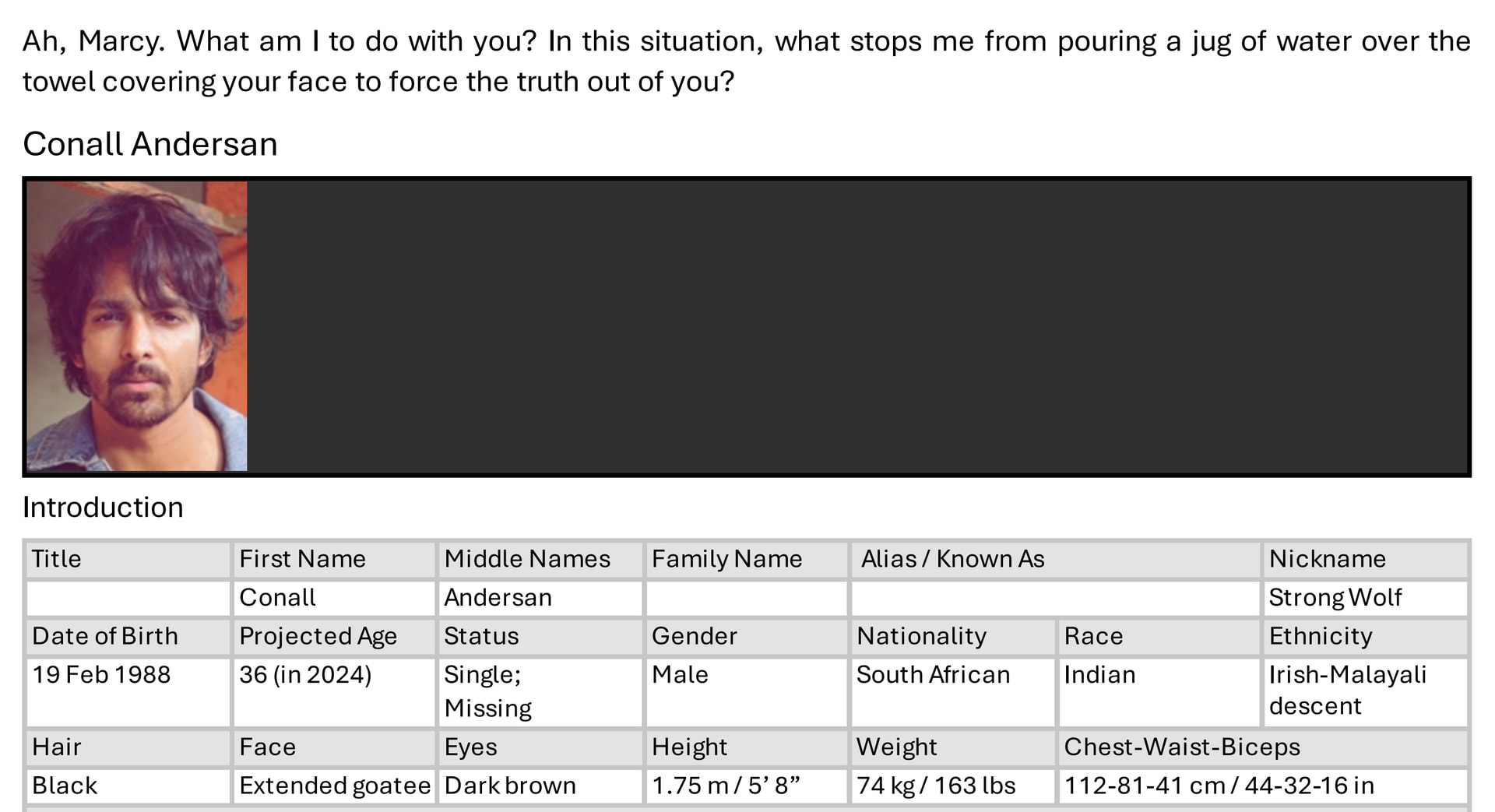
Result:
The main drawback is you can’t exclude the placeholder without removing it.
A possible solution would be to keep the placeholder under a specific chapter’s Notes and copy and paste it into the Editor when and where needed, run compile and delete the placeholder in the Editor afterwards. It’ll always be in Notes, unless you dispose of it.
1 Like
That’s interesting, Rev. I didn’t notice a large quality loss in the PDF, but my beta readers are getting PDF files of the manuscript. Are you compiling to a different format?
In the first example, I compiled the Character Sheet to PDF and converted the PDF to PNG (picture format), using PDFGear (a free App). That’s where the file lost its quality.
I then compiled the text and used the <$IMG> placeholder to include the image in the PDF compile.
In the second example, I used the <$Include> placeholder to read in the Character Sheet in its native RTF format, and compiled everything to PDF.
My point is, whether you work in 3 separate documents (the Text-Character Sheet-Text) or two – well one plus one, actually – (Text-Character Sheet via <$Include> placeholder-Text continues), in both instances you have to make manual interventions somewhere.
PDFGear’s converter may be crap, I don’t know. I don’t normally convert PDFs to PNGs like you suggested in your original post.
2 Likes
Umm… you could perhaps try putting the placeholder in an inline annotation, which can then be omitted or included on compiling as necessary.
Of course, that only works if you’re not using annotations for other things whose presence or exclusion on compile would be different.

Mark
1 Like
Sounds like a good idea. You’d then only need to adjust the Remove Annotations setting under Compile > Options for all your placeholders once.
Strangely, it didn’t work. Even though Remove Annotations is ticked, it didn’t suppress the <$Include> placeholder inside the annotation on Windows. Haven’t tested it on Mac.
So now we know Remove Annotations is a Hide Text command that still “sees” the placeholder.
I think that if you want to bypass an <$include:…> placeholder, all that you’d have to do is to use it with the document name rather than with a link-style assignation.
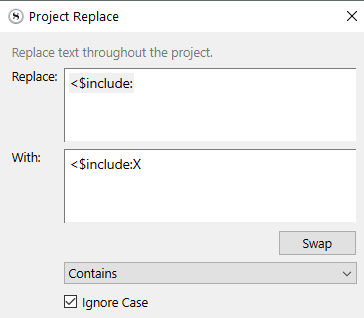
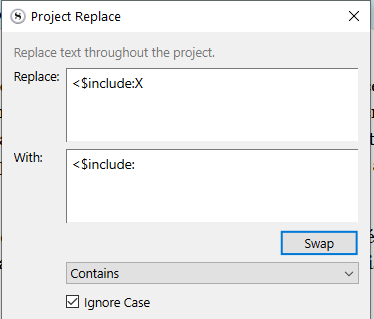
Then, if you modify the name <$include:This> ⮚ <$include:ThisX>, Scrivener won’t know what document to include/compile, so no document will be included, but the placeholder should be gone in the compiled output.
– A theory.
If this works and you have many of these and you don’t want to have to tweak them all one by one each time, a project replace could do.
Bypass :
Restore :
You can use an exotic character rather than “X”, it’ll be safer, in case you have a document referenced in one of your placeholders, that of which the name starts with an X and you so happen to run the restore replacement twice in a row.
2 Likes
That would work, for example, starting all your character sheets names with a tilde (~), and replacing it with another rare characters using the suggested global replace. Something like <$Include:~John>, where you have a character sheet for ~John in your Binder.
The placeholder would need to be part of a follow on paragraph’s opening text to avoid unexplained blank lines throughout the narrative, that would occur when the placeholder is ignored, but on its own in a new line.
1 Like
Don’t know what I was thinking last night. Placeholder script doesn’t print. Sorry for leading everyone down a rabbit hole.
1 Like
What about a Companion PDF with all the character sheets that readers/Players could refer to as needed to go with the book and have clickable links (ie almost like table of contents for character cards to jump to one you need while reading and could float as a panel on another monitor or as extra viewing window.
I’ve considered that. Terry Pratchett’s eBooks normally used clickable links for his footnotes, and it was easy to click back and forth between the two.