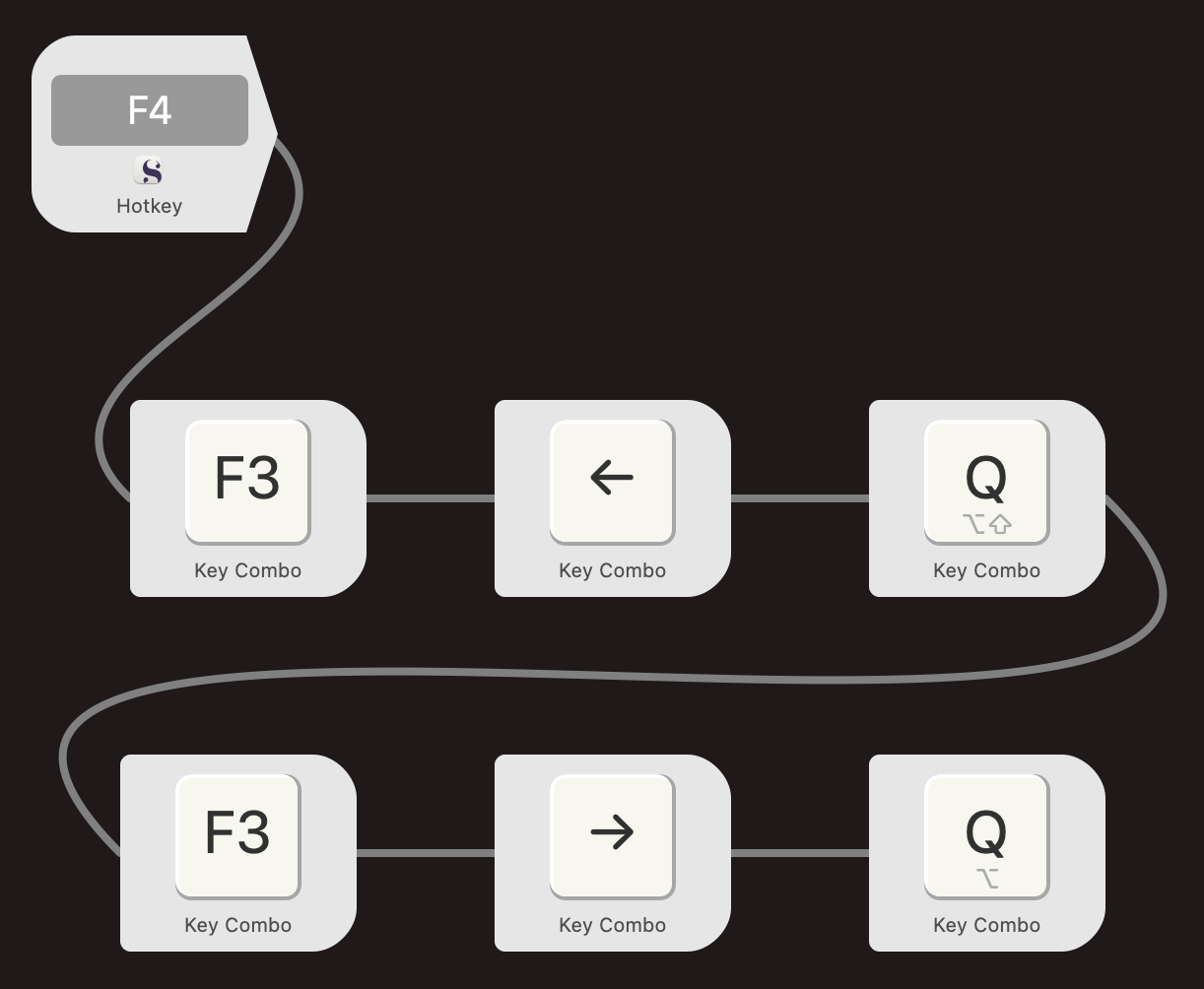
@gr I rewrote the workflow based on your question. It should be less confusing now (other keys and characters used aside because different keyboard). I could even drop the forced delay.
1 Like
You’re certainly correct in that it isn’t necessary to copy the original text to the clipboard. As your macro demonstrates.
And one could use alternate quote marks that way just as well.
The reason I relied on the clipboard was to make the macro more flexible. For example, the second version uses just a selection instead of Scrivener’s (clever) sentence detection (which is not easy). You couldn’t do that with your macro because you couldn’t duplicate the arbitrary text selection.
Then, too, with Keyboard Maestro, having the text in the clipboard allows you to filter it, changing case, etc. if you needed it to do more. So it’s just more flexible.
This selects a sentence:
Select sentence.kmmacros.zip (1.4 KB)
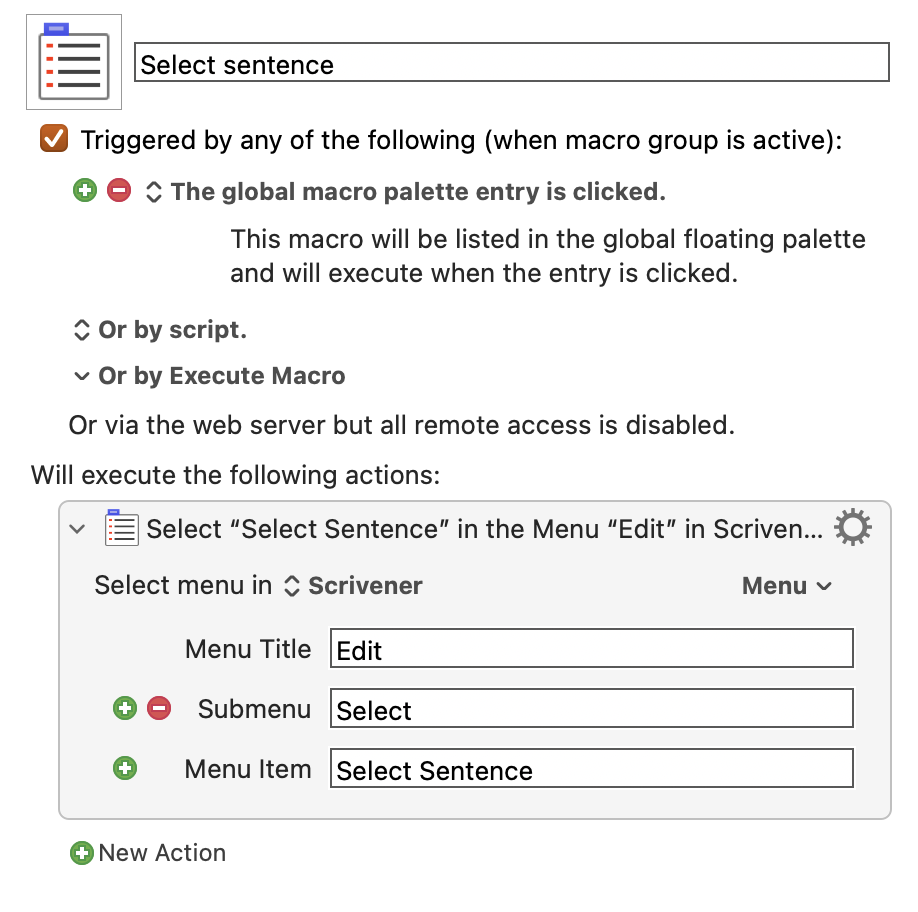
and this adds curly quotes:
Quote Sentence.kmmacros.zip (1.6 KB)
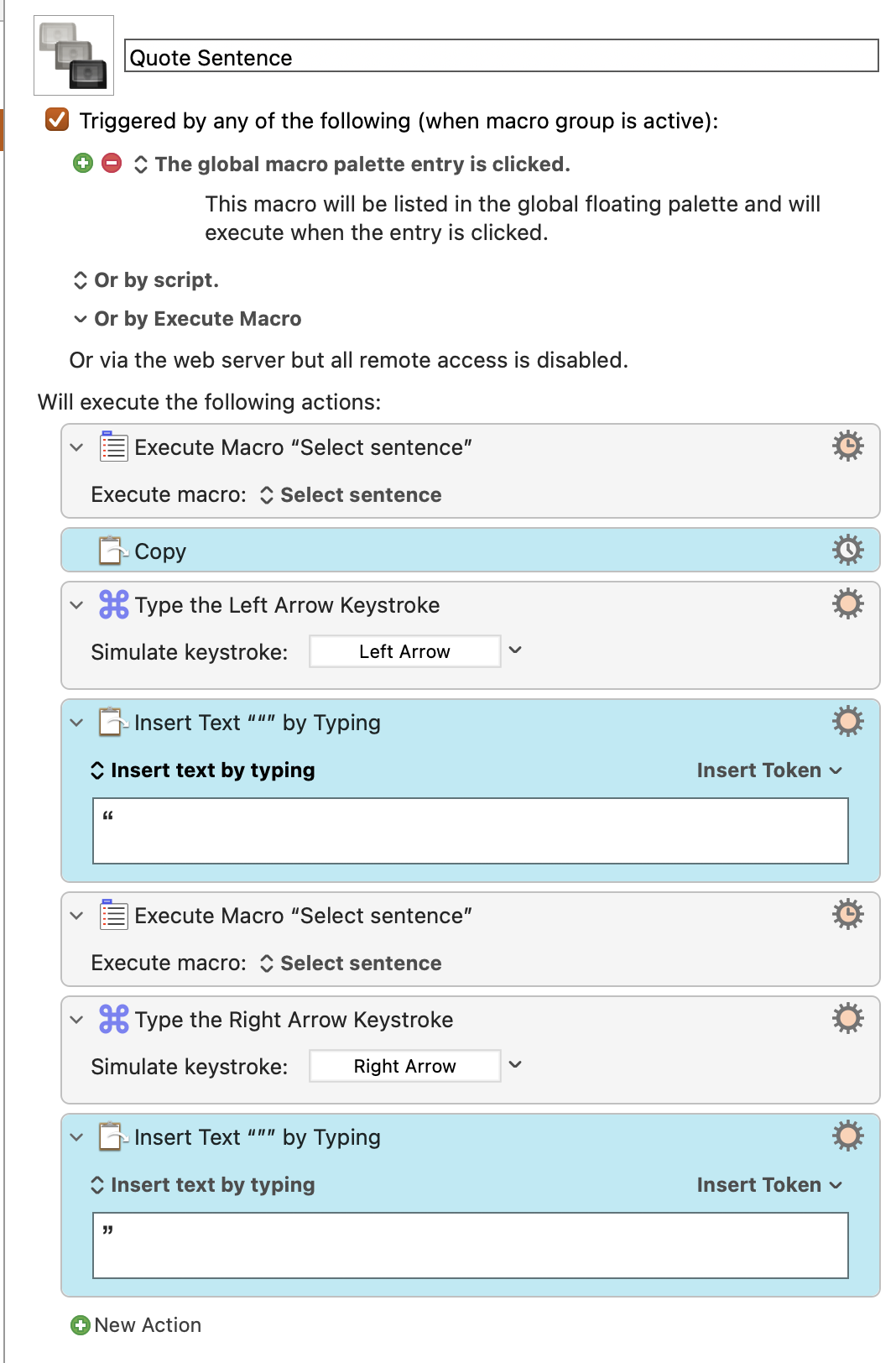
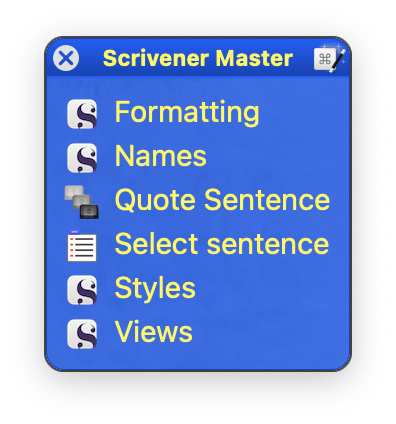
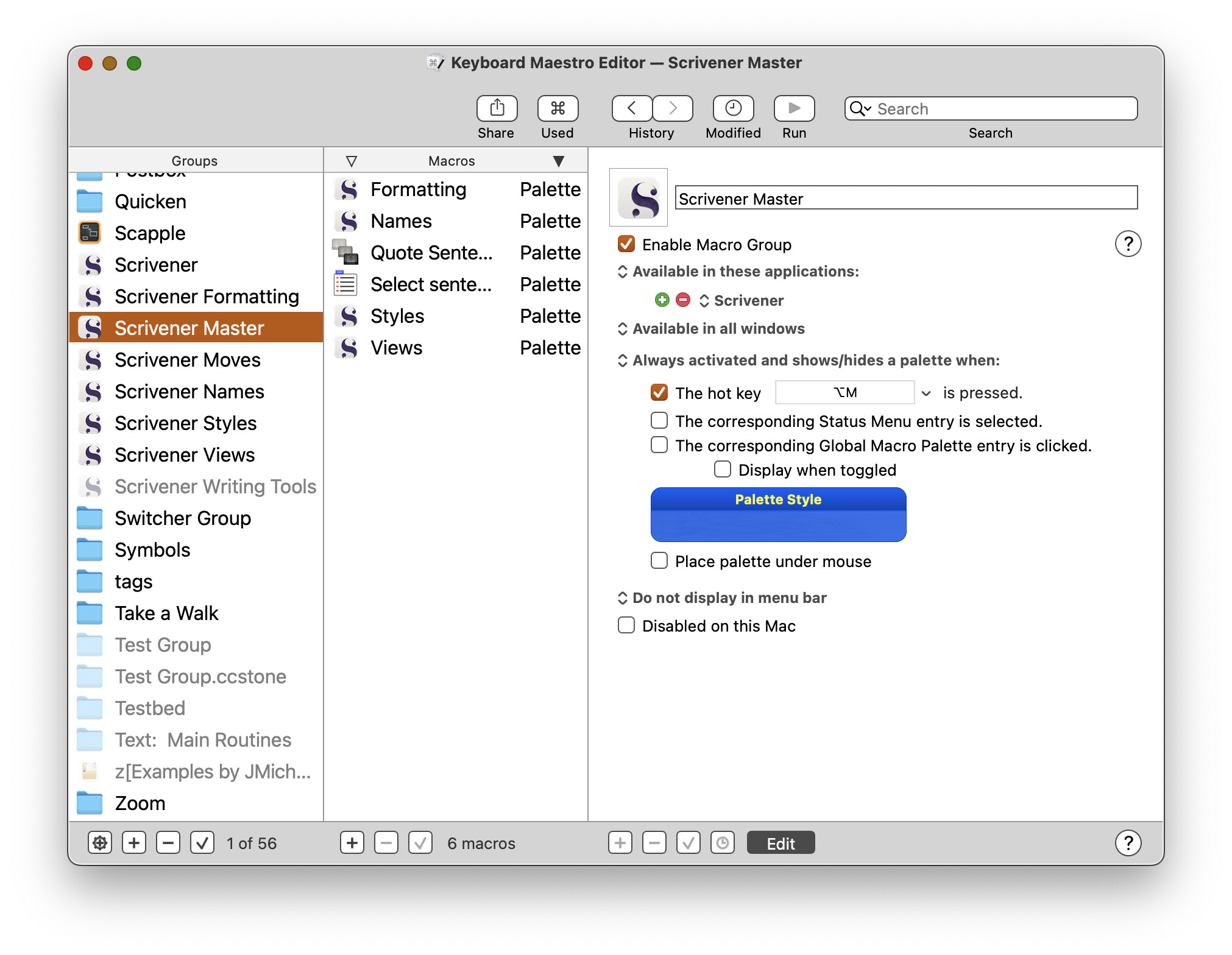
I added them to a Scrivener Master palette (always open when Scrivener is), so I didn’t need the hot keys. (I’ve memorized quite enough keystrokes already, thank you very much!)
There will be cases where Scrivener’s Select Sentence does not quite work, but maybe it only happens when there are already quotes, as it did here:

2 Likes
I used to be a KM consultant (Knowledge Management, not Keyboard Maestro!) and could read all this gobbledygook, but since retiring I’ve stopped wearing ties and apparently lost all ability to read this stuff. You are leaving me behind.
But it seems like if I want to buy Keyboard Maestro, I could make this macro work in Scrivener, right?
You could test it in the trial period. (At least, I think they have a trial period!)
Decompress the zip files I attached before and double-click the macros. Find them in the KM editor and put them in a group like my Scrivener Master group. It’s designed to open when Scrivener is active or ⌥M is pressed. It hides when Scrivener is not active.
You can give the macros hot keys instead (or also), as in other solutions above.
I can reproduce this behavior. Looks like Scrivener ignores the quotes. And tries to figure out where the sentence actually ends, depending on the caret position. Some of those guesses make sense (at the "!"s), others not so much:

You get the same results without the quotation marks. Indeed an edge case, with a faint hint of a bug.
1 Like
I’m not sure I’d call it a bug, and it certainly isn’t an edge case (meaning unusual or extreme?) in fiction writing. I think there is no comprehensive definition of a sentence, that’s all.
drMB, the Copy operation in your macro sequence seems eliminable. The resulting clipboard text is not used. Perhaps some other motivation?
No purpose. Good catch! I’ll delete it.
(It was a leftover from earlier versions.)
That made me rethink our example. Seems like I accidentally introduced a line break after “holo”. Now it makes a lot more sense and selects predictably:

By “edge case” I don’t mean that speech is unusual in fiction, it just seems to fall beyond the broad stroke approach of this particular search implementation.
Does it have to be a macro? Or to ask more precisely: Would highlighting of the text you want in quotes first be a step too much?
If not I’d suggest to look at PopClip. It works with highlighted text and an iOS/iPadOS like bar popping up after highlighting. It’s a really great and simple to use app and amongst its many, many free extensions is one for quoting too.