I didn’t quite get how to do this, sorry.
Okay will see if I can be clearer.
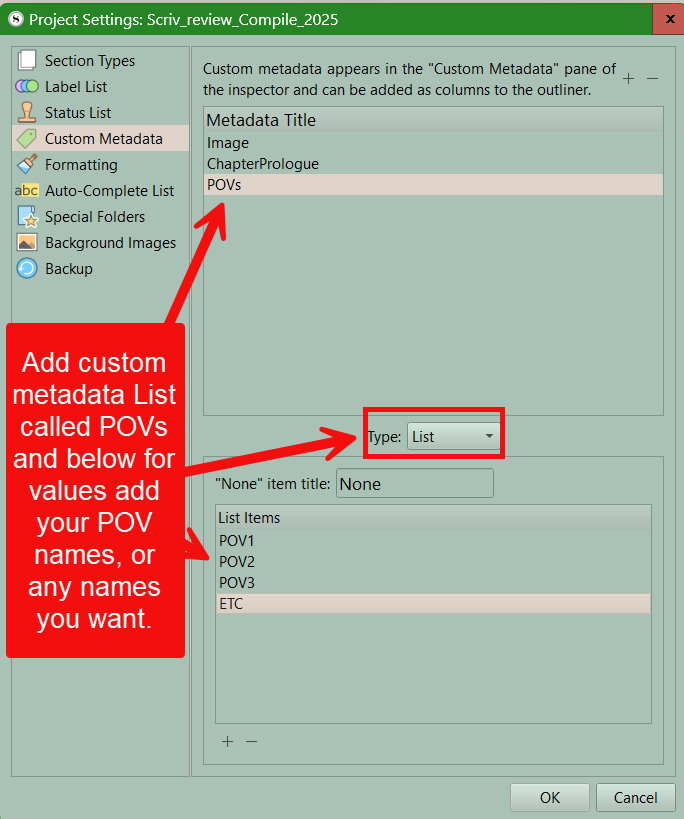
First for adding POV characters create a custom metadata list called POVs (you can make any name for this) In this list, list the characters you want in the scene or chapter.
Would look like this ( are other ways to do this but I will use this way) Your custom metadata should look like this in project settings.
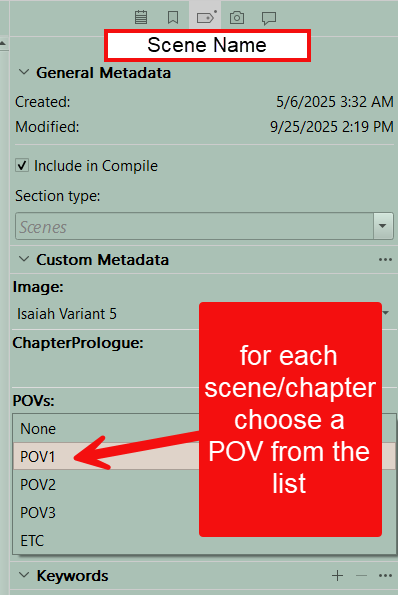
Now if look at custom metadata for a “scene” you can click on POVs and choose a character.
This will look like this-
Now to get the Character name under the scene or chapter title you need to use a placeholder which will pull the Custom Metadata value for POVs into the Compile output. You must configure a Section Layout for either chapters (this example) or scenes to use a placeholder to place the Pov name when you compile. This looks like this.
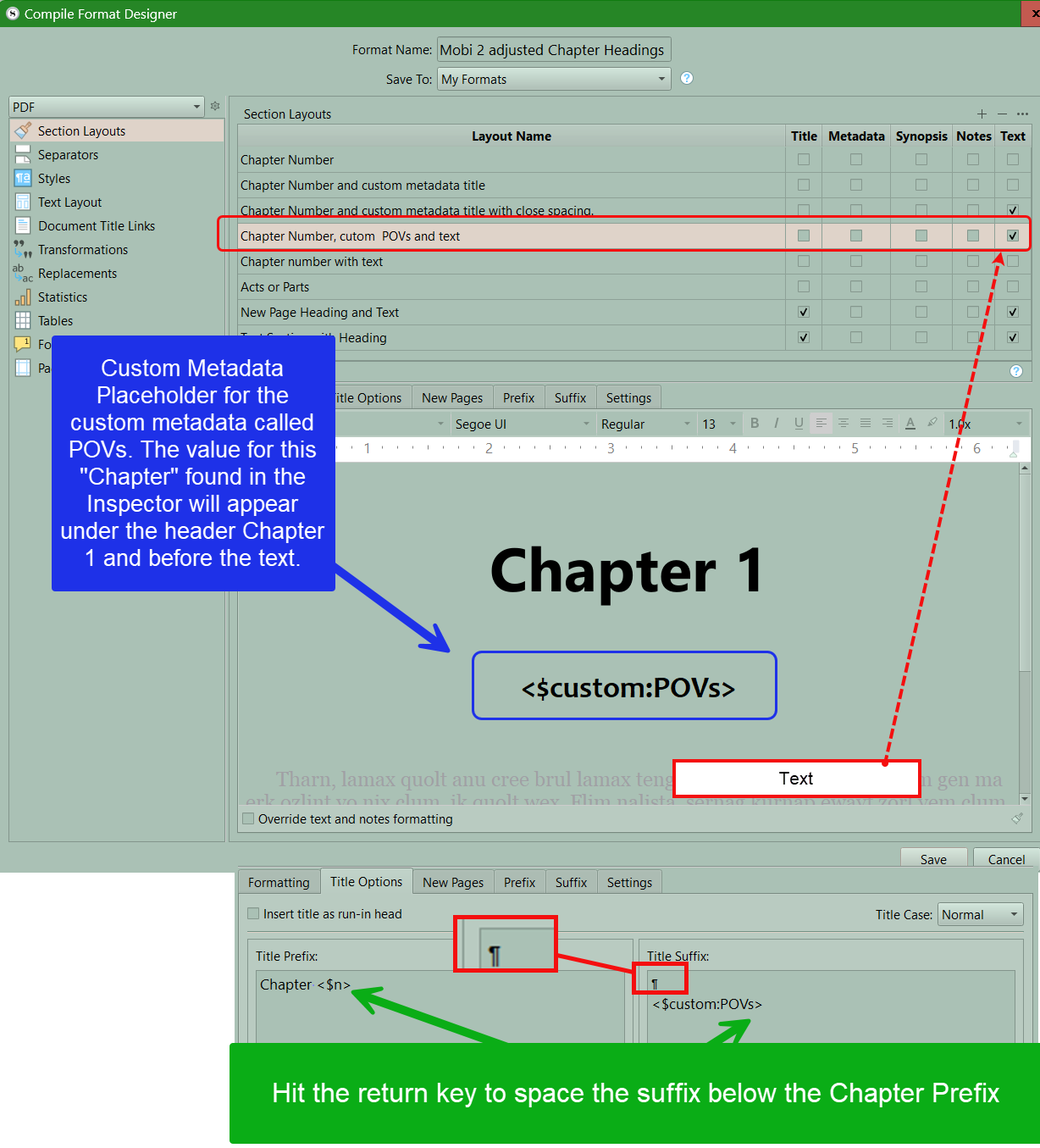
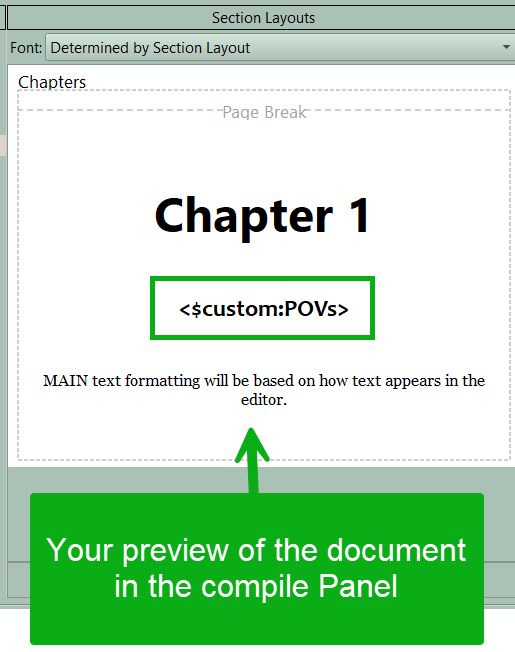
Now go to the compile format designer and choose the Section Layout you customized and apply to Chapters or scenes when you assign section Layouts. When done you will see a preview in the second pane if you did it correctly and when you compile you will see the result.
And finally the final compile result. You can play with fonts, and spacing as well.
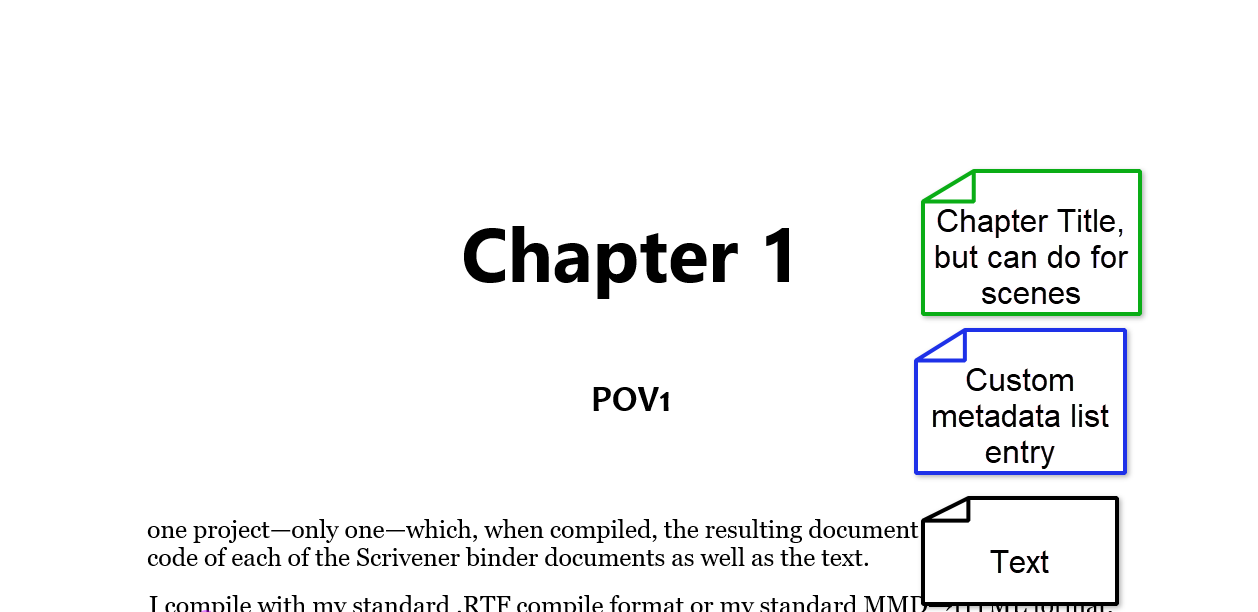
Hopefully this makes it clearer.
3 Likes
Hello, I’m back again with a somewhat related issue.
Yesterday I purchased a MacBook Neo, and after some setting up, I’m doing some outlining. On Windows, @AmberV’s compile format worked a treat, but on MacOS, I’m unable to do this using labels:
The Maid (Anna I)
Any pointers?
Hi
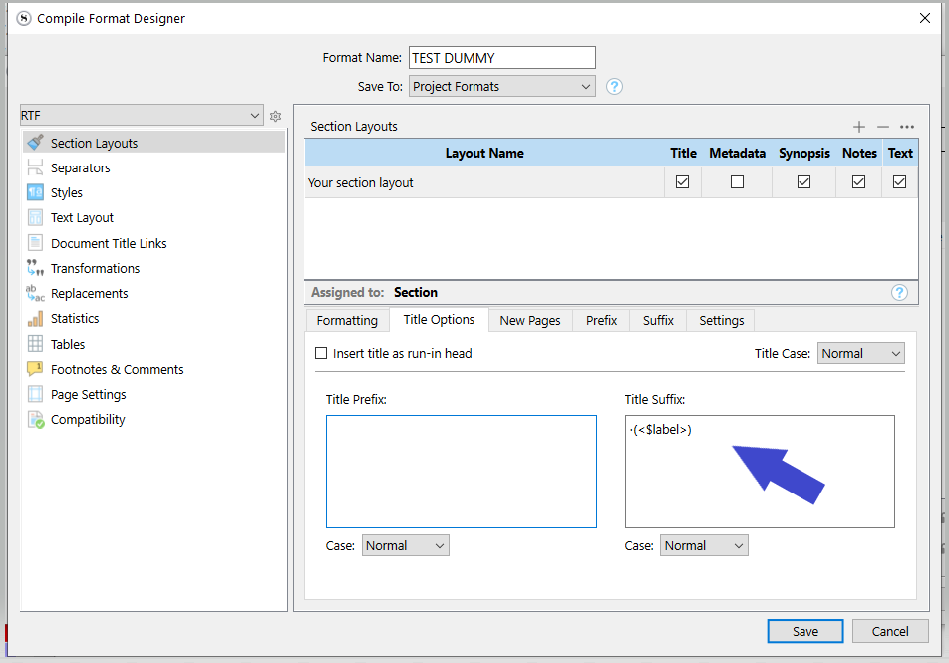
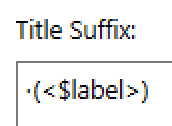
Pretty sure it is the same accross versions/platforms.
. . . . . . . .
[EDIT]
·(<$label>·<$R>) if the “I” (one) isn’t part of the label.
[The above was edited back in to preserve coherence after I deleted what this here line says in favor of my next post.]
3 Likes
Thank you! That did it!
1 Like
There is an issue with that though, that came to my mind after the fact.
If the “I” (one) needs to be incremental, it restricts the section type / section layout to documents of the “Anna” label.
So you don’t really gain anything.
Because in
·(<$label>·<$R>) the <$R> wouldn’t be unique to Anna.
And if you go <$R:anna>, then you need a section type + layout combo for each pov.
In order to have a one size fits all section layout, you’d need to be able to do something like
·(<$label>·<$R:<$label>>)
I’ve never done it, and I don’t know if placeholders can be combined this much. (And/or in this specific location.)
@AmberV will know.
. . . . . . .
P.S. Here, in my formula, I used · to make spaces visible. If you copy/paste from here, you need to rather use real spaces, in the compile format designer, in the formula, where I wrote ·
The compile format designer will show spaces as ·, but at compile will output spaces, not ·
Yeah, that one works.
1 Like