I knew that would get me at some point… At least it’s in a beta. When debugging, I frequently have to write gibberish to the console just to see where a bug is occurring. At the beginning of the day, such console entries will normally be numbers. So, if an error gets spewed between “3” and “4”, I know exactly where in the code things are going wrong. By the end of the day, however, such console logs often descend into swear words. I am only thankful that it was a fairly inoffensive one that I omitted to delete. Sorry about that.
As for the rest of your woes: thanks for spotting this. Actually, this bug would have been present in earlier versions, too. Basically, when the text is saved to disk, it saves the RGB components of the annotation colour. In your case, I bet you were trying to use a grayscale colour for your annotation. Grayscale colours do not have RGB components unless they are converted to RGB specifically - hence the error. I have fixed this for the official 1.04 release. Thanks again.
Ha. I think we’ve gone and mixed each other’s arguments with each other’s arguments. Actually, I had somewhat expected that jumping straight from one specific pane type from another pane entirely would be out of the question, for the very reasons you provided. I was a little surprised because I thought that is what you were describing in your post (though it was not working in the beta the way I read it). So, to erase all confusion, my original point is very singular:
The only proposal I have is to modify the scope selection from a “specification” mentallity to a “toggle” mentallity. In this scenario, if you want to briefly check something in a different scope, you need only tap Cmd-Opt-6 twice.
But as you said, this is a very minor thing. It was only a suggestion as in “food for thought,” not “I think the current model is broken.” So as you, I have gone and spent too much time describing something that really should not require so much describing.
I played around with the gradient look in Photoshop, and compared it with 1.03. While I think it does not look quite as “clean” as 1.03, I still think it feels better than single pixel borders. I should reiterate that this is really more a feeling thing than an obvious attention grabber thing. I am trying to estimate what 2 hours will feel like. I guess what I’m saying is: If it isn’t too much trouble, I would very much like the option. Redundant grabbers do not strike me as being obnoxious in this context.
I was just thinking, it would be a neat idea if the splits were not quite so fluid. If they had a set primary and alternate that would always be the same no matter.
It doesn’t have the preference yet, this is just an example of what things would look like were the gradient splits to be allowed as an option. Kind of bevelly…
Aye, especially with a horizontal split open. Hmm.
Honestly, that is a whole lot of interface goin’ on. Though I’ll admit, I did pick a worst case scenario. With Corkboard on instead of Outliner, and Notes instead of Keywords, it is a lot less intense:
And just for reference, beautifully clean 1.03:
I am having a hard time deciding whether or not it is good enough for Scrivener. On the one hand, the amount of buffer space it adds just immediately feels more comfortable to me; on the other hand, as you say it is awfully bevelly. It feels somehow “brighter” than the flat one.
I think in general you are opposed to preferences which must be set from the command line using ‘defaults,’ but this might be a good place to use it. Let it stew for a bit amongst those that care. If it doesn’t work out, oh well it was an unsupported preference. If it does work out, it can be promoted to a visible preference. I am just thinking that acclimation is impacting my taste.
Just took a brief look at this topic, and I need some advice. I’m in the middle of a fairly large screenplay project in Scriv right now, and everything’s working really well. I am DYING to play with 1.04, but I don’t want to mess anything up. Am I safe to upgrade?
When 1.04 first opens a project, it immediately creates a backup of the existing project. And, just a testimonial, for those of use who’ve been beta testing Scrivener since its first revisions, I’ve never had a situation where my data actually got messed up. I always play it safe with backups, but I trust a Scrivener beta over most stable versions of other programs.
Thanks, Amber. And you’re right – I’ve been working with Scrivener since it was a beta as well, and have never had a problem. I guess I got skittish – never had a project this big in Scriv before.
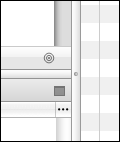
Not a bad idea given that this will be moving away from the standard interface, and also the fact that there isn’t much room left in any of the Preferences panes! I have added an internal preference. To activate the gradient splits, you will need to enter this via the Terminal:
Groovy! And I think I’m going to fuss at Apple bug reports about not providing access to a buffer zone on these minuscule widgets they are promoting these days.
It’s not that Apple don’t provide a buffer - it’s that they don’t provide a single-pixel split view at all. So every single-pixel split view you see that is not in an Apple app is, by necessity, rolled by the developer himself in an attempt to fit in with the interface that Apple is pushing…
Oh dear, I’ve a feeling I’m re-opening a contentious subject but I’m having an interface “Huh?” with part of the new split behavior.
----------X
One
----------X
Two
So, I’m looking at One and decide that I don’t want the lower split, so I go down to the lower split close box and click it. Wha? I now just have Two! Because, of course, Two was active. But I clicked the close box for Two and One was closed! So how about dispensing with the close boxes associated with the panes and putting one on the split itself? Or removing them and just using the double-click on the split or the menu?
My buttons look like “maximise” buttons, not little ‘X’ type close buttons. To me, it looks like a full window, hence, whichever one you click on “maximises” and wipes the other window off the screen. It seems to work precisely the way it looks like it will work, no matter which editor currently has focus.
Item 1: They don’t look like maximise buttons they look like grey squares of unknown parentage.
Item 2: My point was that “whichever one you click on “maximises” and wipes the other window off the screen.” does not occur. Whichever one you click wipes the non-active pane off the screen: proximity is not a cue.
Oh My! This is awesome - a word I rarely use. Scrivener is now so far ahead of its competitors. I am awestruck. I can’t really contribute any bug ID’s simply because my workflow has not revealed any.
PS thanks for the inspirational words. I have seen things in a much more positive way (you know what I mean).
My only contribution is an irrelevant suggestion related to the GUI. I have included two suitable and properly ID’d jpgs (you know where they go if you think they are useful) and a visual comparison between 1.03 and 1.039b so you can see them in use. They are to be seen in various icon sets so I don’t think there is any proprietry claim to them and I have not tried to clean them up in Photoshop which would make them distinctly Scrivener only. I am sure you can ‘tickle’ them up if you need to. TBAddNew.tif (29 KB) BinderDraft.tif (26.3 KB)
 I knew that would get me at some point… At least it’s in a beta. When debugging, I frequently have to write gibberish to the console just to see where a bug is occurring. At the beginning of the day, such console entries will normally be numbers. So, if an error gets spewed between “3” and “4”, I know exactly where in the code things are going wrong. By the end of the day, however, such console logs often descend into swear words. I am only thankful that it was a fairly inoffensive one that I omitted to delete.