Hi, been a while since I’ve been here, but I use Scrivener 8+ hours a day and I just wanted to throw something out there that I would personally find very helpful. If it exists already, my apologies.
I would love a way to Toggle On/Off the margins in the Editor (preferably with a keyboard shortcut).
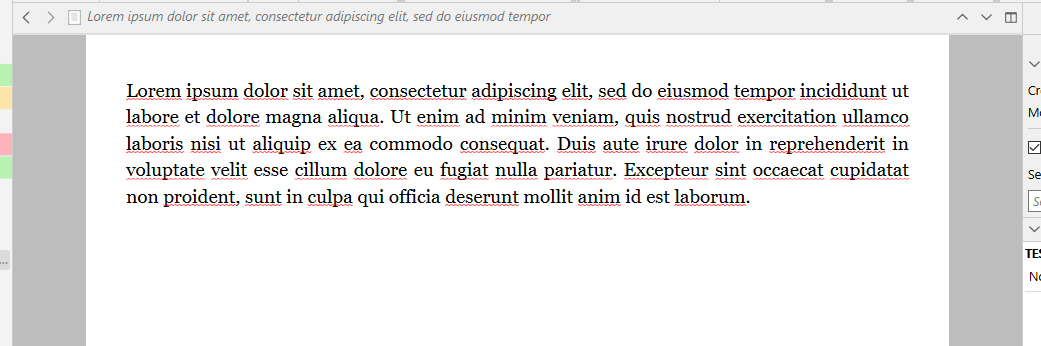
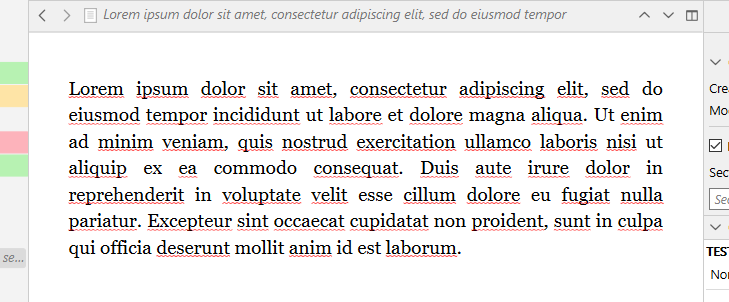
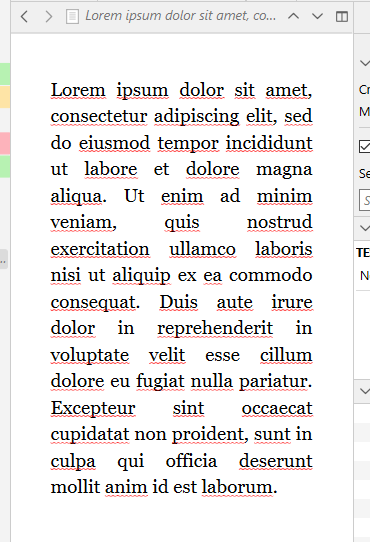
You know how when you select a project bookmark in the inspector and it displays without the margins? I would love that ability in the main Editor as well, so that when I extend my desktop to my iPad and am working away from my desk on the much smaller screen, the margins don’t suddenly make my text an inch-wide column when I have the inspector open.
I realize the problem is solvable by going into settings, but a Toggle Margins On/Off feature, if possible, would be wonderful. Thanks.
If you use fixed width editor and find the sweetspot, you could have your visual margins on your desktop (tweak the background color to make it look so), but when the editor is forced to a width smaller than specified in the settings for its fixed width, it behaves as normal.
(Under Windows, the least. Possibly the same for Mac.)
Now, I don’t want to change my settings just for a screenshot, but make the gray background (in my first screenshot) the same color as your editor, and set your editor’s real margins to the width you want them on your smaller device.
Vincent, thanks for the suggestion! I do use a fixed width already and unfortunately I am accustomed to having a dark background color, as I like being able to hide my cursor (same color as background) without having to type.
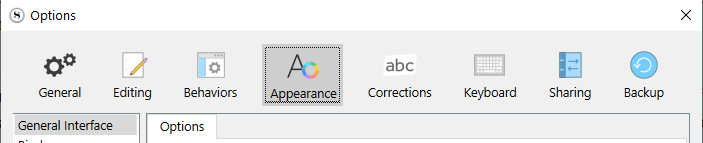
My problem is easily solvable by going into settings and changing the left/right margins to zero. I would just love a keyboard shortcut for the function, like command+m.
If you are comfortable with AutoHotkey (or a Mac equivalent), you could script a macro.
The trick (under Windows, possibly the same for Mac) is that once your script is in the options panel, you have it hit 7x right arrow, then 4x the left arrow, so that you end up on the right tab, no matter where you left the options panel at, the previous time you’ve opened/closed it.
Great suggestion. Somewhere in a prior thread I discussed using just this solution to reach a menu commmand that didn’t have a Scrivener hotkey, then assigned it to my Stream Deck (though I could just as easily have just used the keyboard to invoke it).