JSON is a much better format for Pandoc than BIB, when I timed it a few years ago it was ~5X faster to compile with. So get BBT to export CSL JSON and use that instead…
EDIT: IIRC the zotero live citation filter uses the Zotero library directly, so it may even be that the JSON/BIB file is not actually used?
How would you change the argument for pandoc to reflect that?
Also, the .docx file I get has the pandoc command prepended at the top of the document, and brackets surrounding entire sections. I’m wondering what I may have done wrong… I followed the instructions above to the letter.
Final edit - I have it so it’s mostly working, but it still includes the line #!/opt/homebrew/bin/pandoc before the body of the text. Easy to remove from the Word document, but wondering if there’s a way from preventing it from being inserted there in the first place.
I’m not quite sure why @vegetableroast uses the “Edit script” box to enter the pandoc command, but it is more direct to just use the path option directly:
Note to use your JSON the fragment is --bibliography /path/to/zotero.json – wherever you store the file and I personally prefer to not have spaces in the filename (it defaults to My Bibliography.json. Note that i also append the following fragment: > compile.log 2>&1 – this basically redirect the output of the pandoc command to a log file, including any errors so if something goes wrong you can check the log…
Regarding #!/opt/homebrew/bin/pandoc this is a hashbang but is not present I think in his instructions, not sure where this is being added but I don’t see it so there is something in your document or metadata that is inserting this…
You should not see any pandoc command in the output, it does mean something is going wrong. If you can make a simplified minimal project that reproduces your problem zip it up and we can take a look…
Thanks for the suggestion @nontroppo. I’m also not sure why I was using the “Edit Script” box… Using the path option is much better. Since a number of changes have been made to the post above (and I can’t seem to edit the original) I put everything into a Google Doc that reflects the revisions: Steps to Pandoc Workflow: Scrivener and Zotero on MacOS
I’ve just got this up and running and wanted to document my steps for anyone else who might be making the switch to this workflow:
For step 3cc- I had to remove the equal sign in the suggested “arguments” text to get Scrivener to compile
For zotpick- For step 4D (saving the applescript as an application), change the program name to remove the dash (I added an underscore instead). Then, you can go to system settings - privacy and security-accessibility and give the application access. I couldn’t get Mac to let the program run with the original name, and even changing it after it was saved didn’t help. This fixed it immediately.
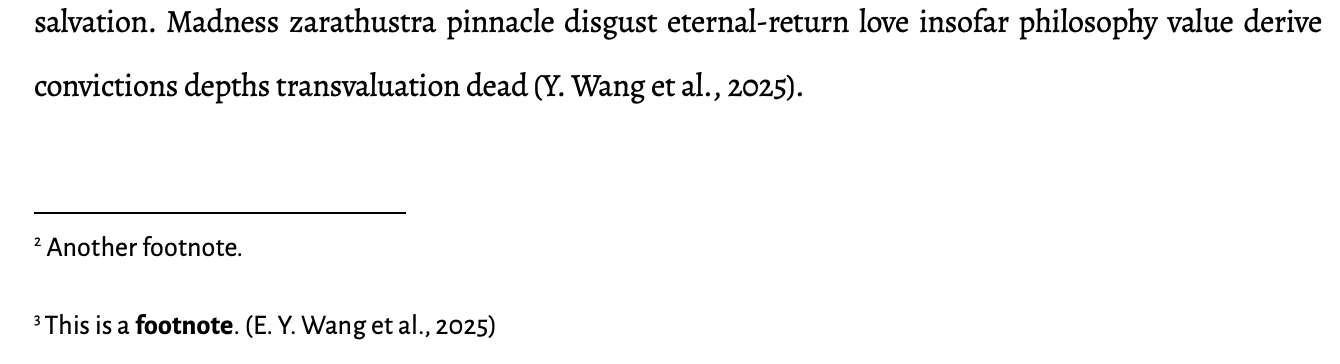
Currently, I can only get the live citations to work when I insert the citekeys in footnotes in Scrivener. The same citekey in the body text changes a bit (brackets become parenthesis, the key is bolded) but it doesn’t render. I assume this has something to do with how Scrivener processes markdown in footnotes vs body text. This is totally fine for my workflow, but wanted to flag this for people who like in-line citations.
Also, a pleasant surprise: Zotpick states " Suffixes, prefixes, page numbers and author suppression can be set by clicking the selected citation in the search box and filling out the options, but these do not work in MultiMarkdown output." With this workflow, I found these options to render just fine
That is something specific to your workflow, the zotpick script works in the main text and footnotes the same for me.
I assume the zotero.lua script was updated at some point, zotpick seems to be using the standard @pandoc citation markup already: Pandoc - Pandoc User’s Guide
Oh, zotpick works for me, in Scrivener itself it generates citekeys. I meant that when I compile the document from scrivener, with the citekeys, the resulting word document has live citations in the footnotes, but not in the body text.
Thanks for linking the Pandoc user’s guide! Will be helpful for manually, without zotpick, adding citation markup!
Thanks for checking this! It pushed me to do some troubleshooting. Looks like some kind of autocapitalization is capitalizing the first letter of the citekey in the document body and not the footnote, and that’s breaking the citation. Weird quirk but easy manual fix
Hi all! Thanks a lot for this workflow. It looks very promising yet I cannot get Scrivener to compile the .docx file. I thought this might be the issue, but when I remove the ‘=’ sign, nothing really changes, no Word file appears, only Markdown. I triple-checked and it seems I followed all the steps as described…
UPD: I’ve followed the extra steps as described here to see what the generated log would indicate. It showed that for whatever reason Homewbrew installed an old version of Pandoc, which the log indicated as incompatible with the workflow. Do not know how that happened. After Pandoc reinstall, it all works.
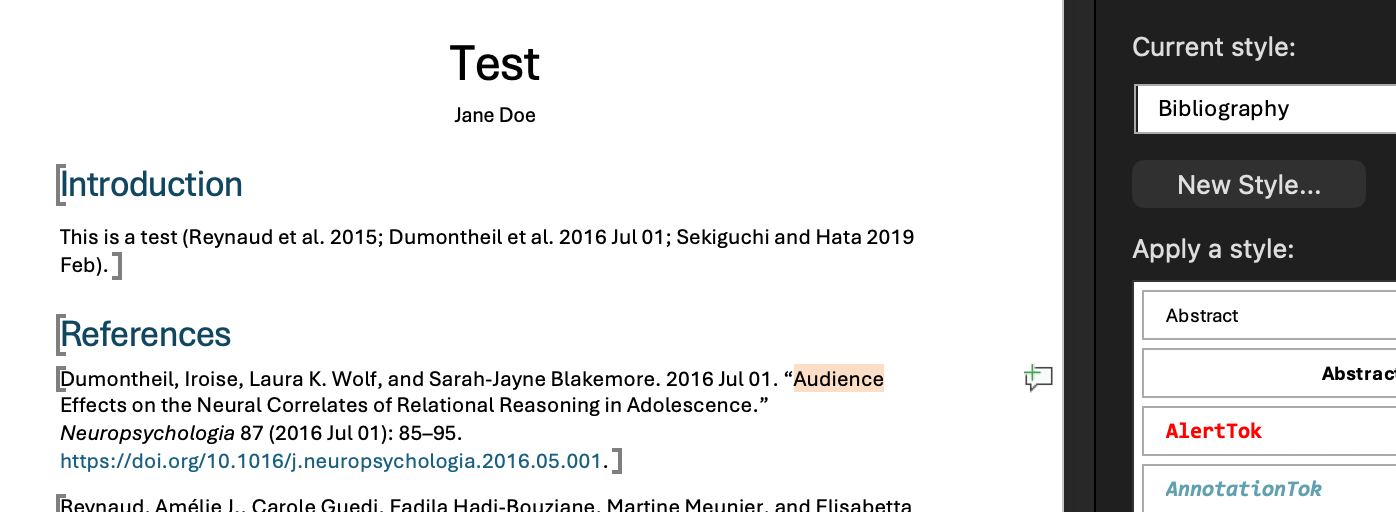
I’ve been slowly tailoring my docx Pandoc reference file and am running into issues with it recognize a “Bibliography” style. Typically I use live citations and Zotero to auto-generate a bibliography, however, it’s sometimes useful to incorporate static citations into my Scrivener documents (in addition to live citations).
It seems based on Pandoc documentation that “Bibliography” is a recognized paragraph style, however, the default reference file created using pandoc -o custom-reference.docx --print-default-data-file reference.docx doesn’t include it. Has anyone figured out how to get Pandoc to recognize styles that aren’t included in the default template?
The reference document that I’ve been using is here.
I’m not sure if this is to do with your use of Zotero’s live citations, as Pandoc is not responsible for those and they are handled by Zotero’s Lua filter? But I do remember I tested this a while ago and references seemed to also use the Bibliography style there too. Are you using an old version of Pandoc?
As a bit of background, you can use custom styles as you want by making use of custom styles in ODT/DOCX/ICML: Pandoc - Pandoc User’s Guide — edit the template, add your styles and use custom-style attributes in spans/divs from within Scrivener. Any Scrivener arbitrary style can be mapped to any word processor arbitrary style…
I checked my reference doc and you’re correct. The Bibliography style is included in it, I had been looking at “Styles in use” instead of “Styles in document.” Still, when I paste a citation into Scrivener (not a citekey) and apply a custom “Bibliography” style I’ve created in Scrivener it won’t be applied on export. Strangely, when I use a custom-style attribute, it’s applied properly. Looking through the Zotero Lua filter, it seems like there’s some sections which are applying the “Bibliography” style, so, I wonder if that’s causing issues.
Got this solved by editing my custom format to prefix ::: {custom-style “Bibliography} and suffix ::: to the style on export. The style seems to carry through now on export.
And, I just checked, I’m using the latest version of Pandoc.
EDIT: This works only when the citation does not begin or end with italicized text (e.g. a citation for a pamphlet with an unknown author). The italicized text will enclose the prefix or suffix with asterisks in the Markdown export and prevent the style from being recognized.
I’m now running into a similar issue with other styles as well. Heading 1 and Heading 2 styles are properly recognized, however Heading 3 is applied as Heading 2, despite being included in the reference file.
These problems are probably occurring due to the compiler styles not applying properly. If you share the project or a sample of the intermediate markdown we can look at it: in general you must ensure newlines before and after the ::: dividers in the Scrivener compiler (alt+enter to actually get them in the scrivener GUI, the text box is single line so it is hard to actually see these new lines).
Don’t forget for pandoc you can just run pandoc in terminal without an input md file and paste input into the terminal to test the syntax easily (press ctrl+d to tell pandoc to process the pasted text). e.g. here is italicised text at the end of a fake citation:
> pandoc -t opendocument
press enter after this command in terminal.
::: {custom-style=Bibliography}

John Doe (2021) My title p23-24 *Journal*

:::

Following text.
Paste this above text, then press ctrl+d
<text:p text:style-name="Bibliography">John Doe (2021) My title
p23-24 <text:span text:style-name="T1">Journal</text:span></text:p>
<text:p text:style-name="Text_20_body">Following text.</text:p>
Then you know what the “correct” output from Scrivener should look like…
I typically only use citekeys when I write, however, I’m currently working on my exams and prospectus. When formatting long bibliographies I’ve found it easier to work with static citations. I’m still using citekeys when I footnote any explanatory text, introductions, etc.
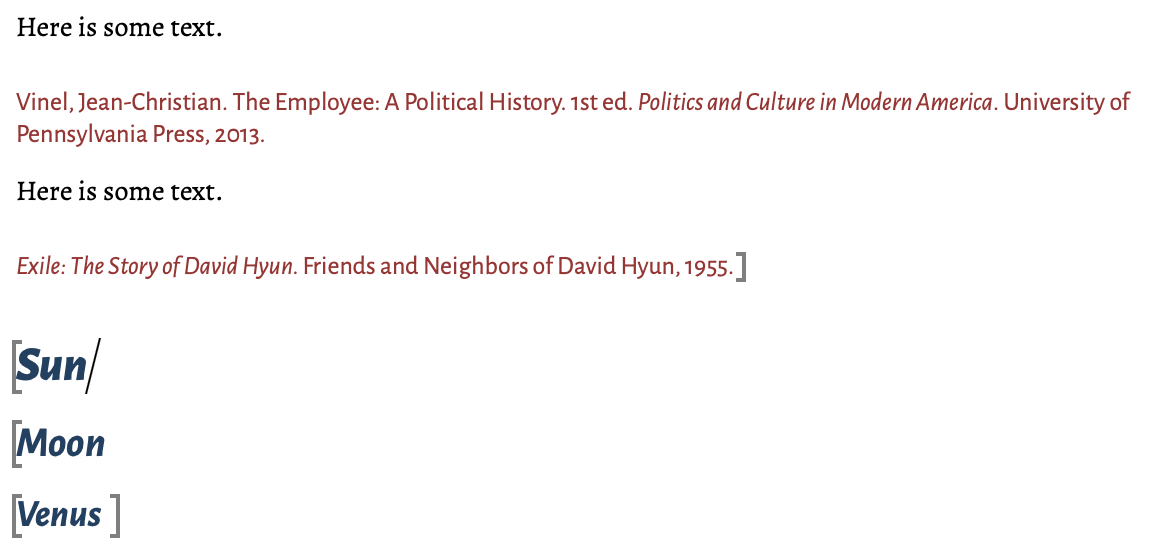
The issue isn’t with Pandoc, it’s with Scrivener outputting incorrectly formatted markdown. The markdown for most citations (those that don’t begin or end with italicized text) is correct and look like this:
::: {custom-style=“Bibliography”}

Vinel, Jean-Christian. The Employee: A Political History. 1st ed. Politics and Culture in Modern America. University of Pennsylvania Press, 2013.

:::
Those that begin or end with italicization look like this:
::: *{custom-style=“Bibliography”}*

*Exile: The Story of David Hyun.* Friends and Neighbors of David Hyun, 1955.

:::
Even though there’s a newline, the italicization is applied. As I was writing this, I tried inserting a space following ::: {custom-style=“Bibliography”} and preceding :::, which seems to have solved the problem.
This workaround doesn’t function for Headings, though. Headings 1 and 2 are both properly applied in markdown, but Heading 3 is not. The markdown is applied to the custom heading (even with the space added).
I’ve attached the intermediate markdown and log file (with the bibliography style properly formatted). The file upload won’t allow me to select the Word document. I suspect I’m missing something obvious with the headings.
Both issues work fine for me. Here is my Scrivener editor – using Bibliography paragraph style, emphasis inline style (I never use RTF italics) and headings 1 to 3.
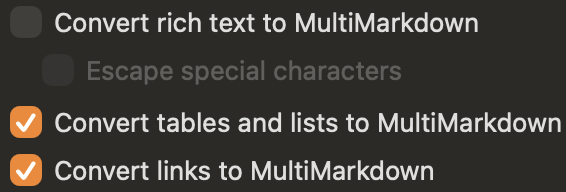
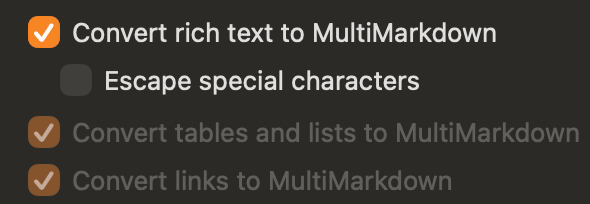
Yes, that is the problem here. Unless there is a clear reason why you need to use this, it is better to disable it. You can enable the other conversions to get lists / tables / links and you anyway get figures with captions and headers no matter what.
For italic and bold, switch to using emphasis and strong styles which can be bound to ⌘i/b for ease of use.
If you still want to use this setting then there are two workarounds you can try:
Try to enable in the Style itself Treat as Raw markup – I think this will fix some of the issues with styles + RTF italic you mentioned above; see §21.4.9 also p.643 of the user manual for why this will probably help:
Try to turn off Escape special characters, this is more brute force approach, and will conflict with styles elsewhere even if it solves your main problem.
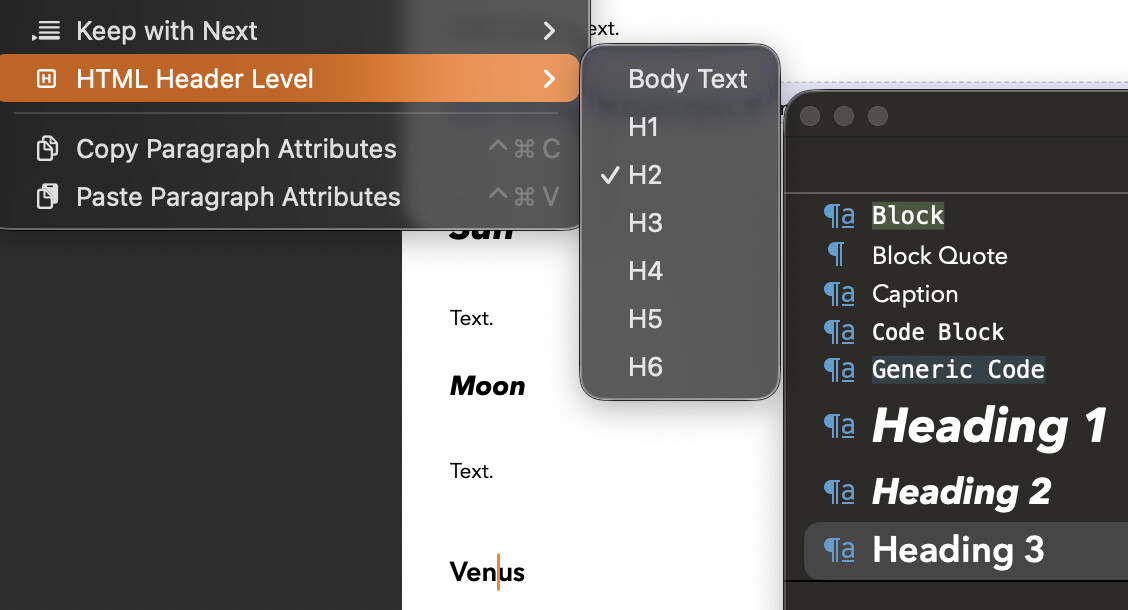
NOTE: just to clarify how your problem with headings was also caused by “Convert rich text…” as RTF uses the html heading level to identify its level and still treats it as H2 and thus conflicts with the style itself – you must set this paragraph formatting BEFORE you define your style:
TLDR: when using styles and markdown, try to be consistent and only use RTF for visualisation in the editor but not for final formatting; workarounds may solve one issue but could create another problem down the road though YMMV…

 and wanted to document my steps for anyone else who might be making the switch to this workflow: