. . . . . . . . . . . . . . . . . . .
Meanwhile,
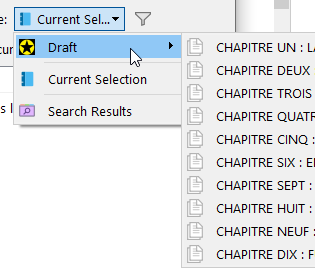
to compile only a single folder or parent document and its content, select it here (compile panel) :
To compile non consecutive documents across the binder, the best solution is to create a collection, and then compile that collection :
Right click the desired documents in the binder :
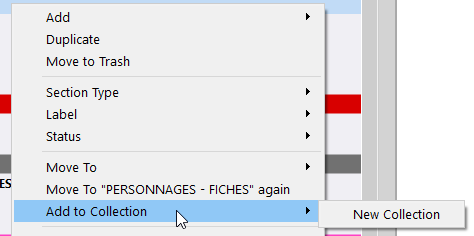
→ You can add them a few at a time to your collection. You don’t have to select all the desired documents at once, so long as you add them to your collection in the order in which you want them to be. In other words, starting from the top of the binder, going down.
Then compile that collection rather than your draft.
. . . . . . . . . . . . . . . . . .
Note that modifying the include for compile state of a document in the compile panel list affects the document just as if you would have made the change for it in the editor. In other words, it does not revert to what it was before once you close the compile panel.