I just updated to 3.1.6 from 3.1.5 and I’ve immediately encountered a showstopper. I can no longer save my file to My Documents folder, it prompts me with: Error: ‘Access is denied.’’ If I go to manually save it, I receive the following: “You do not have permission to save in this location.”
I tried running the program in administrative mode, but there’s no difference.
If this issue isn’t solvable, is there a way to revert Scriviner to 3.1.5? I must have my file saved in My Documents – it is my automatic Windows cloud (OneDrive) backup, and OneDrive is very restrictive on which folders can be backed up.
Uninstalled 3.1.6, installed 3.1.5. My saves are now working correctly again, although I’ve unfortunately lost some setting changes.
If anyone on the Scrivener team sees this, an unrelated bug I was hoping to see fixed but did not see mentioned in the patch notes: text randomly jumps to other pages when scrolling with the mouse wheel. My wife also complains about this bug.
About your issue where you can’t save.
That seems a lot like the good old (random – some users have this problem, some don’t) antivirus issue. The AV (antivirus) doesn’t recognize Scrivener as a legit app. (?)
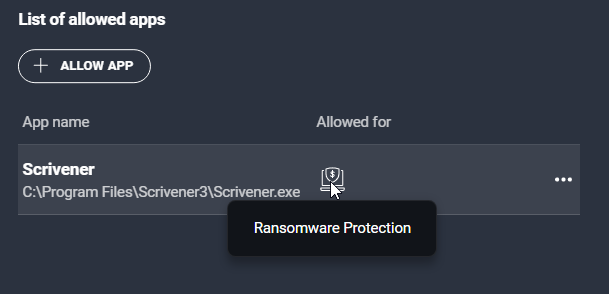
In this case you’d have to exclude Scrivener from ransomware (or include it in permissions, depending on your AV) in your AV settings.
I encountered this issue when I first installed V3 a long time ago, but since I’ve seen a couple of users with the same problem.
One quick way to diagnose whether it is the case or not is to disconnect from the internet (so that you don’t fetch yourself a virus), then turn off your AV and try Scrivener again. If all works fine, you’ll know it is an AV related problem.
After looking at your instructions, I saw that Scrivener was now on the Blocked App list after the update. I added it to the Allowed list. I didn’t need to alter any AV settings.