About your issue where you can’t save.
That seems a lot like the good old (random – some users have this problem, some don’t) antivirus issue. The AV (antivirus) doesn’t recognize Scrivener as a legit app. (?)
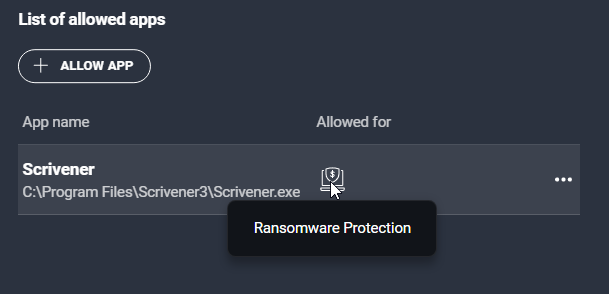
In this case you’d have to exclude Scrivener from ransomware (or include it in permissions, depending on your AV) in your AV settings.
I encountered this issue when I first installed V3 a long time ago, but since I’ve seen a couple of users with the same problem.
One quick way to diagnose whether it is the case or not is to disconnect from the internet (so that you don’t fetch yourself a virus), then turn off your AV and try Scrivener again. If all works fine, you’ll know it is an AV related problem.
AVG :