3.1.6 Update Displaced My Footnote Anchors In Editors

Just installed 3.1.6 Windows update.
The update process seems to have shifted the placement of my footnote anchors in the active document in one of my Editor windows (I had two editors open at close/restart, but the passive document kept its one such fn anchor).
The anchors were moved from outside/beyond the punctuation, comma or period or …, from hanging off a hard-space (non-breaking space), where they are more easily maneuvered, to not only in front of the punctuation, but also onto the last word before that.
(A quick review of other documents suggests that it was only the editor-active document that was affected.)

g

A few queries:

  • Are you absolutely sure you did not at some point in the past use the Transformations menu to go from inline footnotes to inspector footnotes?
  • In conjunction with that, you should check the Terminate footnotes and comments before punctuation checkbox, in the Editing: Formatting options tab. The behaviour you describe, of the footnote anchor attaching to the word, excluding punctuation, precisely describes how having that setting on would work if you place the cursor at the end of a sentence and use the Insert ▸ Footnote menu command without a selection, or if you batch convert inline footnotes.

That aside, I tried to reproduce this and my footnote markers were solid after opening the project in the update (I took snapshots to verify). I attempted to reproduce the conditions you describe, but I don’t understand all of them, so I’m probably doing something completely different. Here is my test project:

footnote_anchor_position.zip (163.2 KB)

Of note:

  • It sounds like you have split the editor, and only the active split was different, so that is what I tested.
  • I don’t understand how you are marking the anchor point though. If you refer to “Original conditions” in the binder, you’ll see my literal interpretation of what you described, but that can’t be right! Nonetheless I tried a test update with that document active too, and it was fine.

There was no project format update in 3.1.6, so there should be no automated adjustment to any data, nor is there any (intentional) function in Scrivener that would reposition notation anchors on load—hence my first question about whether this might have been on in the past and only just now noticed.

Overall, I would suggest modifying some of the sample text in this project to better describe the before conditions, so I can take a look at the after conditions in a test update to see if something changes.

Oh, also please indicate what version of Scrivener you were upgrading from, as I’m naturally just testing from the most recent prior stable version (3.1.5.1).

1 Like

Thank you AmberV,

I understand your interest here were my perception true. Still, I appreciate the effort you put into this and my Idiosyncracies.

– While I have from time to time brought the footnotes from the Inspector to inline, such times are ad hoc, immediately reversed once dealt with: my overwhelmingly usual mode of fn use is in the Inspector, even to working in the note while it is in the Inspector view.
– Yes, “Terminate footnotes …” was ticked in Options > Editing > Options. However, I am familiar with the tick-box and did think I’d de-ticked it long ago. But, did I? (As you’ll see, regardless, how I’ve been doing things, in practice, it “hides” the ticked Termination consequence.)

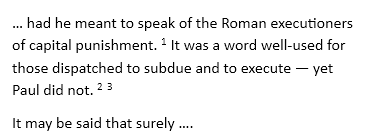
For my sample sentence, I have three fns after its period. Here is the text involved, from a pre-update snapshot (2 weeks ago):
image

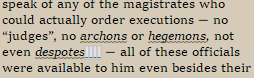
And here’s the text after the update:

image

Restarting Scrivener after the de-ticking, I executed the Insert > Footnote after another, test, sentence’s period. While the fn gets visually hung on the last word of the sentence, the fn marker does land after the period. (Sometimes, the hanging is from the punctuation and the immediately prior closing parenthesis, short of the last word.)
This is fine, but for two reasons tied to my drafting practice: I cannot easily move individual fns around, nor can I have more than one fn at the end of sentence; repeated “insertions” overwrites the prior text already in the fn unless I hang them separately; no second fn is acceptable. (Among other things, I don’t generally put fns mid-sentence, so sometimes, they accumulate.)
In the post-update sample image, the first of the three fns was hung from that last word, and the other two were post-update hung individually from the programmatically written "(Linked Footnote)"s, in reaction to there being no prior “word” … far more intrusive as I go through the text than the hard-spaces.

Due both reasons, I hang each fn from its own hard-space after the period.
Re “oddly”: yes, you got it right in your project, as far as I said it. However, for my purposes, I do put a space after the hard-space. Thus,

Re active and passive editor panes after the update, a similar view as earlier across the panes. (The active pane’s on the left in this project.)

image
(The fn’s after “her predecessors.”)

Re preupdate version: 3.1.5.1.

Every time I read this for content and flow, I tweak something: I’ll stop now, and REPLY.

PS: Here’s a curiosity. Sometimes, there was a fn immediately followed by a comment (also hard-space hung): When the fn moved to the last word, the comment was left as it was, beyond the fn’s hard-space and on its own hard-space, no “(Linked footnote)” rearrangement.