Hello,
I am trying to add page numbers when compiling for PDF.
I have checked the page settings of my Compile format - and confirmed this command: <$p> which I think is correct. Perhaps there is a conflict somewhere else preventing page numbers from showing? Please see attached diagram. Is Header and Footer text not the correct location to set page numbers?
Thanks
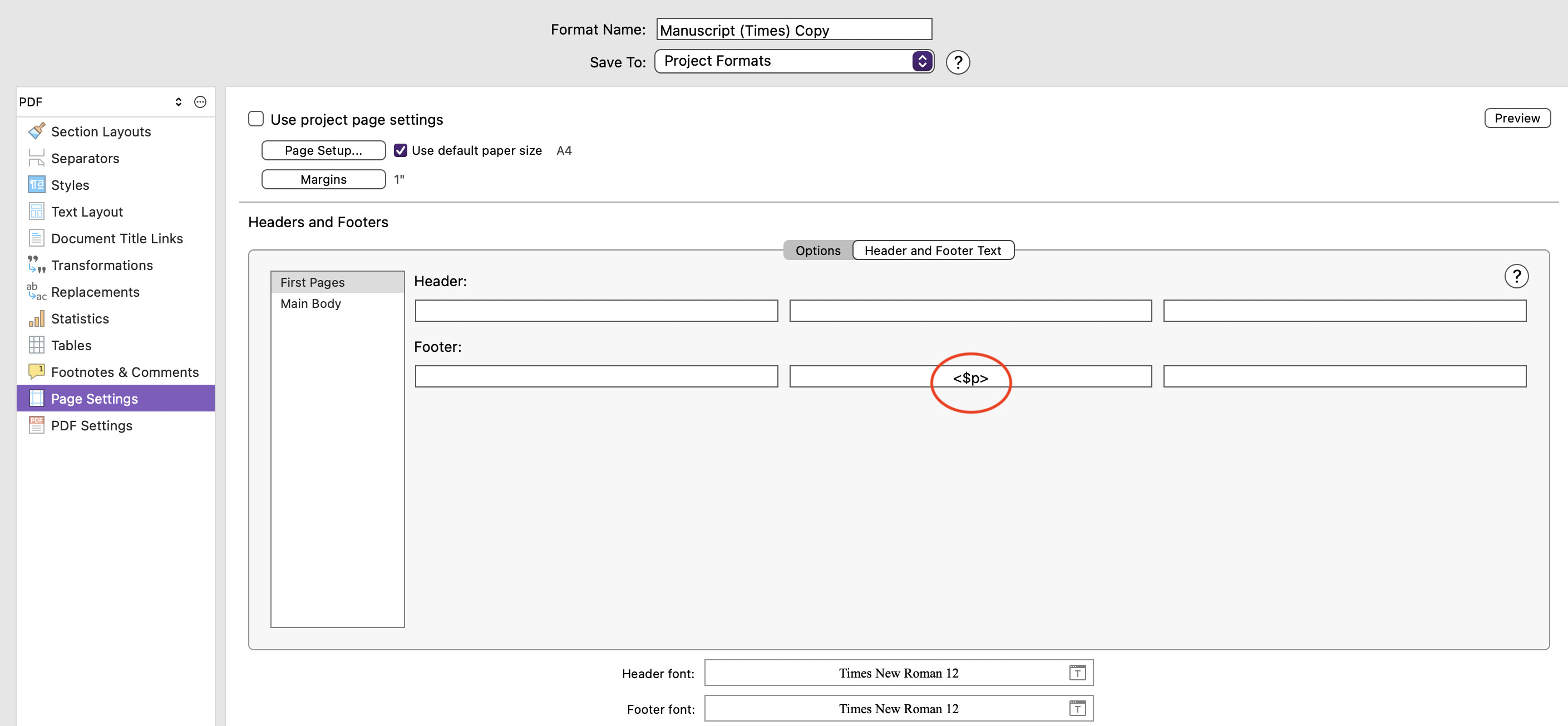
Double-check your settings in the first tab here, to make sure you aren’t creating conditions that might always exclude them. For example there is a checkbox to have No header on [single pages]. If your work is a bunch of worksheets that are all no longer than one page, you’ll never get a footer!
I like to clear as many of those settings as possible first, to get a very basic result (you’ll have one single setting in this tab, for “Main Body”), and then work up from there step by step toward the intended goal. Going straight to the most complex solution often means having to hold that many more factors in mind, and maybe running into issues like missing that you’re adding page numbers to front matter only, whilst having no actual front matter.
1 Like
Hello All,
Thank you very much for your responses.
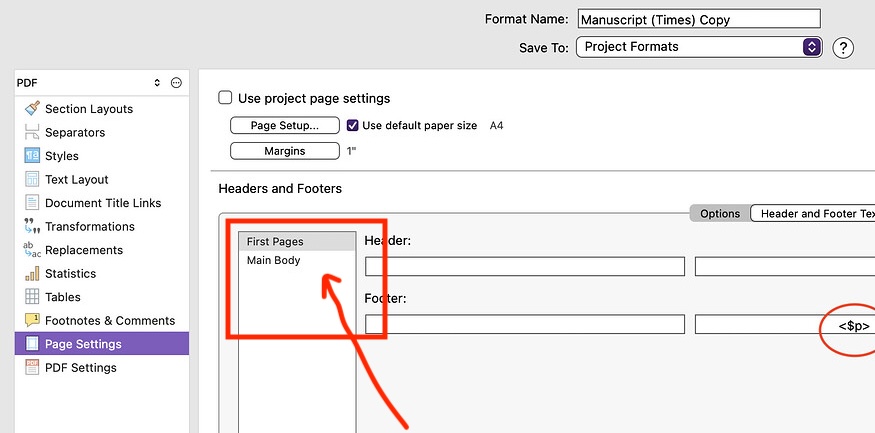
I checked the Headers and Footers settings for the Main Body (not just the First Page) - and there was no “<$p>” there. Strange - the default seems to be that <$p> is present on the First Page - although it does not print - and absent on subsequent Main Body pages, for the format I was using.
Seems resolved now. Thank you very much.
1 Like