I updated Scrivener and suddenly in an old file I can see the line I am working on and the rest of the text is gray. I’m sure it is a preference, but I can’t seem to find it. In the Composition Mode I do not have “Highlight current line” checked.
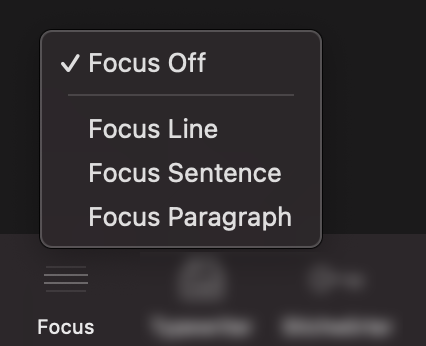
I was able to do a search under HELP for focus and eventually found it. It seems as though it is View> Text Editing >Focus. I didn’t see a “Layout” choice. I’m on a Mac.
1 Like
You’re right, I had a different UI language activated (where “Text Editing” is called “Layout”). I’ll adjust my post.