Opened Scrivener App. Nothing in the app. Got a screne like starting from scratch. Worked fine four days ago. All backups seem to be wiped as well.
Please advise.
Welcome to the Scrivener forum.
Very odd. Sounds like some intervention by a force other than the Scrivener application.
Were I in your shoes, I’d first use the Windows file Explorer app (whatever they call it now) and look for your Scrivener projects (and Scrivener-made backup files) in the file system where you expect them to be. Then also look again at your System backups from dates prior to four days ago.
Also, if these Scrivener project files and/or the Scrivener-made backups are stored on local files synced by a third-party sync service independent of Scrivener, look for the files on the sync service’s web site where they might be stored.
Your full system backups–which hopefully you have–from before four days ago may be your best route to recovery, though.
1 Like
Great advice. Thank you. I have found some text files of most of the content, however as it is not formatted I need to step back 20% or so… Not happy about that.
Probably ought to figure out what those mysterious forces are that caused this. I don’t think there is a reason to suspect the Scrivener app.
That may well be OneDrive acting up. (Again…)
The forum has a couple of threads related. See if the symptoms match yours.
1 Like
To elaborate on this a little, projects are not stored “in” the Scrivener application. They are stored on your hard drive, at whatever location you specify when you create them. Scrivener itself has no ability to delete, move, or even rename a project.
For a long time, issues like this were almost always due to overly aggressive “cleanup” software. Then “cloud” services came along. They purport to “help” you by “optimizing” your hard disk, which in practice means that they’ll whisk files away to their own server. Usually this “only” results in individual “missing” files within a project, but these services act according to their own rules and are completely outside of Scrivener’s control.
(And in fact it’s extremely frustrating from our point of view to be the first line of support for data mangling that our software doesn’t even have the ability to do.)
3 Likes
I am using Norton for a lot of security issues. I will try their backup files. May solve my immediate problem. Thank you.
If your issue is a cloud service acting up, unless you fix this specifically, the problem will reapear over and over.
Note that if this is indeed your issue, your files are not lost. They simply got moved where Scrivener doesn’t know to look for them, and technically out of reach, even if you find them and point to them.
Mainly, search the forum for cloud issues, and follow the instructions to tell your cloud service (OneDrive, likely, if you think you don’t have one – you do) to leave them files be. To keep them available offline. Scrivener needs this, one way or another.
2 Likes
Something does not smell right here. Usually I click on my desktop icon and the appropriate Scrivener Project loads immediately. And it is usually backed up consistently. But my desktop doesn’t seem to have the copy. At issue is where is the session backed up, IF at all? Strange thing is tht I have multiple projects going in crivener, and I can see them. Very odd!!
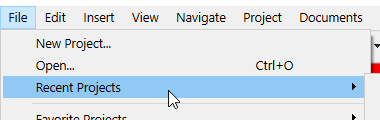
I found it in an obsure backup file. Thank you ALL! I thik I am good to go.
NOTE TO SELVES… BAckup your work in sevreal places.
I do not know what happened, but I believe I am good to go after working on this for almost a full day.
1 Like