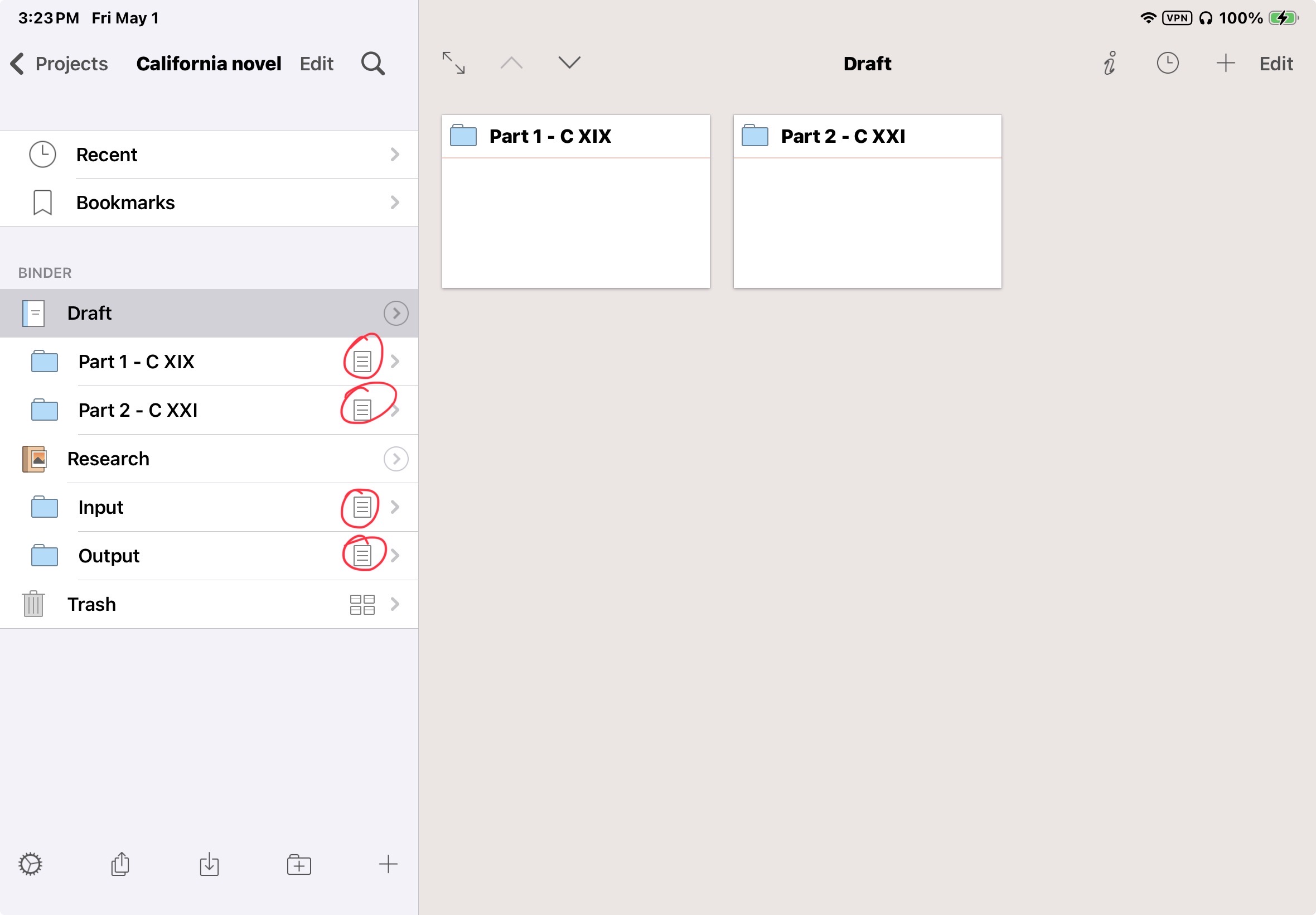
Can anyone tell me what a single page icon on the right side of a folder in the binder means, as opposed to a group of four little boxes? I’m able to get a corkboard when a folder has the latter, but when there’s only that single page, the folder in the binder just opens to a list, in the binder, of the docs. I did a screenshot to help show what I’m talking about, but it looks like this forum doesn’t support images.
The page icon means that the folder is in document mode, not corkboard mode. You should see a corkboard icon (the four little boxes) at the top of the Editor, next to the title.
If you don’t, or if tapping it doesn’t give you the corkboard, please post a screenshot. I’ll update your trust settings so you can.