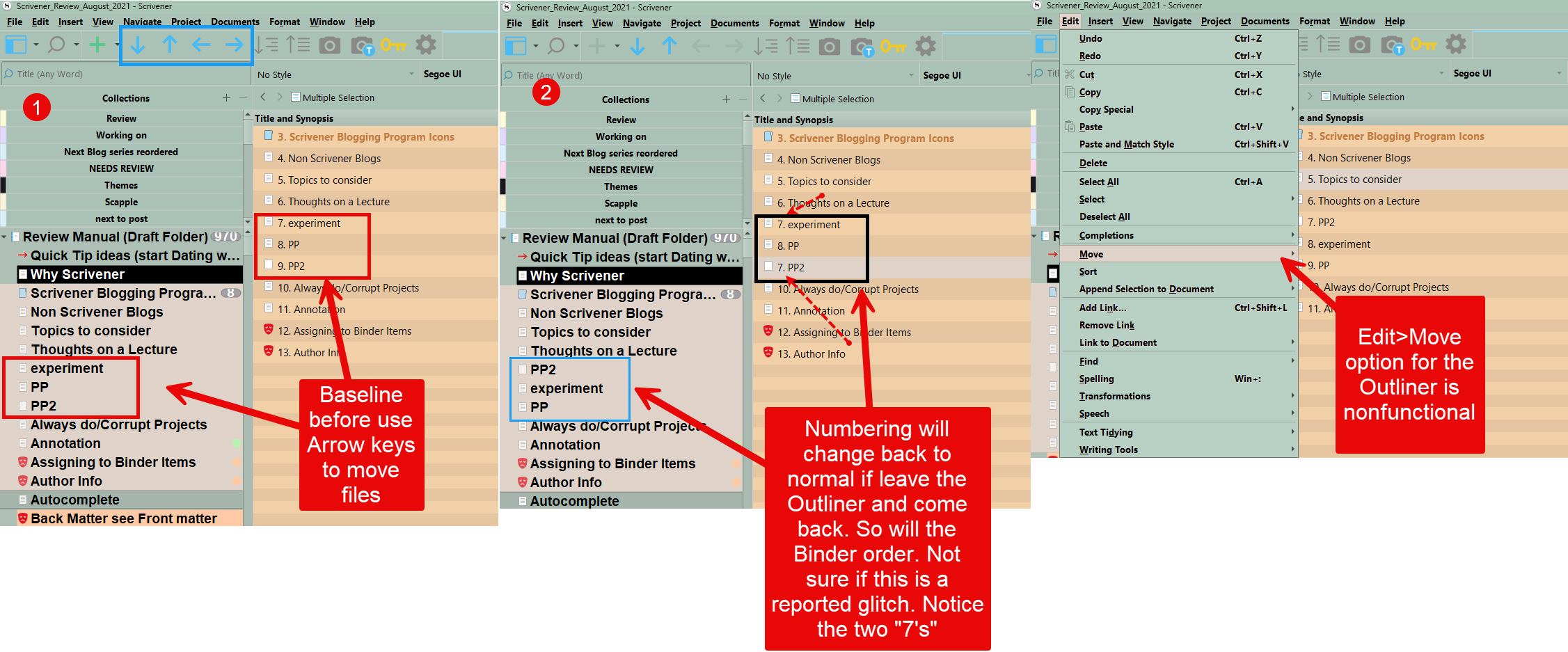
see the images which show unusual numbering behavior when move items in the Outliner. It corrects if you leave this view and return. The Edit > move command does not seem to work in the Outliner as suggested in the Manual.
1 Like
The real bug here is that the movement shortcuts are not disabled in a multiple selection. Moving items in a selection has no logical result across all of its abilities. You will note that if you try drag and drop, that is blocked. So this is a case of missing the fact that there are more ways to move items that need to be blocked.
I would add that, the numbering side-effect of allowing this aside, what you are fundamentally seeing with how multiple selections do not track binder order is correct. They of course come from binder order, that is how they are created, but after that point they are their own thing. If you lock the view and drag stuff around in the binder, they will not update. That part is expected and very much by design.
1 Like