Description:
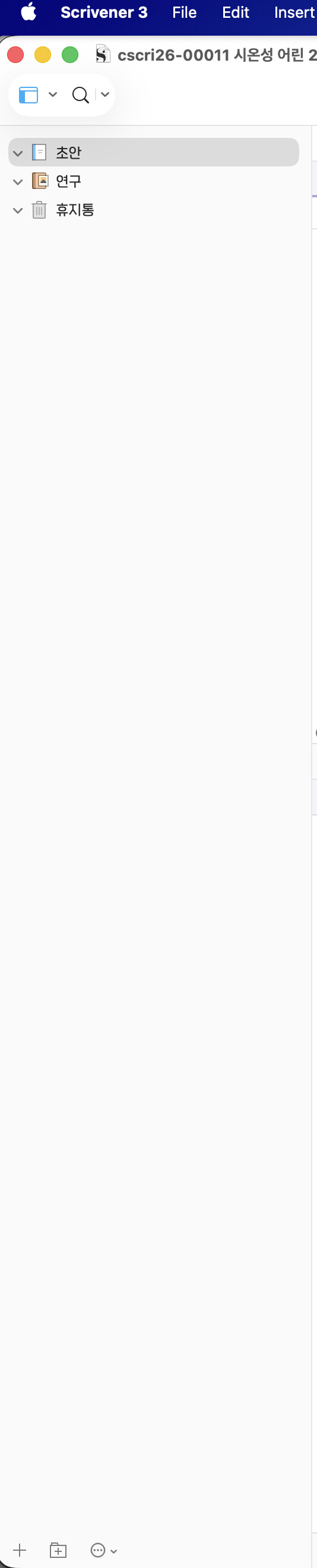
When I create a new project, the Binder pane displays correctly with all items properly spaced and readable. However, when I close and reopen the same project, the Binder items become squished and compressed — the text and folder/document icons overlap each other, making the Binder almost unreadable.
Steps to Reproduce:
-
Create a new Scrivener project with several folders and documents in the Binder (including nested items).
-
Confirm that the Binder displays correctly with proper spacing.
-
Close the project (or quit Scrivener).
-
Reopen the same project.
-
Observe that the Binder items are now squished/compressed together.
Expected Behavior: The Binder should display items with consistent, readable spacing every time the project is opened — matching the layout from when the project was first created.
Actual Behavior: After reopening, the Binder items are compressed vertically, with text and icons overlapping or truncated. See the attached screenshots:
-
Screenshot 1: Normal Binder display when the project is first created.
-
Screenshot 2: Squished/compressed Binder after closing and reopening the same project.
Environment:
-
Scrivener 3.5.2(17486) for macOS
-
macOS (Tahoe 26.3.1)
-
Project contains Korean (한글) text in Binder item names
Additional Notes: This issue appears consistently on every reopen. The Binder content is correct — it’s purely a display/rendering issue with the row height of Binder items.