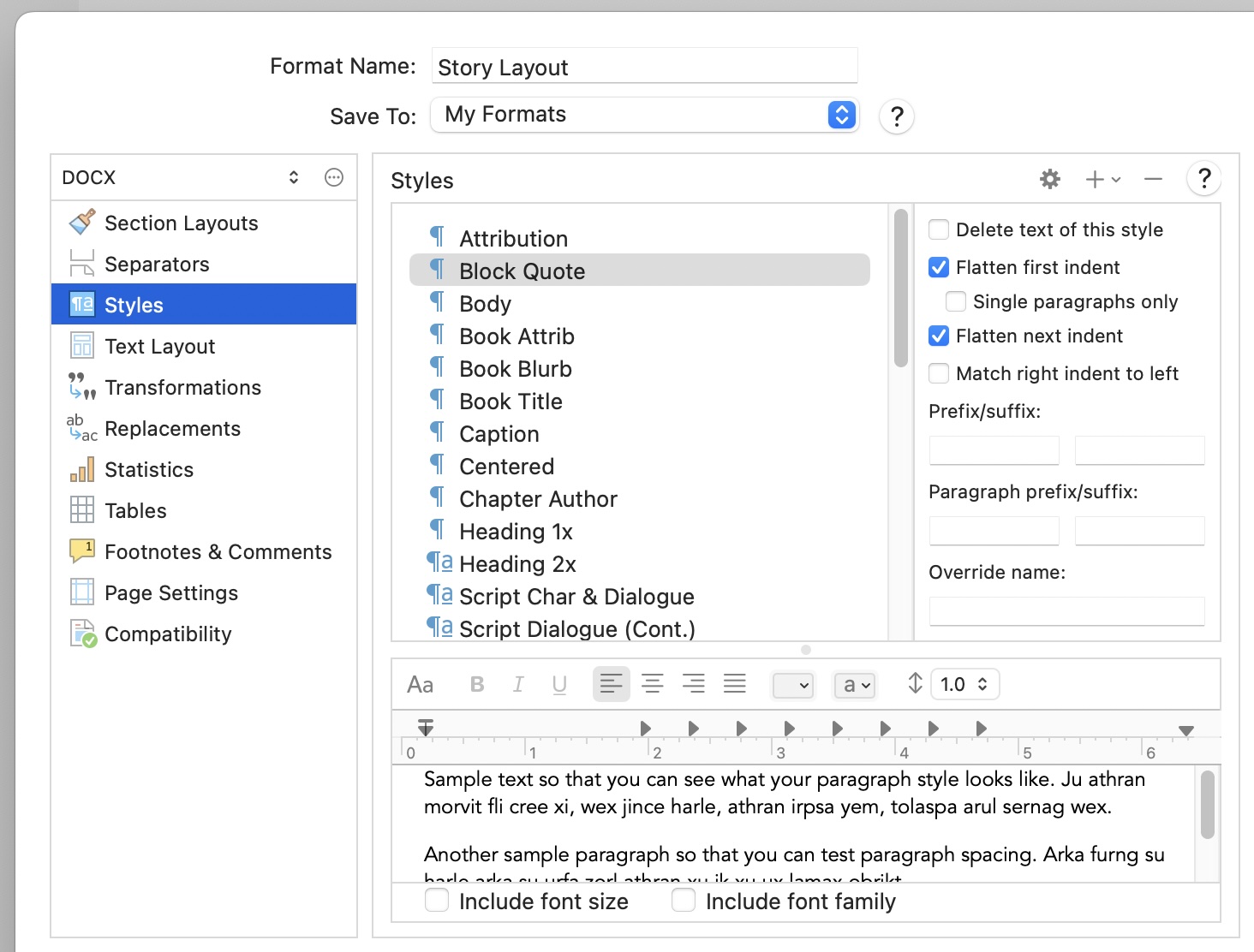
I’m using the non-fiction format for academic writing. In the editor, my block quotes (formatted to block quote style) look great: all indented, single space, slightly smaller font. When I compile my document, however, the block quotes, though indented, are the same spacing and size as the rest of the “no style” text.
How can I get my block quotes to look right when I compile?
Side (but related) question: My footnotes are formatting to the spacing of my document (looks like 1.5 spacing). How can I keep a 1.5 spacing for my document but have single space for footnotes (and block quotes).
Sounds like the compile format you are using when you Compile is overriding the look of that particular defined style.
In the specifications of whatever compile format you are using there is a Style area where you can redefine what any defined style coming through will look like.
So, go into Compile. In the left pane, choose to edit your chosen compile format (duplicate it if prompted, so as to make a custom version of it). In the resulting dialog box, go to the Style area. If the Block Quote style is listed there, you can edit its features. If it is not listed, you can add it to the list and adjust its look.