If i do a search and have the search term highlighted, then have a comment include the search term, then the whole sentence including the search term assumes that color. Distracting, is this expected? See images below.
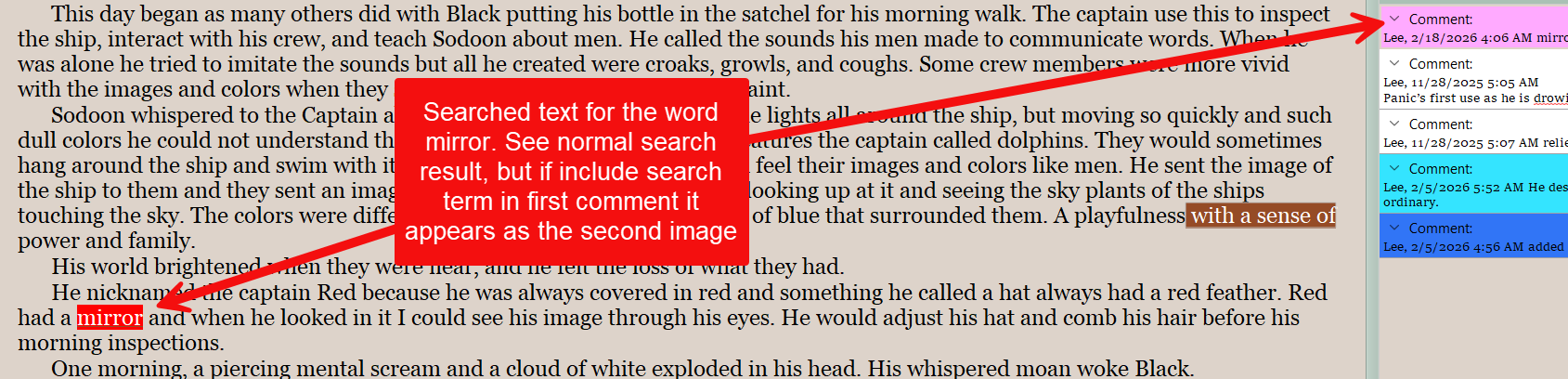
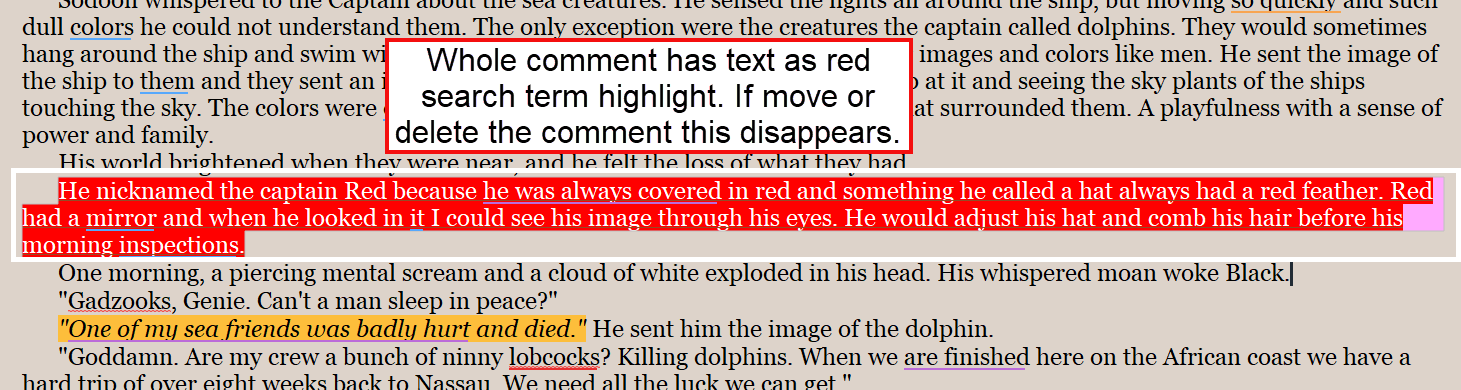
Yes, that is how it should be working. When the search term is found inside of a comment or footnote, the highlight it is associated with in the editor is lit up, as we are to presume the comment is relevant to the entire highlighted range.
The search highlight colour here is extremely bright and saturated though, so I suppose the effect is more than intended. I have mine set to be very similar to the selection highlight.
1 Like
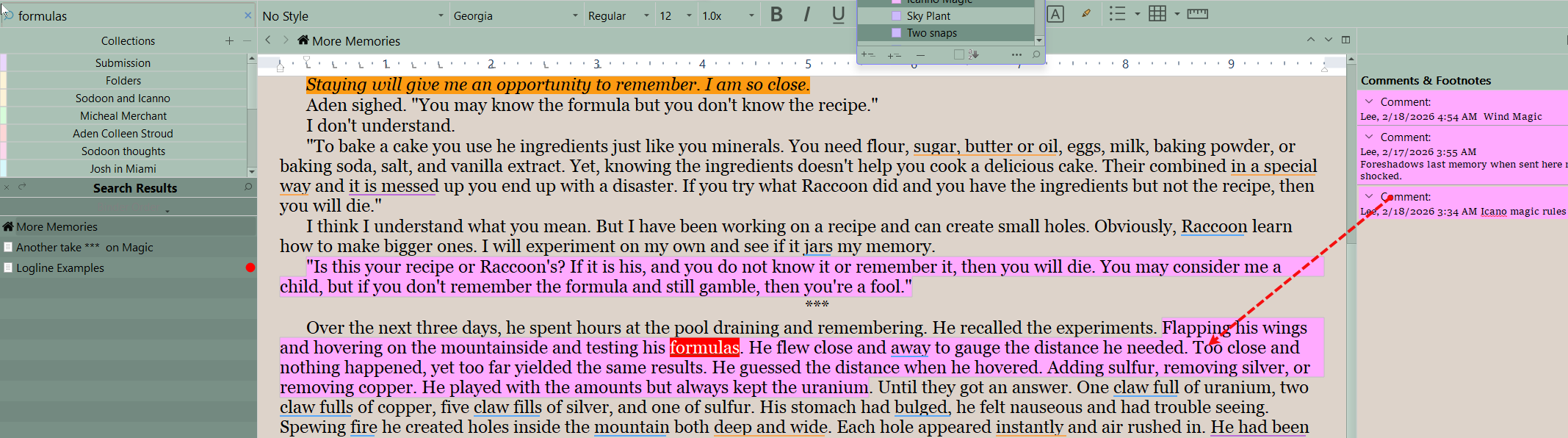
I’m not understanding the implied similarity between these two cases, I’m afraid. I do not see the word ‘formulas’ inside the comment.
Maybe another way of putting it is that the Find tool is going to highlight what is found. In one case it is the comment, because the comment has the search term, in another case it is the word itself in the main editor.
1 Like
What I meant is the first example showed the whole sentence highlighted, but this time only the search term was highlighted when add a comment around the search term formula. ie I am getting inconsistent aplication of this result. It is not a big deal, but wanted to point the inconsistency out.
Hmm, I’m not able to see that result precisely, if I’m understanding correctly. Here is what I tried:
- In a copy of the tutorial, using the “START HERE” section, I double-click on the word project at the end of the first paragraph, and press CtrlE to load it as a search.
- Press F3 to Find Next, and a copy comes up in the first bullet.
- Use
Edit ▸ Select ▸ Sentenceand ShiftF2 to add a comment. - In the comment I type ‘project’, and then Esc and CtrlHome
- I hit F3 repeatedly to cycle through the whole section. All instances of the word ‘project’ are highlighted one at a time, and at no point is the commented sentence highlighted in full.
1 Like