I have one (longish, 3K words), section type=scene, in a section type=chapter, one of several chapters contained in a section type=heading.
I have no idea what I did, but every paragraph in this scene has recently begun appearing as an indented, 2nd level bulleted item.
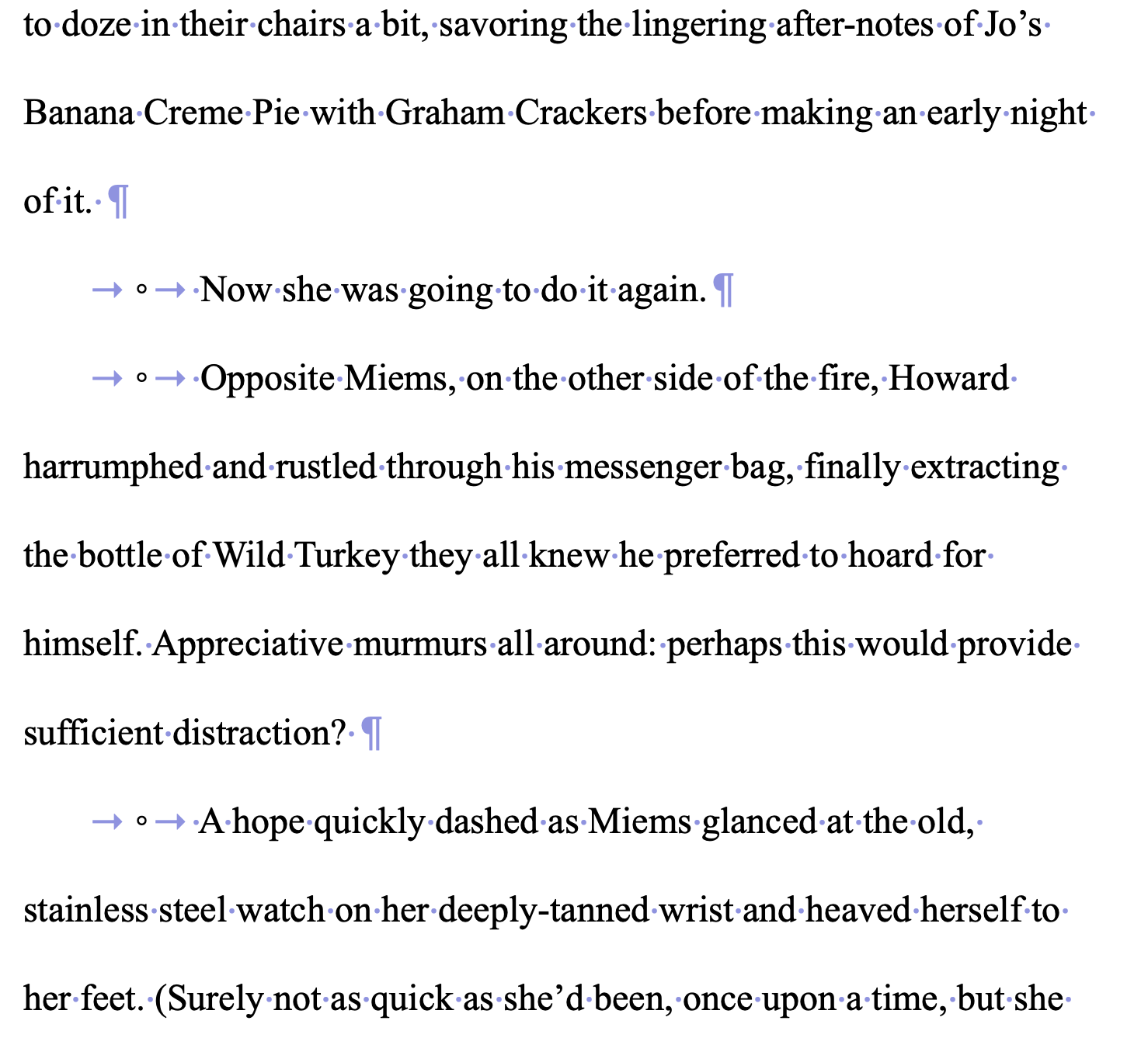
Figuring I’d been guilty of some sort of “SelectAll” finger-twitch, I went through and deleted each of the indented bullets by hand, saving as I went. Everything seemed fine.
I backed up the file and Closed the Project. When I returned to the scene, the bullet/indents had reappeared! This has happened multiple times now, with me deleting, exiting, relaunching the project and finding the bullets restored.
This isn’t happening with any other chapters in the section, or in the project as a whole.
Anybody have any ideas where to look?
Thanks in advance.