I will show in steps how I got double spacing in my compile output.
- Take your current Scene layout in the compile format designer and duplicate it by clicking the + sign in upper right. Name this “Scene double spaced” (or whatever makes sense). Now click this and go to text area, must click on override text and note formatting below the displayed text to be able to double space. When this is done can now change spacing. You may have to expand the Compile Format Designer to see line spacing on the far right. Change it to 2.0 and click save.
- Assign this Section Layout to the Scene (section type) If look at compile panel when close the compile format designer should see scene with double spacing.
- Compile and see if works. Will include picture.
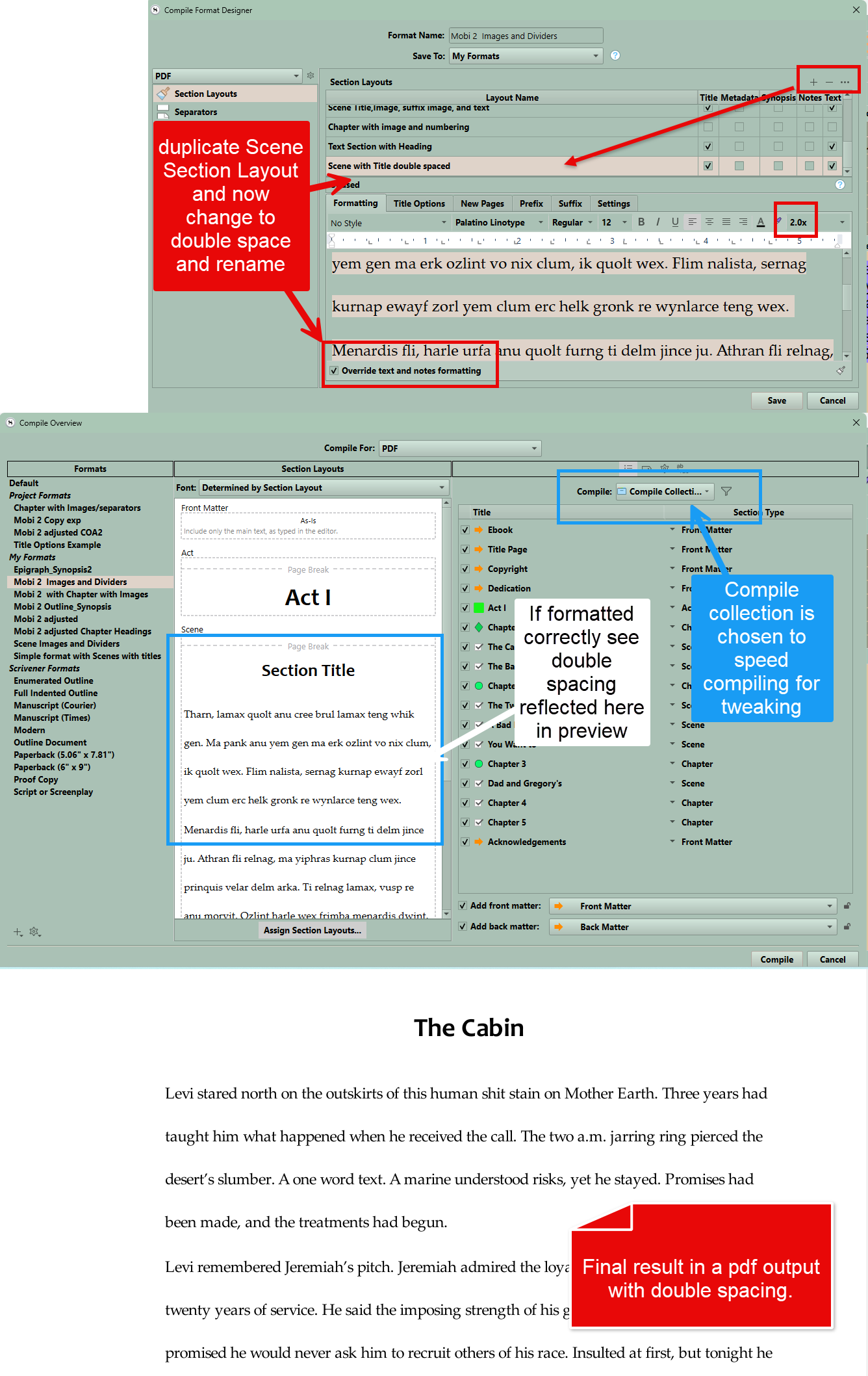
I use a “compile” collection which consists of an Act(part), two Chapters for numbering and scenes and front and back matter folder so see a slice of all the elements in the book. can quick compile this way and tweak. Make sure you selected the compile collection to compile.