Hi all. I see this forum doesn’t have as much participation as the old one did. So perhaps no one will see this. I’ve had a new issue with Scriv after years of using it. I have a poetry project file with folders for each manuscript I’m working on. One of the manuscripts is suddenly empty of all text files. Yesterday to today, that is. So accessing the dropbox version won’t work, and I’ve tried open the backup from few days before, and all I get with ANY backup file is an error message saying unable to access the file (I tried uploading a screen cap, but I guess because I made a new account (the old email is dead and yada yada) I can’t upload anything until I’ve browsed a lot more than I have time for today.
Any thoughts? There was new work in that folder and I need to get it back. Also, there have been a couple of blips lately with a text file suddenly missing half its content. If I see this on the day I’m working, Ctrl-Z might work. But sometimes it doesn’t. I have a long poem with a lot of content missing. It’s a complicated piece, and I can’t simply conjure it again, so it would be great if I could access backups for this reason too.
Hi.
If files are blank in your project, that’s often a sign, for a Windows user, that OneDrive snatched your files off of your hard-drive.
If you search the forum you’ll find a good couple of posts about it. (And the fix.)
If the files are no longer in the binder, that’d be something else completely. (User error. – Look in the trash of your project ; move the files back to where they belong.)
P.S. The forum is pretty active, no worries.
2 Likes
Hi, Claudia. Just another user here. If it were me, I’d probably want a clean slate, system-wise, and would start with rebooting my computer. That cures many more problems that it should. And often it cures file permission issues.
I wonder about the backup files. Are they zip files? Maybe find another zip file on your PC, unrelated to Scrivener, and see if you can open that. If you’re unable to open any zip files, then we can point fingers at the zip process. Maybe Scrivener got into a jam trying to make a backup file. Although that should never be destructive.
I won’t point any fingers at you. You’re doing what you’re supposed to be doing. It’s the apps responsibility to protect your work under normal usage. I’ll come back later to see if you post anything else.
Related to Vincent’s comment, I went nowhere near OneDrive when I was a Windows user, a year or two back. I don’t trust Microsoft to take care of things. One reason I left Windows after 25 years or so. Still, I wonder why OneDrive would remove files. I’m puzzled about that.
1 Like
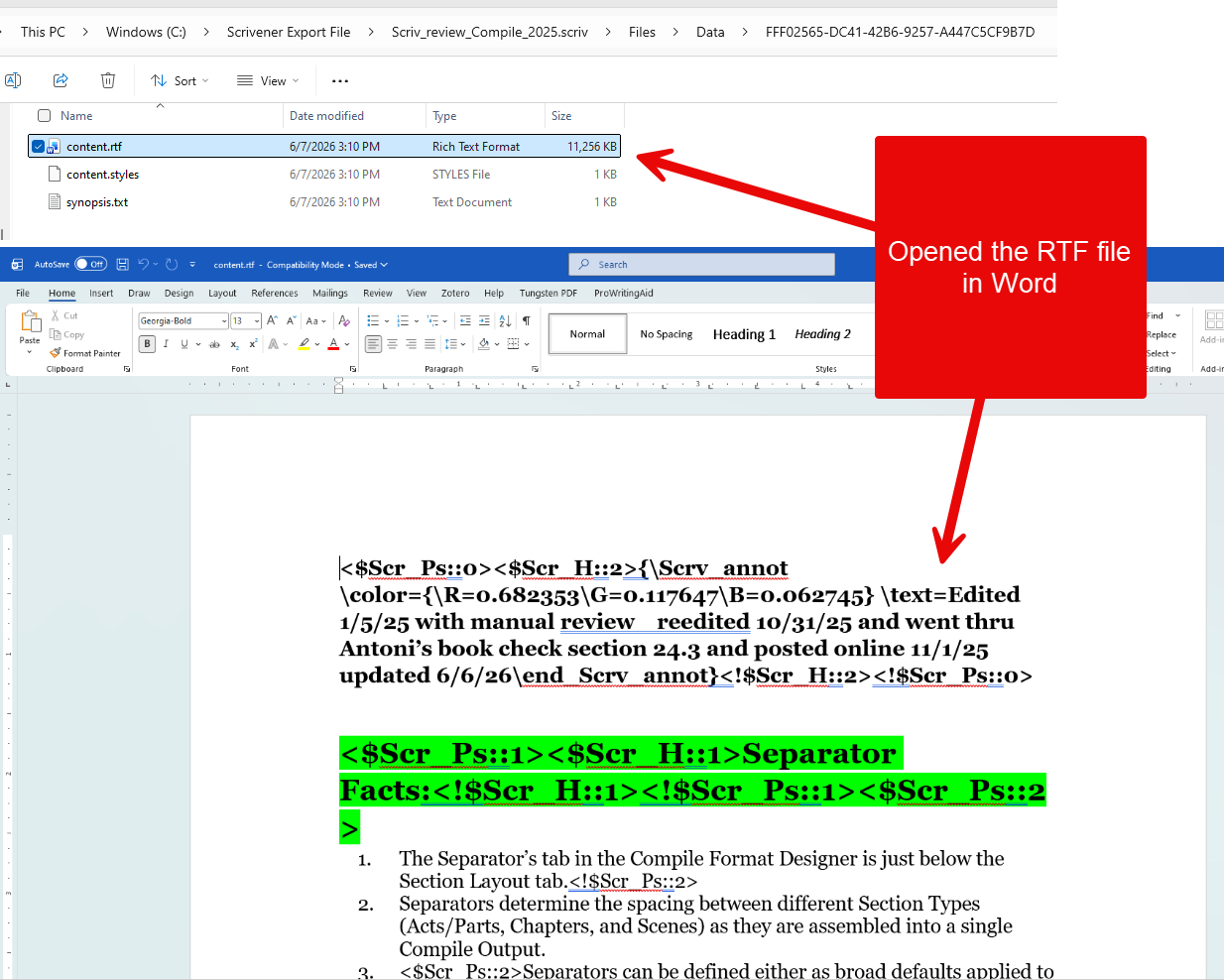
You can also do a date search by right clicking on the search icon above the binder. try mdate:>xd with x being the number of days. This will find all modified files within the last “x” days AND any newly created files with last “x” days as well. This will follow on Vincent’s point about files being shifted. The other trick is when in the binder and right click on an item missing text AND hold the Ctrl key. A new option appears Reveal File Location. This shows the location of the data file stored in Scrivener’s project folder. (see below)
If you then click the Reveal File location you get the information below and can open the RTF document. (mine opened in word)
If you have a backup in Dropbox that is in a ZIP folder, you should be on safe grounds.
All you do is drag the latest backup (or possibly the second-to-latest, because a backup is a backup of your work in progress, which already has missing components) to the Downloads folder on your machine. Inside the ZIP, you should find an SCRIV folder. Drag that folder out of the ZIP into Downloads. Double-click on the SCRIV folder and find a SCRIVX file inside with the same name as the folder. Double-click on the SCRIVX file, and your project will open.
Your problem might be related to your project being saved in Dropbox. If you don’t need to save between machines and only use one, never save to any cloud service.
For backups, make sure they’re set to save as ZIP files. A cloud service cannot interfere with the contents of a ZIP file. It sees it as one entity.