Hi, I’m using the Novel November '26 template on Windows (latest Scrivener update, too). It won’t let me put a number into the session target field. Any help? Thanks!
Hi.
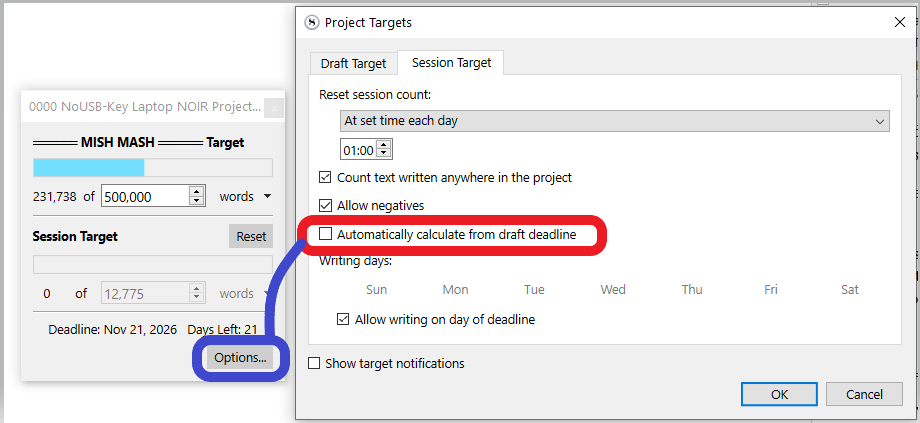
Else, if you are challenging yourself November style, you could leave the setting in red checked, adjust the deadline if needed, and type in your total word target for the draft (top half of the small project target popup – left side of my screenshot). Scrivener will automatically adjust your daily target, based on your progress.
As it currently is, it is intended so. The template is for the November challenge. (I can only imagine, with this for a name.)
1 Like
Thank you for replying! That option that you have marked in red was already set by the template maker, presumably Literature & Latte. This is what mine looks like:
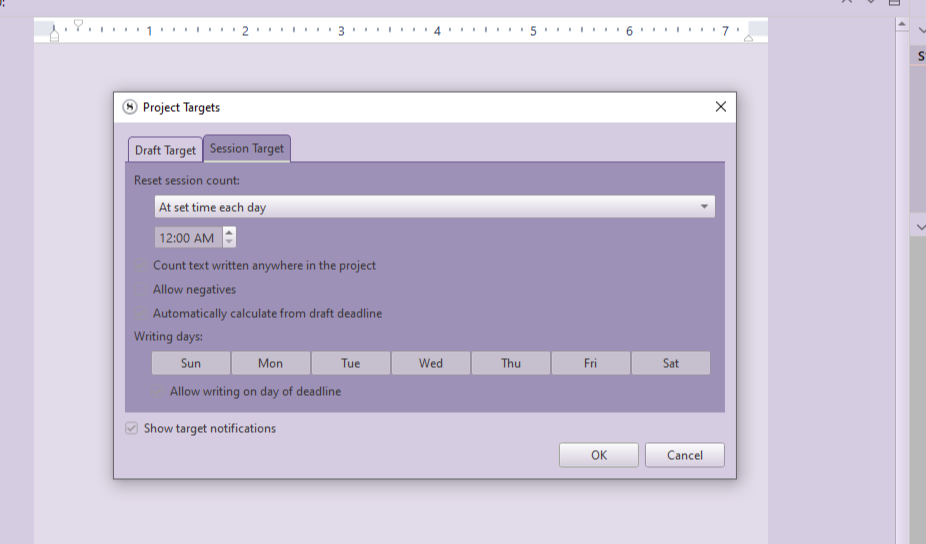
Can’t even see the checkboxes. I suppose your setting is unchecked ?
If it is unchecked and you still can’t type in a session target in the popup (after clicking OK in the panel you’ve screenshotted), then the issue is something else (obviously), but off the top of my head I have no idea what it could be.
1 Like
Well, I’m just poking around the Community and so scanning new (this) threads and I wonder if the highlighted “Writing days” in washbear’s screenshot and the not highlighted days in Vincent’s screenshot has any bearing on this situation.
Meaning, one must choose writing days before seeing the necessary checkboxes for further programming.
EDIT: Well, the vocabulary “highlighted” isn’t quite right, is it? But it seems there might be a need to choose a day or two. Or all. Just curious at the difference there and wondering.
You need to look at several settings because messing up even one can screw you up.
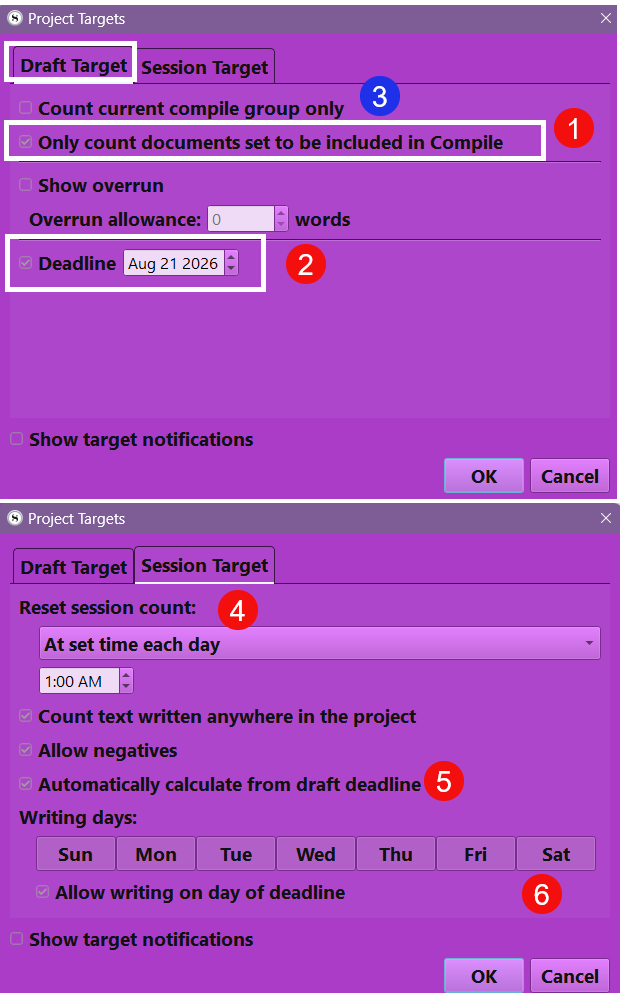
- #1 You generally want to check this setting and avoid #3 as if Compile in the third pane is set to current document, then you will not get an accurate count if the number of documents you are currently set to compile is not the WHOLE novel you are writing.
- #2 If the deadline is not in the future you will not get a session target.
- #5 should be checked to calculate based on your deadline.
- #6 If your settings are right then you see a box around the days you are writing on.
I hope this helps.
2 Likes
Yes, all 7 days of mine are selected.
Thank you! This is helpful!! But I still can’t seem to enter a session target. The field remains closed to me.
I did realize something. There are checkboxes on each line but with this Violet Haze Theme, they are barely visible on the dark purple areas. But I made sure everything was checked that you said to.
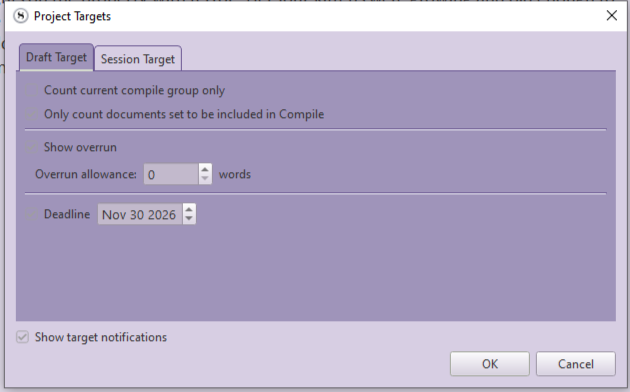
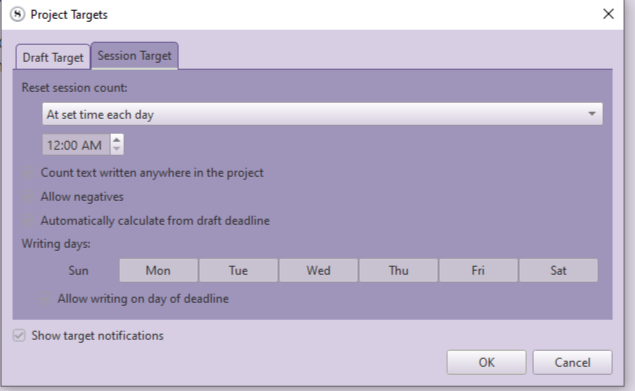
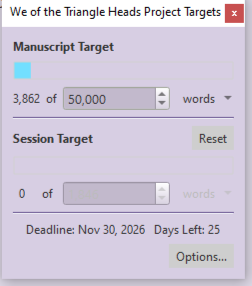
You have to uncheck the one I’ve shown in red, if you want to manually input a session target.
1 Like
 Slaps forehead! That did it. Thanks, Vincent!!!
1 Like
The question is do you want a manual target you set daily or one calculated based on a goal. Like 50000 words by 12/31/26. If set that date then depending on how many words you write the target daily average to achieve that goal will appear in toolbar quick search window.
1 Like