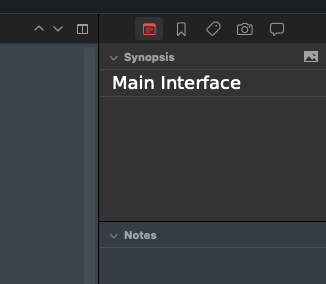
Hi everyone! I’m currently trying to familiarize myself with the Scrivener interface and I can’t find a specific color. It’s the background color on the right-hand side under “Synopsis.” I can’t find anything under Settings/Appearance/Colors. Could someone please tell me where I can adjust this color?
This is meant to represent an “index card”, and so in Settings, under Appearance: Index Card: Colors, you will find everything that impacts how it looks. For example, you can make it look more like an actual index card if you want (although in dark mode that might be a bit bright!), or change the fonts.
So since this is something that is used also on the corkboard, you might want to leave the corkboard open in the editor while playing with the colours, to make sure it works there too.
Also know that View ▸ Use Label Color In ▸ Index Cards will of course change the card look, but more for the purpose of colour coding things.