How can I change this color?

I’m not sure you can change those or those in revision mode, but Shift-Cmd-C brings up the standard Apple colour selector so you can choose any colour you wish. If I wanted it to be able to colour certain words in my text, I would set up a character style applying that colour—open the Font dialog to set the colour there.

Mark
Thanks. But I want to change the default colors. Anyone?
How can I set up a character style? See, I have no clue of most of the functionalities in Scrivener 
I only want to write technical documentation without going into the abyss of text formatting…
That’s what I meant. I don’t think you can change the default colours.
To set up a style:
- Highlight a word, open the Font panel (Cmd-t) and choose the colour you want—or you could choose one of the other colours on the dropdown table.
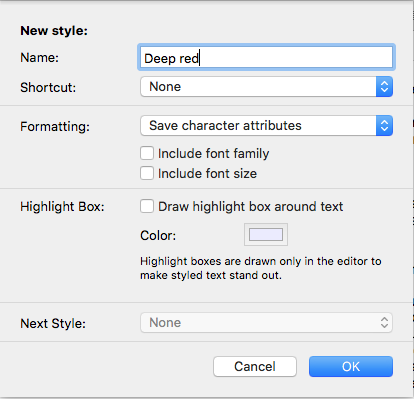
- Go to Format Style > New Style from Selection and in the dialog that comes up: give it a name; set a shortcut if you wish; Where it says “Save all formatting” click on the arrows and choose “Save character attributes”; deselect “Include font family” and “Include font size” as necessary, allowing you to apply the colour to any text; click OK.
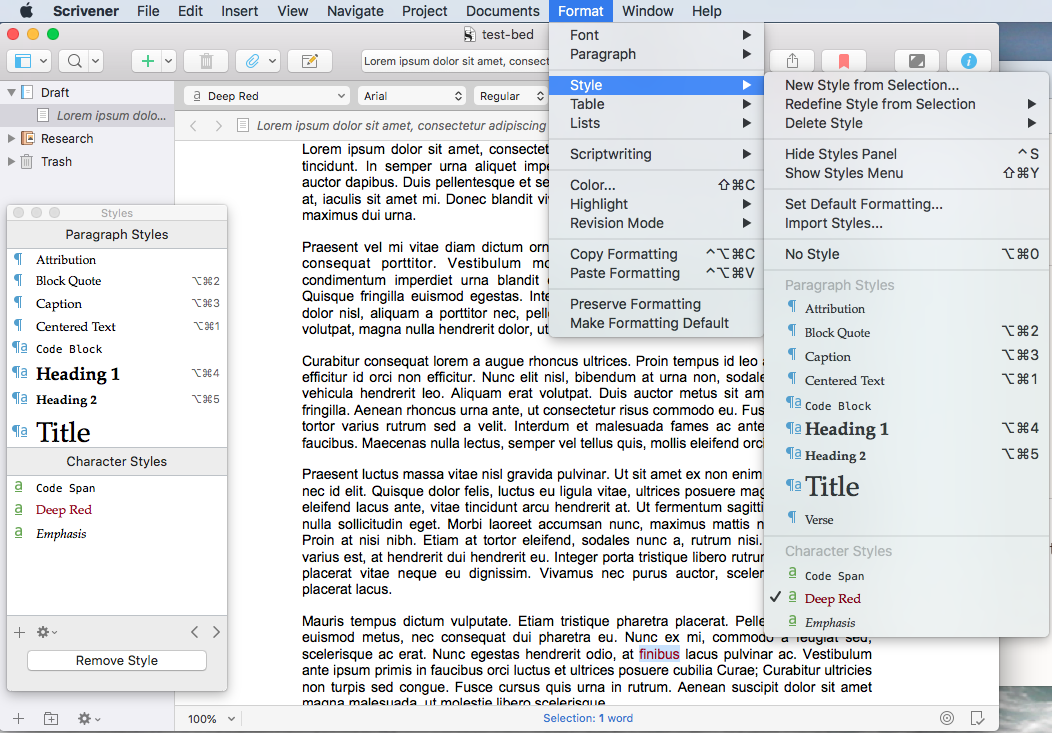
3) Your new style will appear at the bottom of the Format > Style menu, in the dropdown menu on the toolbar and in the styles panel.
HTH
Mark
Mark: Thank You very much. Yes, this will work. And shortcut is possible, too. Great!