What can I tell rthem? That the program doesn’t work? That’s all I know.
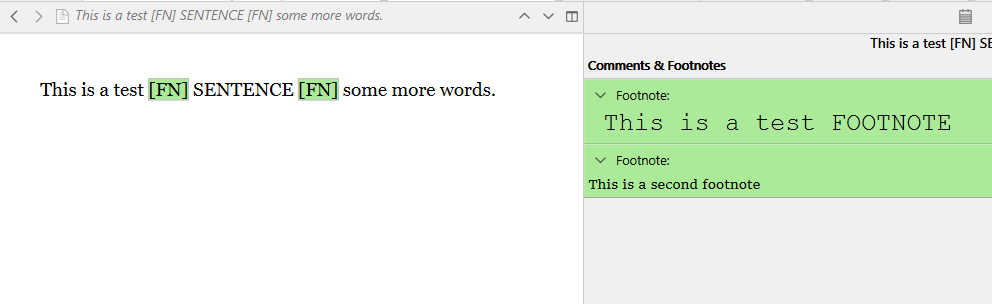
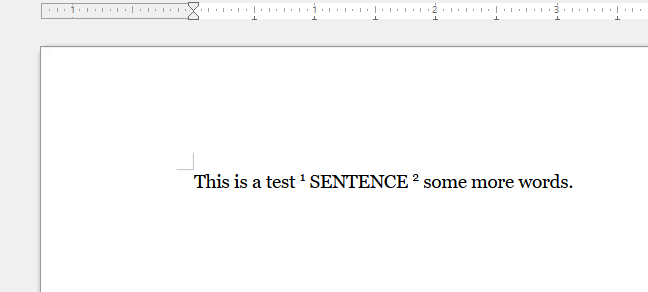
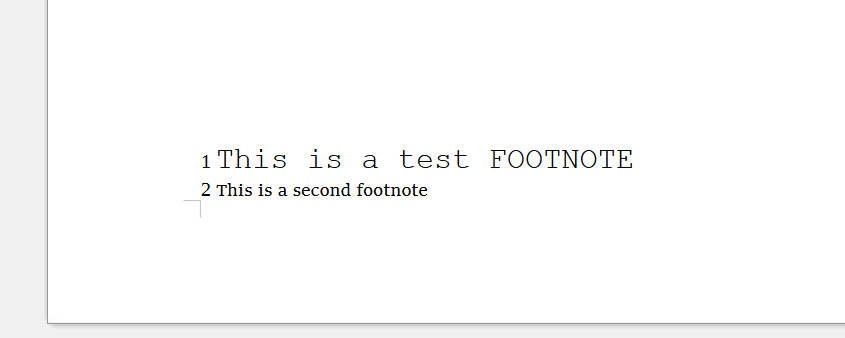
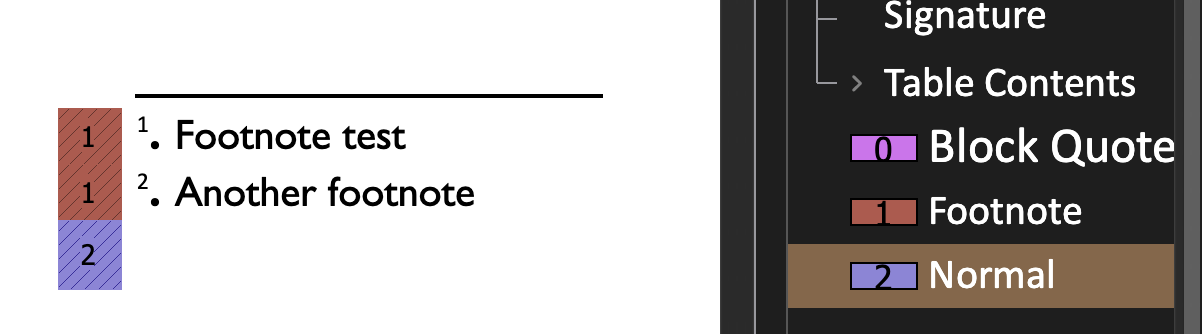
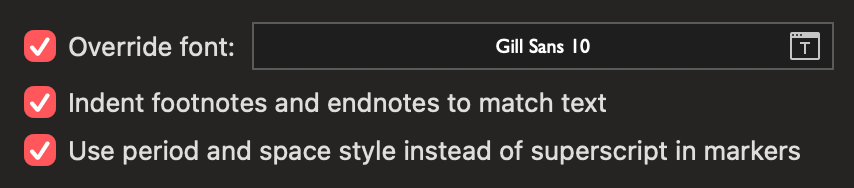
I can send two screenshots. The first one showns how the page appears in Scrivener, the second one, how the compiled file (with default settings) looks in Word. If this means »it looks exactly like in the Scrivener Window«… I don’t think so.
I agree: This is not the behaviour U would expect, but i never saw a successful compile process. Not in the last few days, not in several months before when I tried it out. – By the way, this is pure defiance. I’ve given up any hope of being able to use the programme properly. I just don’t want to admit defeat, even though I can see clearly enough that there’s no point in fiddling about with it any further. – (Just to rule that out, by the way: since my last unsuccessful attempt to use Scrivener, I’ve changed both my computer and the operating system version. What’s more, the project file is brand new, and I’ve reinstalled Scrivener from scratch – only to find that I keep failing at exactly the same point as before.) Incidentally, I think I’d be less confused and able to say more precisely what isn’t actually working if the documentation were structured more sensibly. But that’s another matter.
“Them” is me. (Among others.) Among other things, I might like to look at the project itself and see how it is formatted. I might like to look at the Compile format you’re using. And I might like to look at the output document and see exactly how it differs from the project.
Just to try to clarify (you seem clear you won’t procede but for other readers it may help) — markdown by definition has no “styles,” it has semantic markup (caption, quotation, code block — these are what the words do in the text, not how they are supposed to look). There is no “italic” in MD, but to emphasise a word you use *word* which is in general rendered using an italicised font (strong + emphasis are mostly presented as bold + italic but they are not the same thing). By default Scrivener will convert RTF italic and bold into the strong and emphasis markup by default, and will convert RTF lists into markdown lists, but will not do much more. Variants of markdown do support adding inline and block “named” holders, so for example in pandoc flavoured markdown you can do this: [word]{.smallcaps} which assigns a label to that word. Pandoc will convert that into actual smallcaps for you in most outputs.
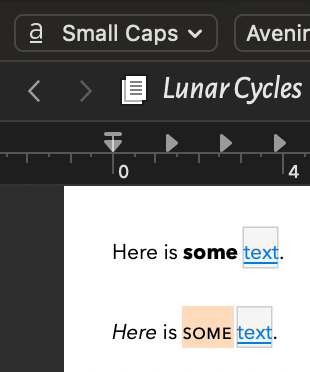
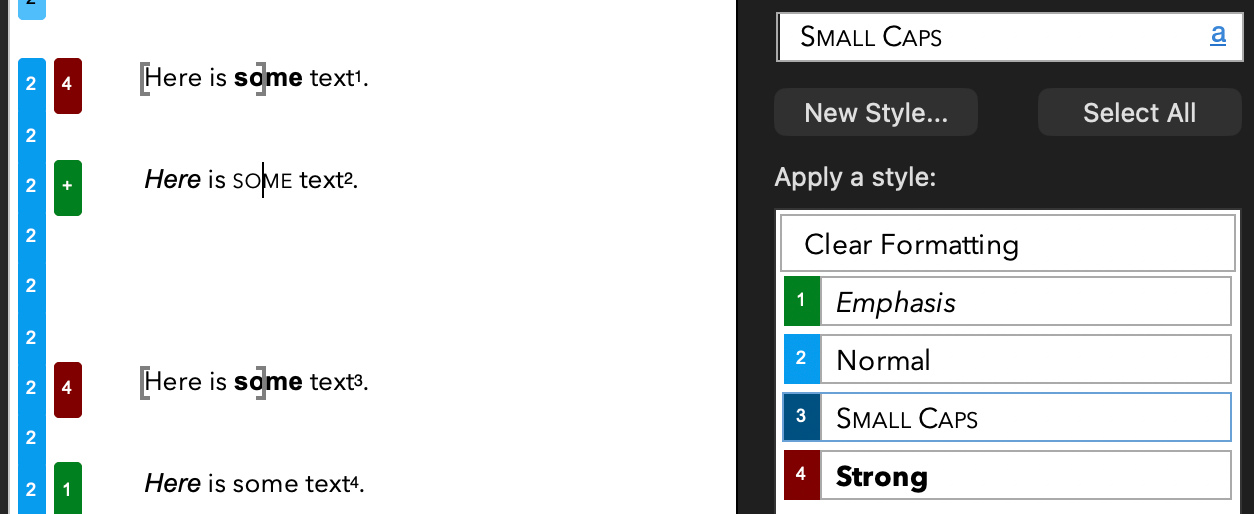
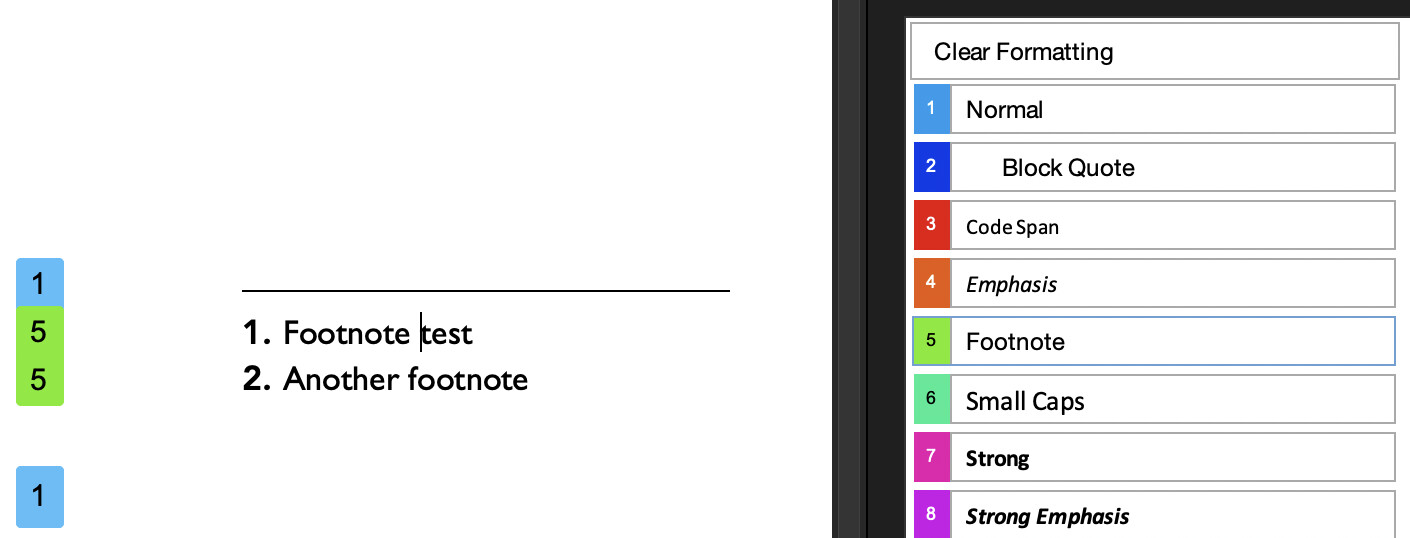
In Scrivener, if you want a Scrivener style to make it into your markdown you specify it in the Styles panel of the compile format editor. Here is a Small Caps Scrivener style on the word some in my Scrivener editor (I am actually using a small caps font here for presentation BUT Scrivener will not use the RTF font definition in the markdown compile, only the Small Caps label as a trigger):
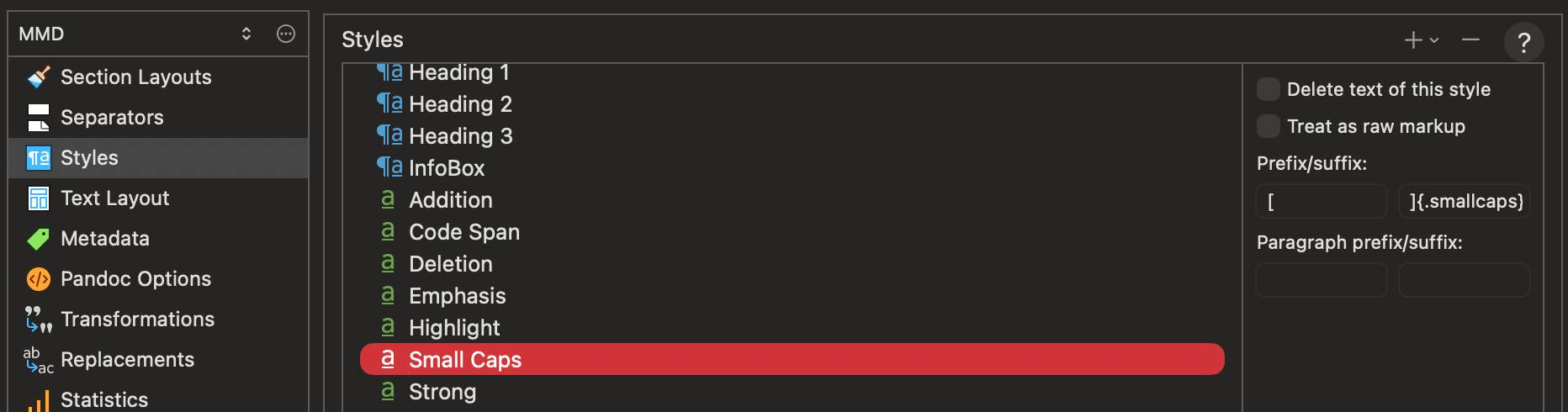
I have added the Small Caps style to the compiler list and have entered [ as a prefix and ]{.smallcaps} as a suffix. The markdown output will look like: [some]{.smallcaps} — (markdown does not have a concept of opentype smcp font declaration, just a clear semantic label); pandoc will convert it into real small caps in the DOCX/HTML/LaTeX/Typst final manuscript.
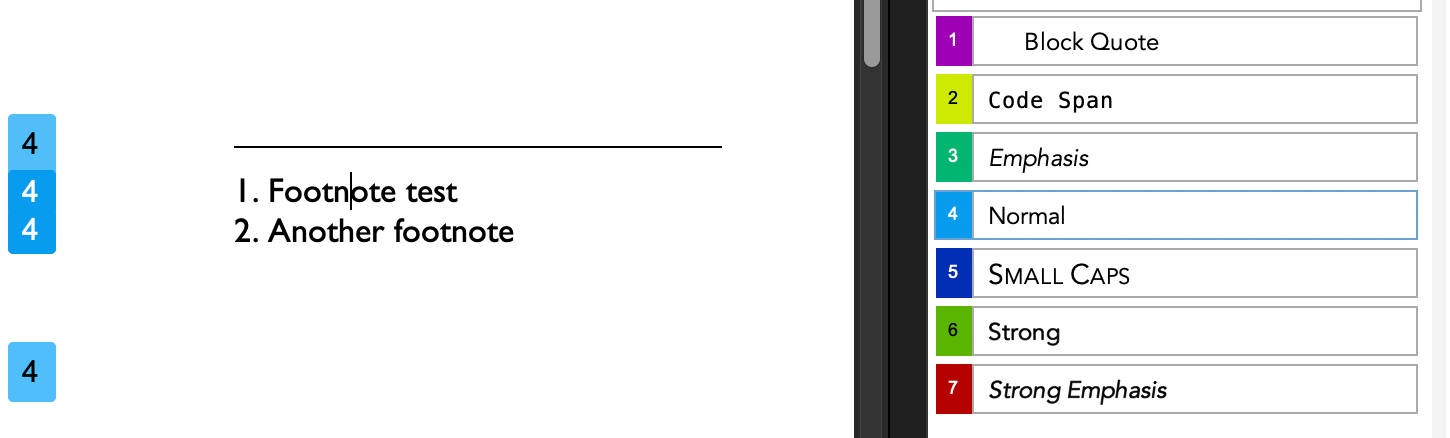
And by the way if I take the same Scrivener project but compile it using the standard DOCX target (DOCX>Default), I get the styles carried into the final document without any adjusting of the compile format:
This doesn’t work here. The styles are not used in the Word document. The same is true for footnotes. They have the style »Standard« not »footnote«. And so on. May be it is possible to get what I expect, but I can’t figure out how. All in all, Scrivener strikes me as a textbook example of how to make a simple thing complicated. If I hadn’t paid for it, I’d find it easier to give it up. But I suppose it’s for the best, at least for my peace of mind.
Ich weiß, dass Markdown keine Styles hat. Wenn die Kompilierung für Word wie erwartet funktionieren würde, würde ich diesen Umweg auch nicht nehmen. Aber es funktioniert nicht. Die Styles werden entweder gar nicht oder nur partiell übertragen. (Woran es liegt, dass manche manchmal erscheinen, weiß ich nicht.)
Once again: this has nothing to do with the project. I’ve never managed to get it to work, even with a wide variety of project files. It’s just that every now and then I get the unfortunate idea that it must be possible, so I try it with a project (this time, unfortunately, a particularly large one) and fail at the exact same point time and time again.
(Incidentally, I assume it is possible. If the compilation process weren’t so incredibly complicated and so poorly explained, I’d probably manage it. But as it is…)
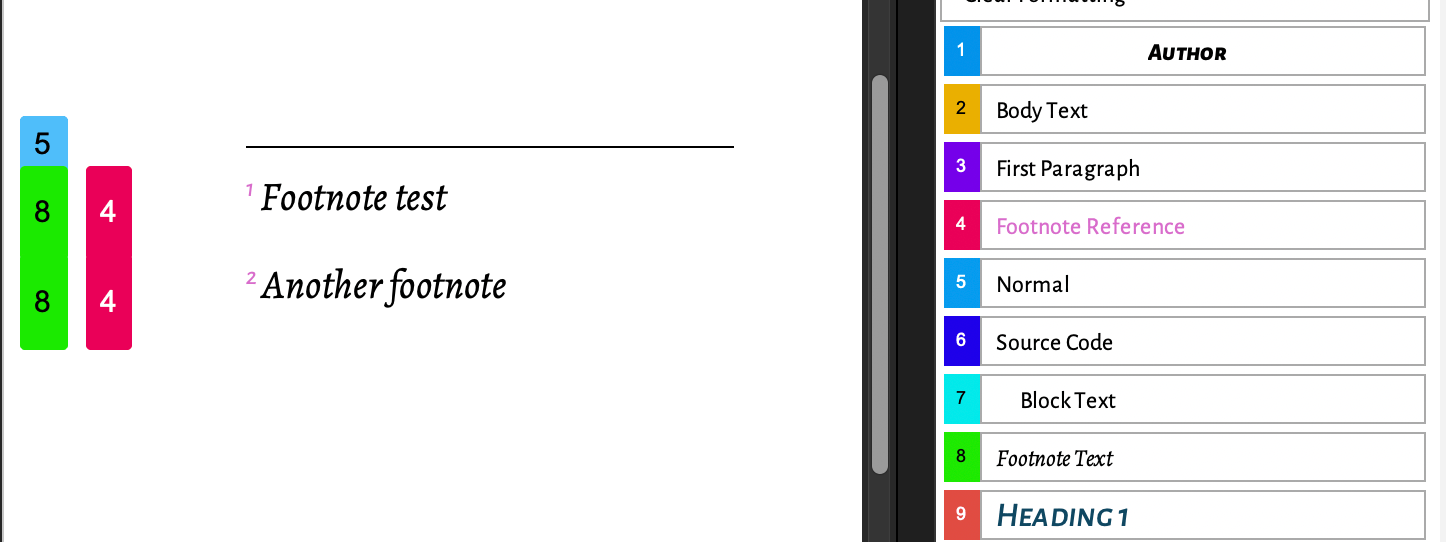
Respectfully, Scrivener stores the styles, section layouts and compile formats IN THE PROJECT bundle so that we can work out what is going wrong. My test demonstrated that styles pass through to DOCX, here is the project and the direct DOCX output from Scrivener using two different compile formats built into the project (DOCX>Modern and MMD>Pandoc+Template):
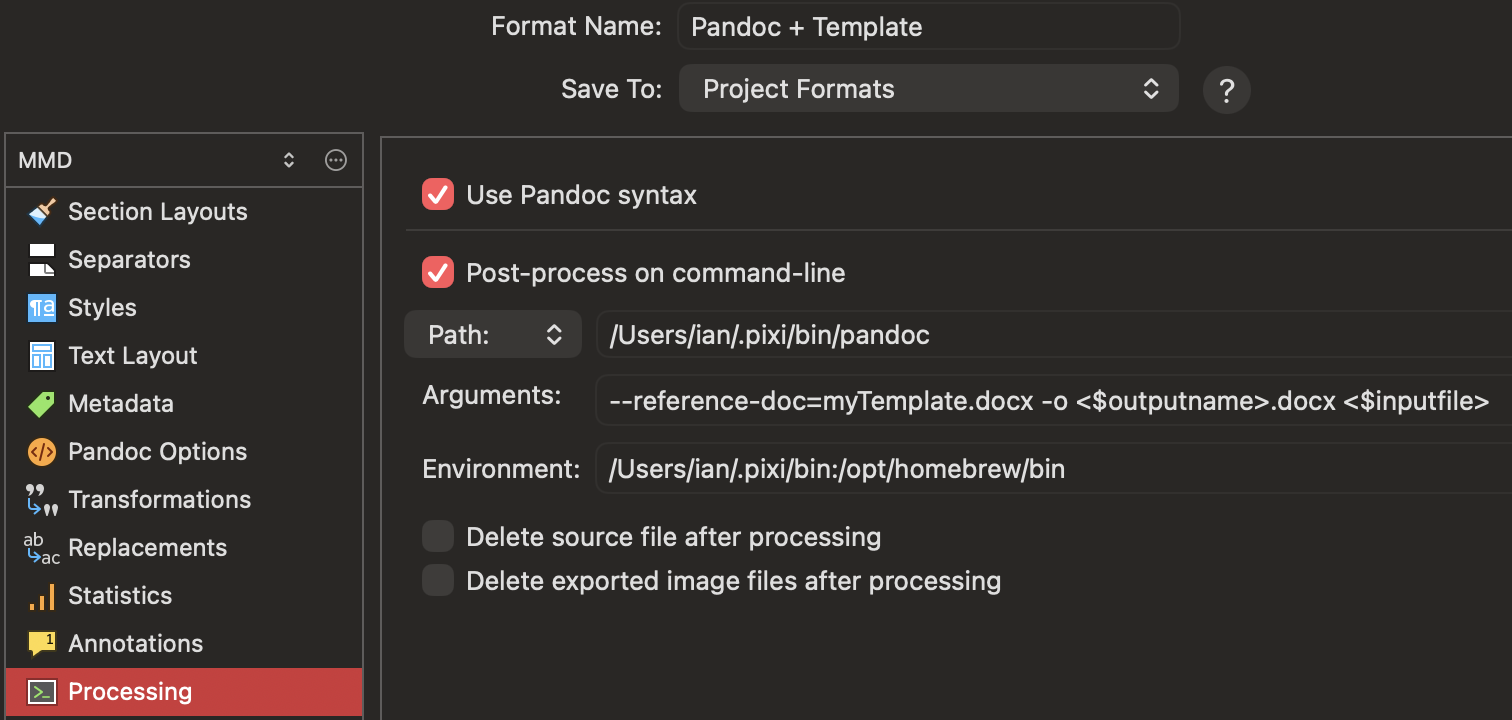
It generates pass-through styles to DOCX (except footnotes, as we mentioned above footnotes don’t get a style but use inline formatting) and both styles and styled footnotes for the Pandoc route. My local paths (macOS) look like for the Pandoc post-processing:
Open the project, look at the DOCX outputs, the markdown intermediate. If you attach an example project we can tell you where you are going wrong, or what limitation you may have hit…
I think it’s better (for me and everyone else I’m getting on the nerves of) if I give up on this for now. If I have some spare time, I’ll take another look at the whole thing from the start and then decide whether or not to give it another go.
For now, however, I have one more important question: have I understood correctly that footnotes don’t have a style? In other words: have I understood correctly that further processing isn’t really possible because I first have to manually convert each footnote into one that can be processed further? That would, of course, be a solid argument for never trying again.
Some minutes later:
I managed to compile the project as Markdown (apparently without any loss of data – at least, nothing significant). I then opened the resulting file in Ulysses and exported it from there to Word format, and – voilà! The footnotes are now formatted correctly in Word. It looks like I can say goodbye to Scrivener for now and finish the project.
If the devil gets the better of me again, I can always give it another go and put in less effort next time. For now, it seems everything has worked out fine once more.
Yes, you are correct. Scrivener can apply the formatting of your choosing to footnotes, but it can’t compile them with a style sheet attached.
No. You can process the footnotes in whatever layout app you want easily. You may need to do some quick and easy conversion, but that is a long way from meaning it “isn’t really possible”.
For example, open your compiled document in MS Word.
Go to Insert > Footnotes…
Click Convert…
Select Convert all footnotes to endnotes
Click OK
Now all your footnotes are in one place at the end of the document, making it really easy process them all at once.
Then reverse it…
Go to Insert > Footnotes…
Click Convert…
Select Convert all endnotes to footnotes
Click OK
…and you’re back as footnotes, but processed as you’d like.
[For the record, it takes about as long to do as it will take you to read the above text]
There is no “of course” about it. I suspect you’d find few users of Scrivener who agree that adjusting the formatting of footnotes at the end of the drafting process for a second time after you’ve already had the opportunity to apply whatever formatting you like via the compile process is onerous enough to warrant completely changing what software you do your drafting in.
I have not read the thread, so this post is worth what it’s worth.
I ran a test.
I inserted a footnote in a document.
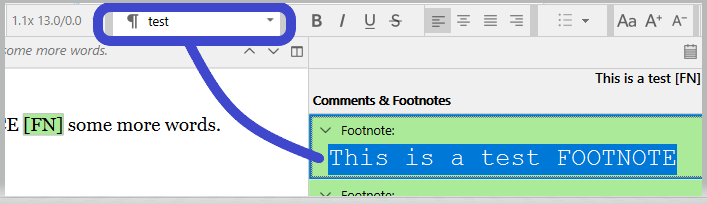
I then applied a style to the footnote’s content, in the inspector.
Then I used Sync with external folder rather than compile.
I don’t have Word, but checking the resulting file in LibreOffice, the footnote came through styled. (And properly in the page’s bottom, as a footnote is to be.)
. . . . . .
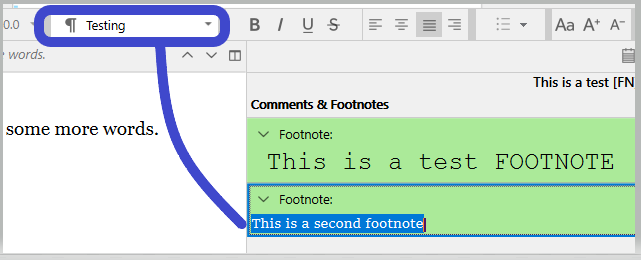
In my project, I added a second footnote to the same document.
Applied to its content a different style than the first footnote.
They came through looking different from each other.
LibreOffice assigns them both to the “Footnote” paragraph style, but each retained their attributes.
I suppose that from there it shouldn’t be too hard to create a new style and assign them properly (in Word or whatever app), by some sort of Find by formatting, I presume. – Manually, otherwise, but your different footnotes easy to tell apart.
That’s it. My contribution, thrown in the wind. I’ll delete it, I don’t mind, if informed that it actually is irrelevant.
I am not reading the thread.
To me, people who want to quit using Scrivener because it doesn’t do things they want it to do exactly how they want it to do things are completely missing the point, the core purpose of the app.
With macOS Scrivener, I made a test project with three files. In one file I made two test footnotes. I did not try to format the footnote in the editor. In the compile settings for the footnote format I changed from the default font to something else, then compiled to a DOCX format. Opened that new document in Microsoft Word (yes, I use Word) and the footnote that footnotes had the “Footnote” Style attached. Using Word capability with styles, I could change the style definition there to something else. All works.
I’m not going to abandon neither Scrivener nor Word.
@Vincent_Vincent’s observation is confirmed, though you can also compile to RTF not just export and when imported to Word, the footnotes get a footnote [5] style:
I thought I’d test direct-to-ODT and LibreOffice, and the footnotes [1] (but not markers) are styled, though in this case the number is superscripted, the period is not:
To make it appear as a Footnote style, in the compile settings I changed font for the footnotes from the default font to something else. that changed for me from “Normal” when used default to “Footnote” style when I changed from default. At least it did for me.
My bad. While “Footnote” appeared in the “Style Width Area” of the Draft View, the style didn’t seem to be attached. When I attached it using the style “buttons”, it worked. Didn’t go far enough. A mystery why the “Footnotes” style appeared defined as in Scrivener.
I made this wishlist post to suggest that Scrivener uses styles for footnotes in its native DOCX output:
On checking I realised that LibreOffce (ODT), as usual, is in fact better than DOCX, Scrivener’s ODT output does style the footnote markers in-text, in the footnote and footnote text itself, so probably the best “not markdown” output for footnotes is ODT; though I think it may have problems with styles not being applied as consistently as DOCX?