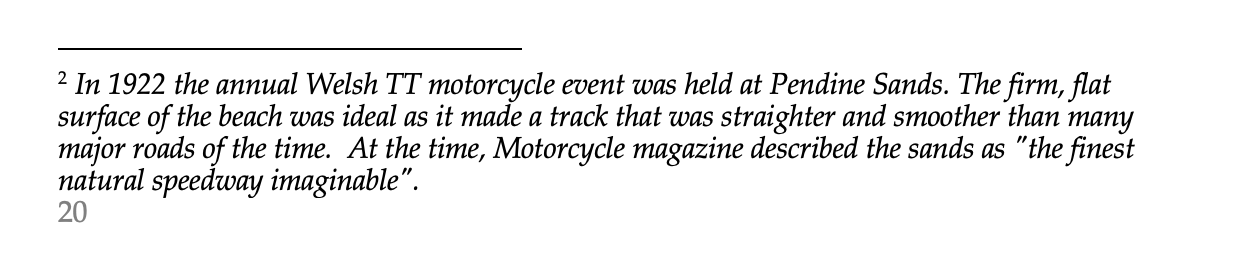
I have a document containing a footnote - and when compiled to Word it looks as shown below. I’m looking for a way, in Scrivener, to indicate I’d like a blank line (or at least some seperation) between the end of the footnote and the footer - to make the page number in the footer stand out a little more. Is there a way to do this? many thanks
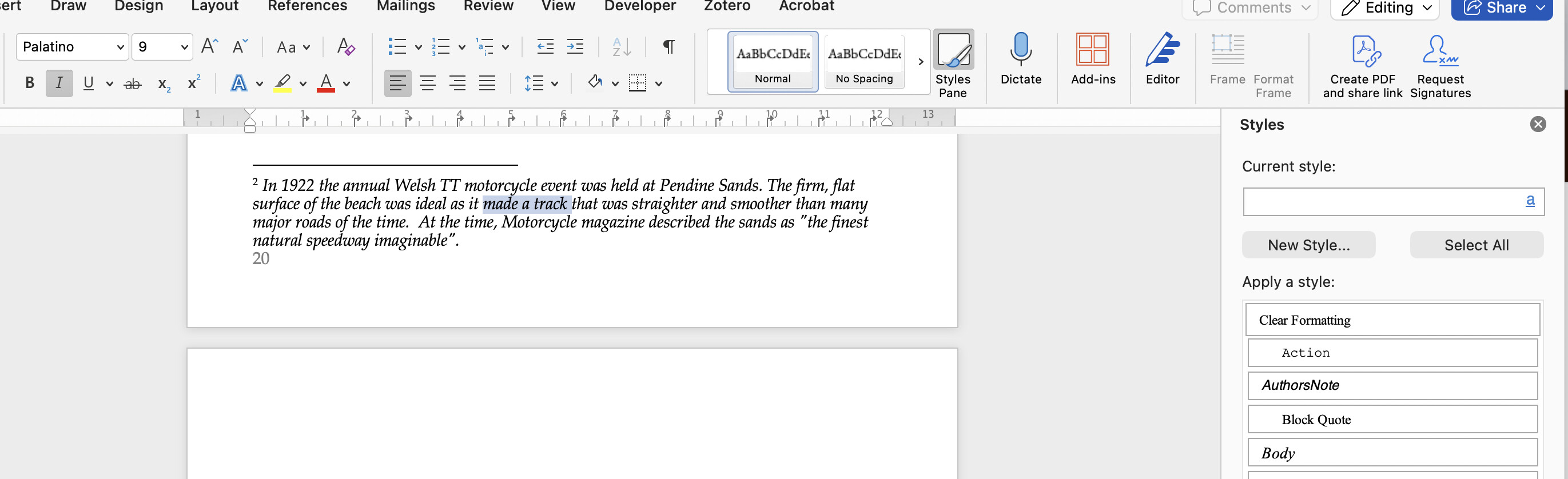
I noticed that in the word file that Scrivener compiled from my project, the footnotes had not been assigned any Word style. If they had been, then I think that would solve my problem, as then I could simply edit that style. This is what i see when I look for the style assigned to the footnotes
In Word, you might check Format > Document and compare the settings for Margins : Bottom, on the one hand and Layout : From Edge: Footer, on the other. It may be that the Footer is set too high in the bottom margin area.
Auxiliary remark: When you create a New doc in Word, it automatically invokes the Normal template in your Word installation. Word documents generated by Scrivener are “standalone” Word docs, and do not invoke your Normal template. When I compile to Word, I always open the result doc, Select All and then Paste that into a New doc created in Word. This will then have access to the Normal template. This may be of use to you if your Normal template has the styles you like, for example for footnotes, etc.