
Dear all,
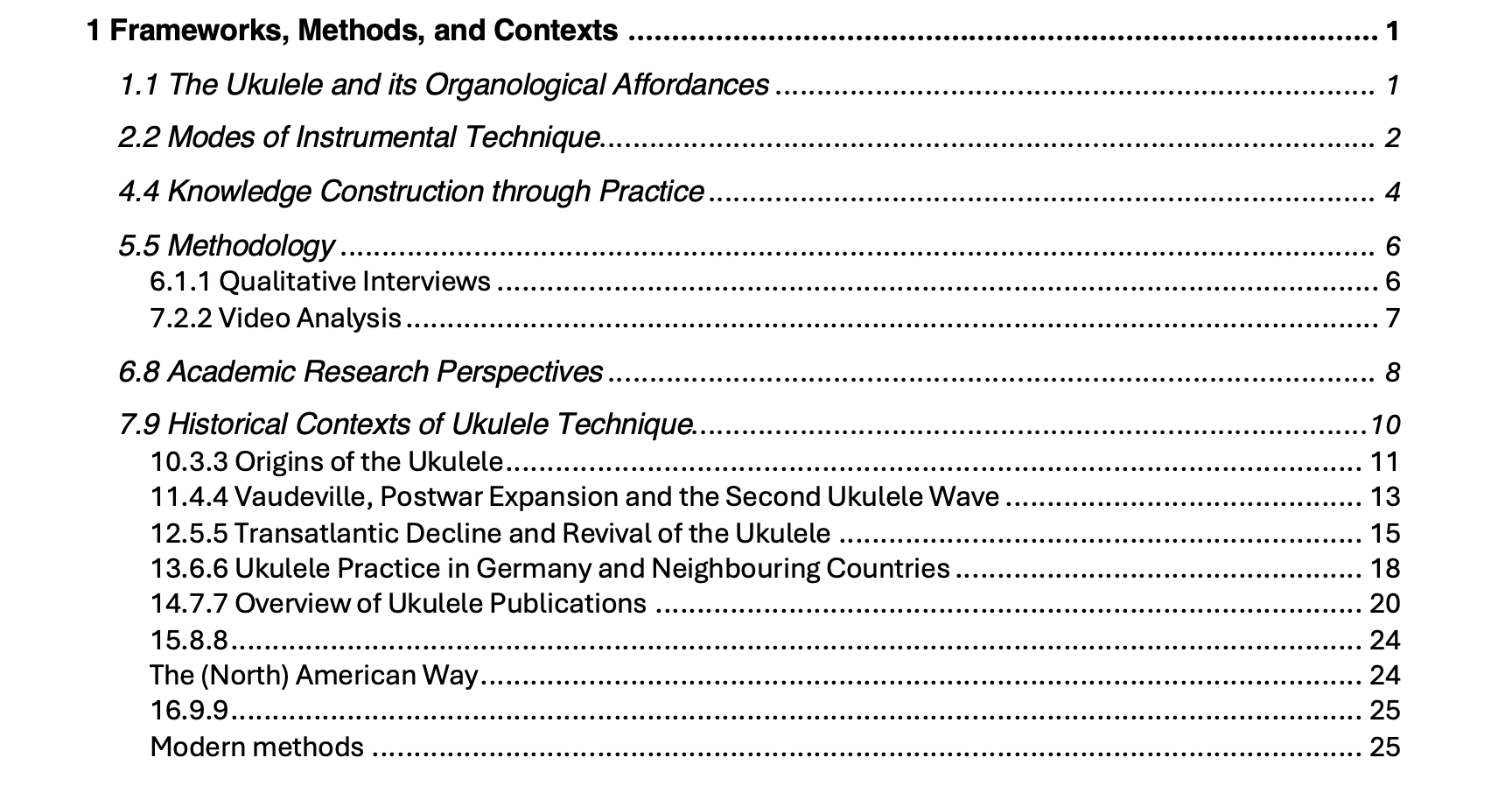
I’m currently writing my PhD thesis with scrivener and very much appreciate it for its workflow and feel and straight forward organisation. However, I’m really struggling with the export to word. As you can see the headings in this chapter are all scrambled and despite extended research, I wasn’t able to find where the problem is originating. I’ve renamed the section headings to correspond with the standard ones in word (my two body text formats don’t align, but that shouldn’t have consequences for the headings, right?) and have assigned them accordingly in the compile section/section layouts/formatting. The section levels are also assigned the way they should be, although that wasn’t the case from the start and I changed the levels after the first few test compiles. I wonder if the order in which attributes are changed matters?
Anyway, any help greatly appreciated, as I feel I’m running out of options what to try or how to go about the problem without assistance.
Hope you’re all doing great!
Best,
Elisabeth
Are you perhaps using a complicated auto-numbering placeholder setup, meant to produce this kind of numbering? There are certainly reasons to do so, most unusual, but in most cases you can get away with using the <$hn> placeholder and leave 1, 1.1, 1.1.1 style numbering up to the compiler, based on the outline depth of the items. If you do need to do it manually though, we’ll need to know what you currently are using in the Title Options tab for all three levels.
As for styles, you should be able to insert your ToC in Word instead of using the basic one Scrivener provides for proofing, if they are set up correctly (named “Heading 1”, “Heading 2”, etc.).
Hi Amber,
I thought I had tried taking out the placeholders, but apparently the <$hn> did the trick. Thank you! That has worked!