I have a “reports” stye defined, which I want to change ONLY the font from Times New Roman to Courier (in both the editor and on compile). But it compiles to TNR. If I change the line spacing or font SIZE for the style, compile makes those changes. But it overrides just the font family.
All other text in my project has “no style”, and compiles to doublespace TNR, as I want it to.
Is there a setting somewhere that overrides just the font on compilation?
PS–This has been asked before. The only clear answer I can find is: there are lots of places to change the style. It might help to list those places and specify which override which.
Intertestingly, if I compile with with the “default” format, it obeys the typography, but ignores things like my chapter headings. So, something is being added in my “Manuscript” format that overrides something in “default”
Also, the built-in “Manuscript” format overrides the font for my style.
Hi.
In your compile format, the problematic style is perhaps listed under the “Styles” tab.
That freezes it in the state it was in when added to the list.
Just remove it from the list. Or tweak it as you want it (if different than in the editor, when compiling).
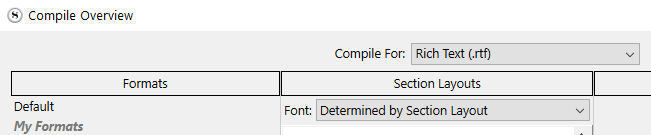
If that is not your issue, then it is perhaps your compile panel that is set to override the font. (Top - middle.) It should read

If this font-override turns out to be your issue, you will likely have to tweak the compile format so that the section layouts use the right font, afterwards.
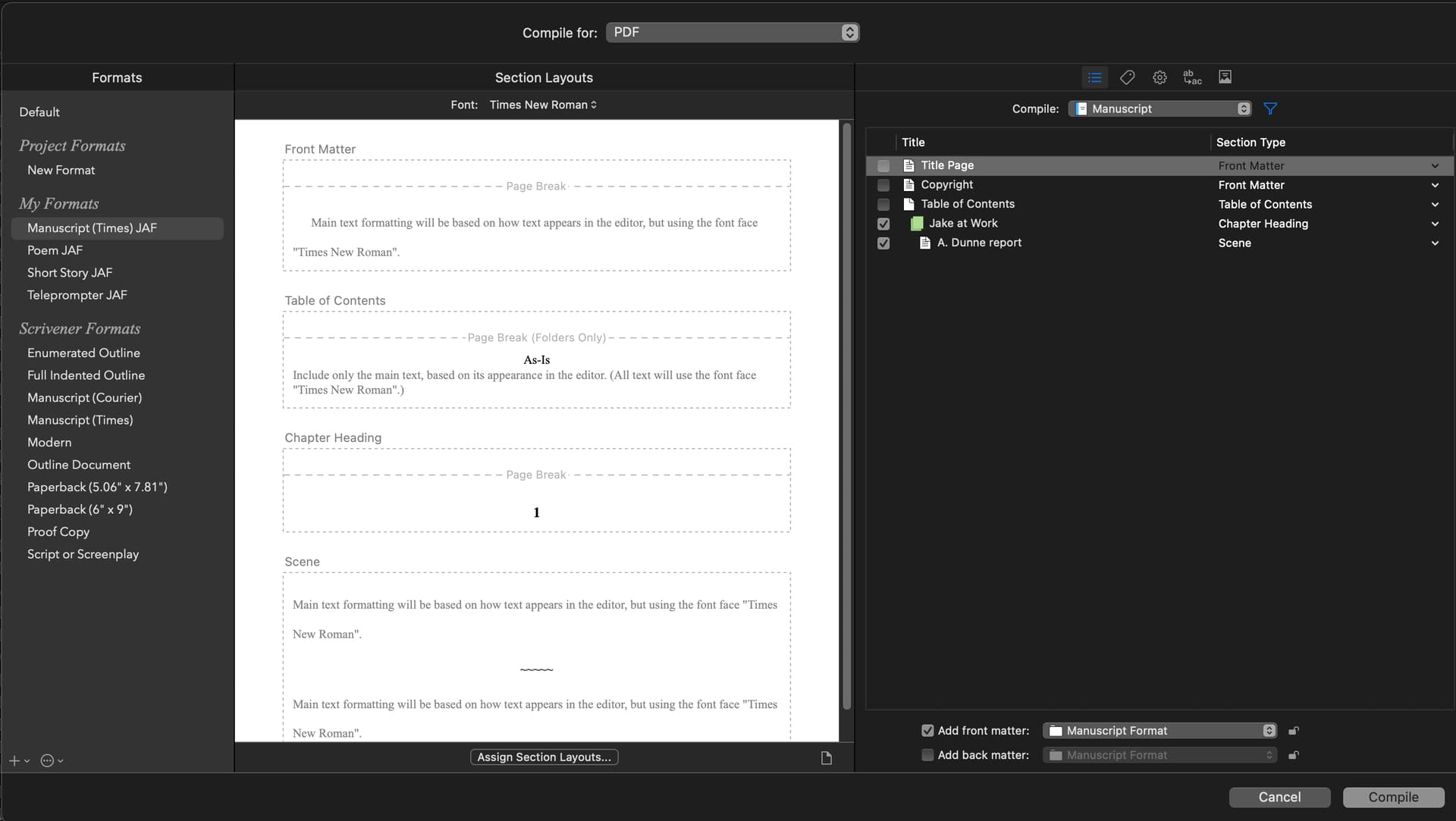
That sounds promising. Where is this “compile panel”? I’m compiling to pdf and don’t see the screen you provided. (I’m on Mac)
When you compile, it is the big panel that pops up
This is fine :
⮟⮟⮟

So, probably you’ve added your problematic style to the styles tab’s list of your current compile format.
boom chakalaka. That’s it! I was overriding all the fonts, all the time.
Thank you so much.
1 Like