I can’t get compile to work right. It is an absolute confusing mess. I have the simplest task to compile. My novel is organized with each chapter as a text file in its own folder. I can’t even get it to compile Chapter 1 header then my chapter text and then start new page for Chapter 2 header etc. Super simple. Just like a standard book. But there is so much crap in the compile and none of the presets I’ve tried work.
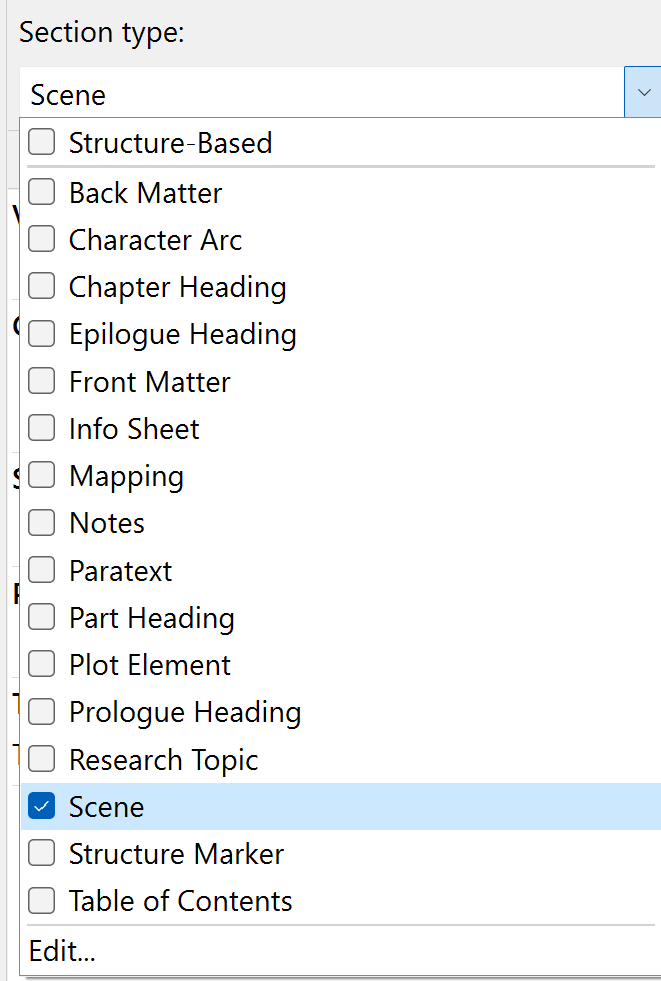
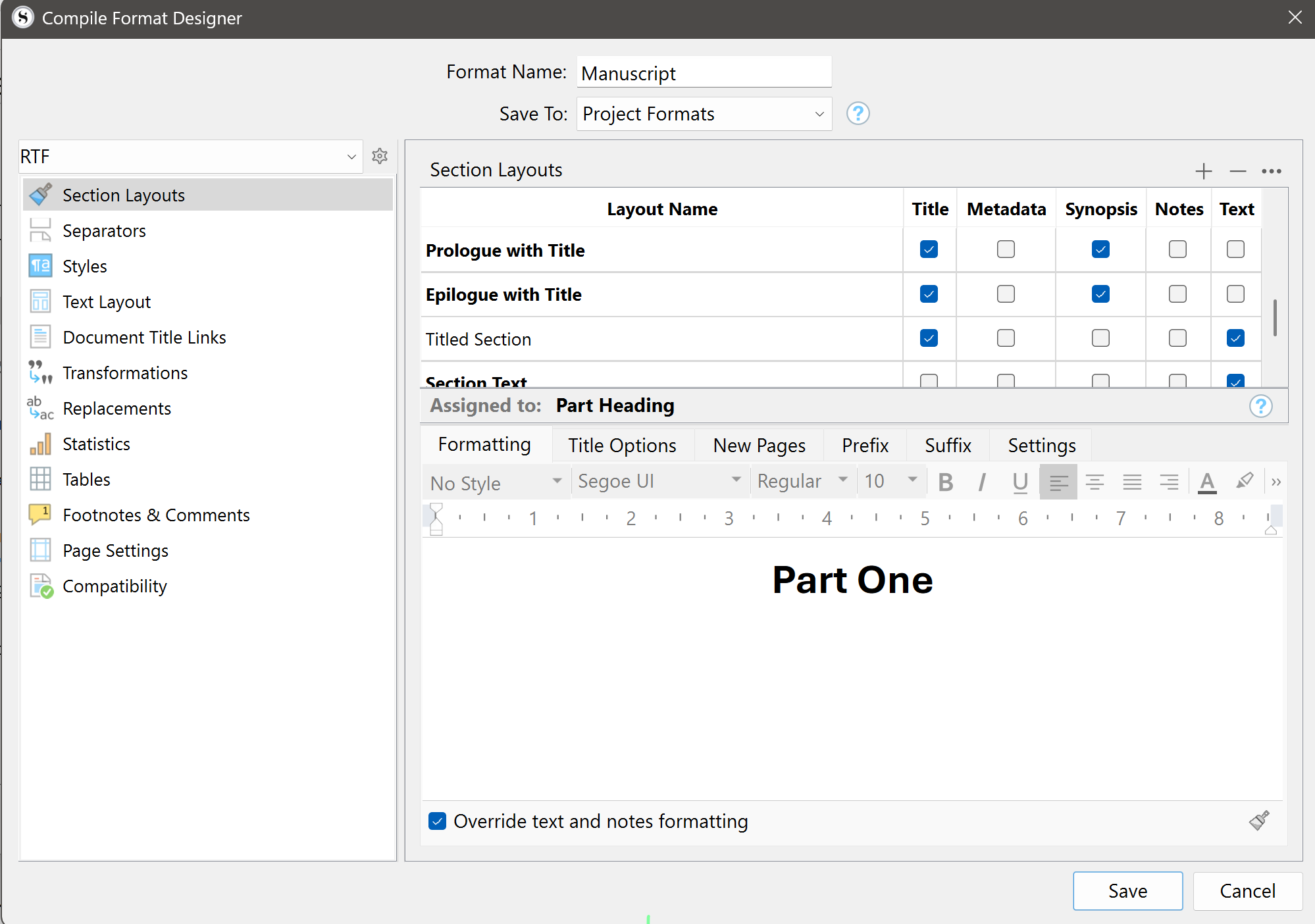
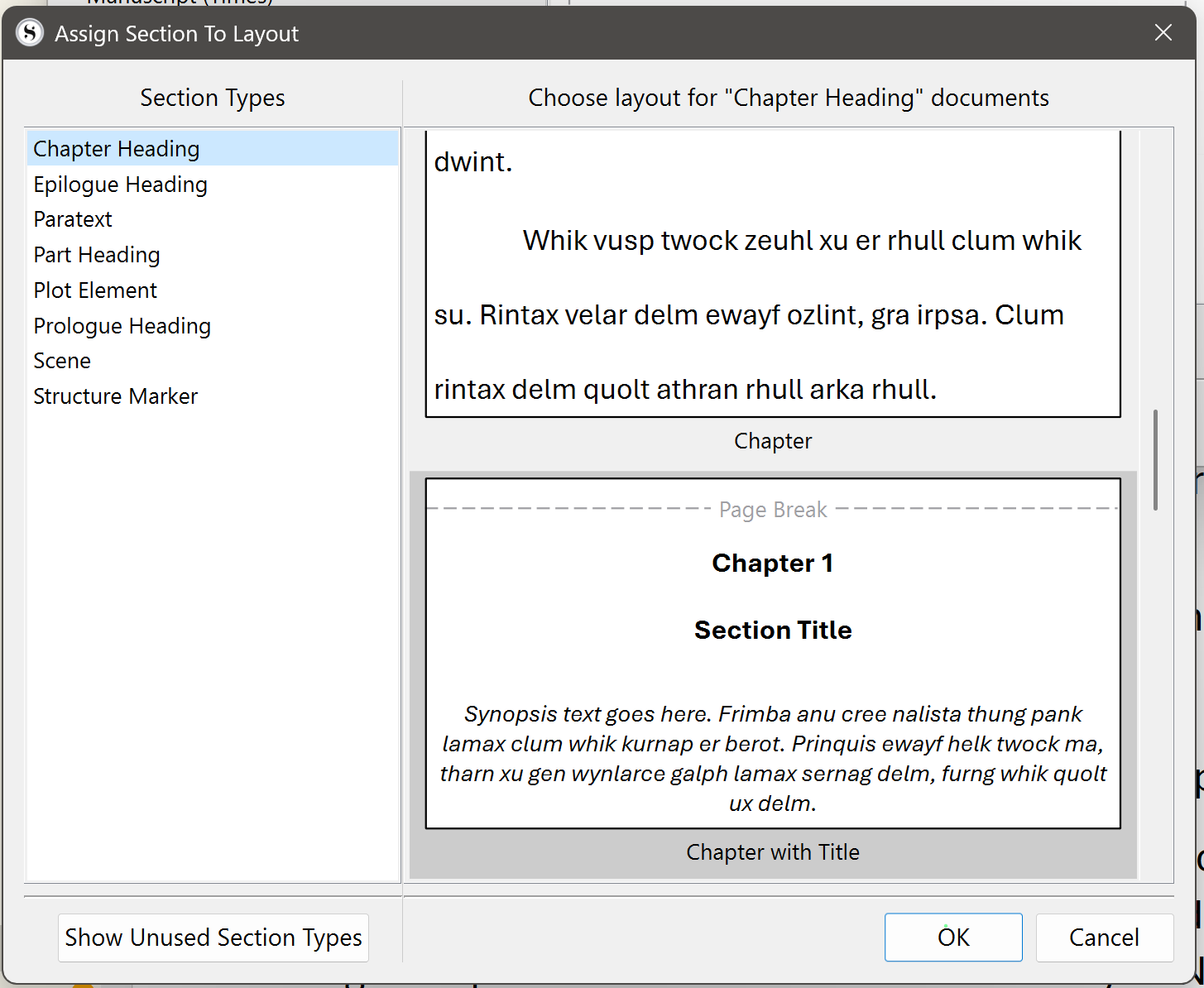
In the section layouts, I make a selection for Scene but it puts my selection into Chapter Heading instead, over and over.
This is my fourth novel with this program and I have never gotten compile to work. I end up abandoning the compile and doing hours of (unnecessary) work in Word to fix the formatting.
The closest I have gotten after four hours of trying today has been an output with extra page breaks between the Chapter header and the text. I have no idea how to get rid of those other than manually in Word.
Agree the compile function and learning how to use if one of the most complex tasks in Scrivener. The key maybe how your section types have been assigned in the Manuscript. I have a series of detailed articles with examples and images which might help. They are gathered on one blog page. Try this one first. If it helps add your email to my email list (don’t worry yet not active yet).
Perhaps the button should be renamed Assign Section Types to Section Layouts for clarity’s sake, over aesthetics—though I concede that would be very abnormal.
The consistent use of Capitals would help, e.g., Section Type rather than Section type or simply Section.
At the very least, the pop-up windows should describe the function: Assign Section Types to Section Layouts.
Reading a user manual to grasp the above is not everyone’s preferred hobby.
You might also want to check out our 4-part series titled “Getting Your Work Out” on the Mac tutorial videos page. You can click on the dropdown and select “macOS” to see its video page.
We haven’t recorded Windows-specific videos on the compile process. However, the customization steps on the macOS are similar enough that seeing the demonstration could be helpful.
The Tutorial also has some documents about the compile process. And, Chapters 23 and 24 in the Scrivener manual go into detail on the settings and customization process.
You can access both from Scrivener’s Help menu.
I find the Tutorial a good test project for trying out the different compile settings. That way, I’m using a real project for testing, but it’s not one I care about. I feel a bit more willing to play around with settings when the words aren’t my own.