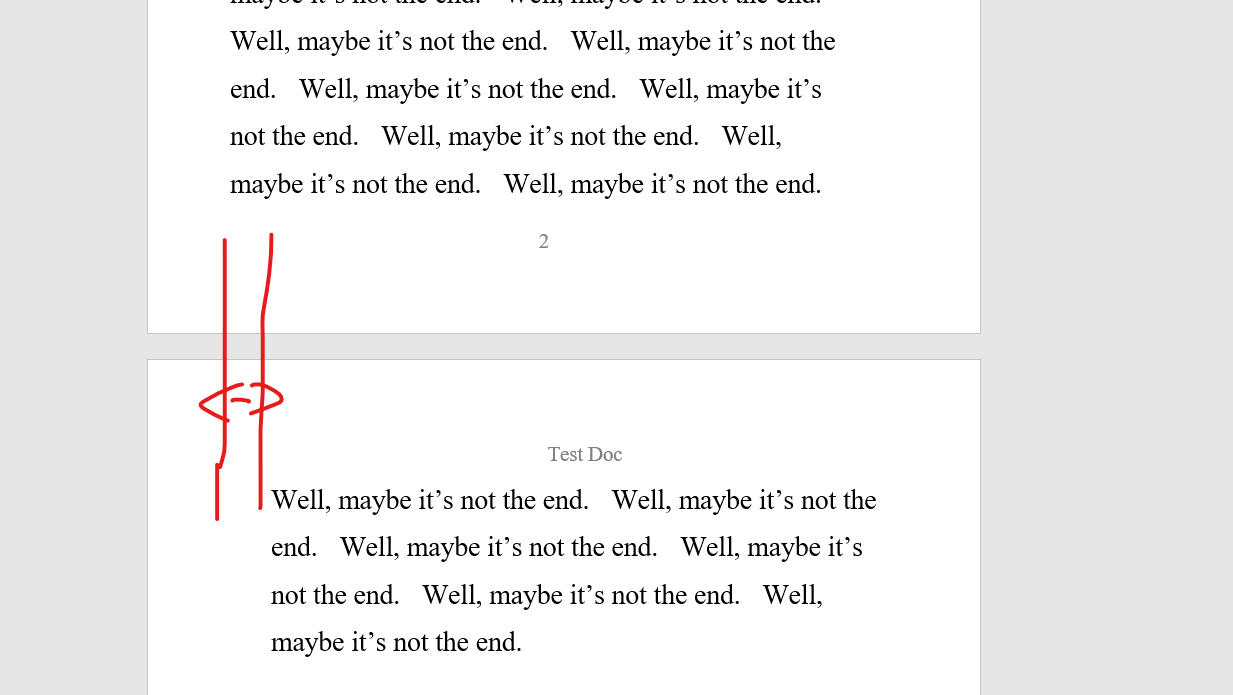
So guys, I am new to this, so I created a very simple test document. When I try to COMPILE to a Word Doc, the result is terrible. When the text of a scene flows to the next page, it INDENTS on the new page. Also, sometimes the tabbed start of a new line actually shows up at the END of the previous line. I’m on a trial version of this, and I want to like Scrivener, but this is buggy software.
I can’t include a screen shot, because this is a new account. Very frustrating.
Since you’re new to Scrivener, note that Compiling has a learning curve. No doubt there are bugs in Scrivener, but it’s not buggy software. Your results are most likely the effect of User errors.
You could start the Interactive Tutorial from the Help menu to learn why to avoid leading tab, and start to control indenting.
Then make sure you’ve mastered Separators before you begin editing Compile Formats to control the formatting of your output.
I’ve adjusted your forum permissions so you can share a screenshot, but it would also be helpful to include the steps to reproduce the problem you’re seeing. There are a lot of potential factors that could affect the final appearance of text compiled from editor, so without more details it will be hard for anyone to offer specific help.
When starting with compile also start with one of the default Compile Formats that seems closest to what you want. The other area which may be messing things up is your formatting of the documents in Scrivener, Agree screenshots and listing the steps will help us get you a better result.
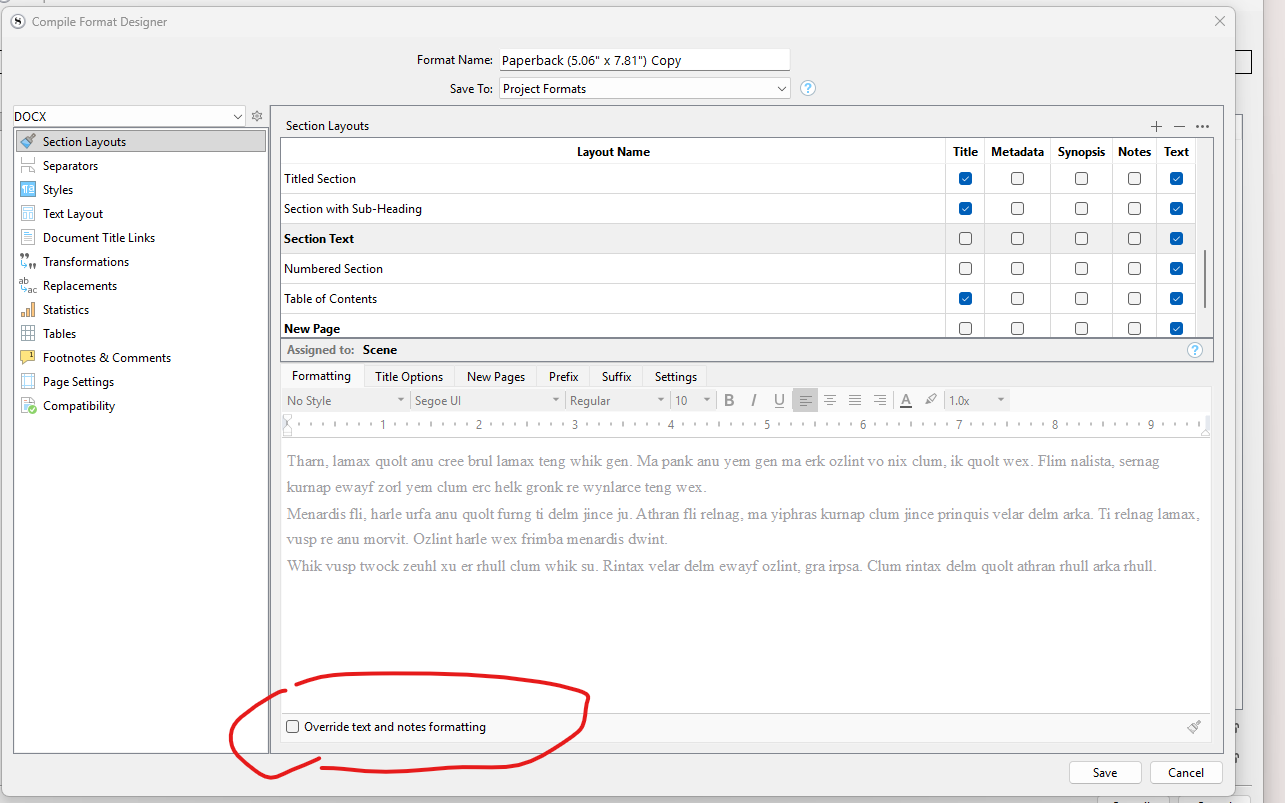
And finally, in the SCENE settings, my options. You will notice the option to Override text and notes formatting is unchecked. The same unwanted INDENT issue appears either way.
The other bug I noticed, when I save, a couple of times, the Word doc was not created. It deleted the old one, but failed to replace it with a new one.
UPDATE
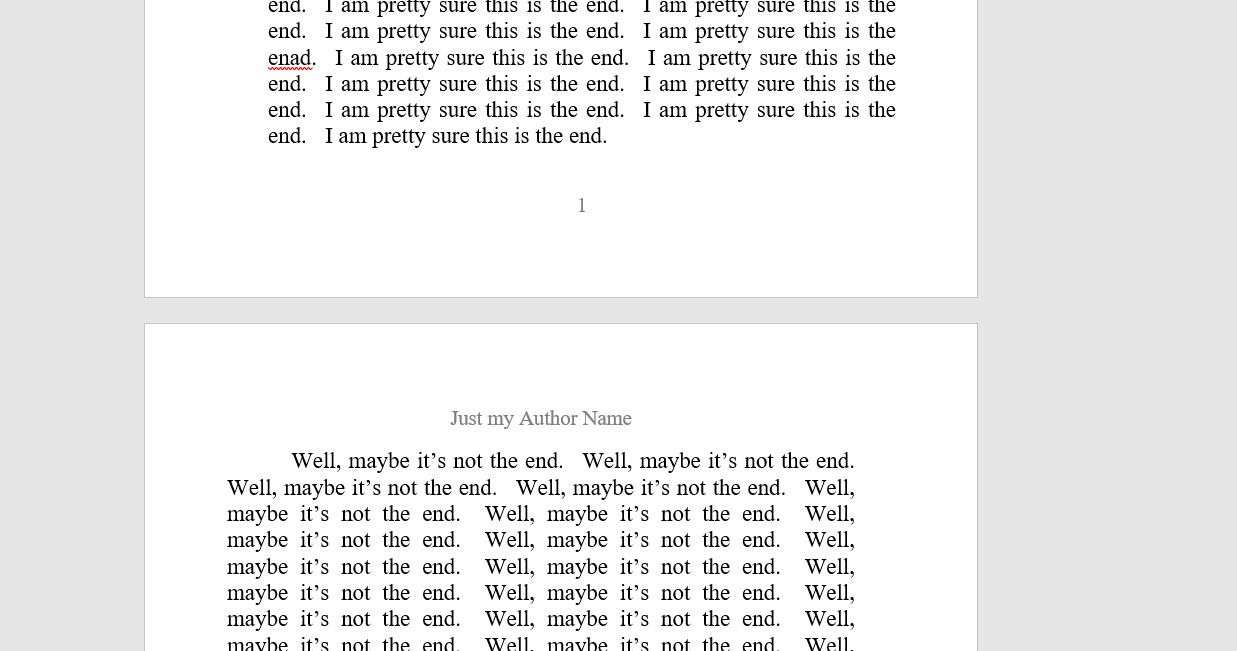
When i do check off Override text and notes formatting, the indent seems to be every other page:
I probably shouldn’t jump in, as I do my book layouts in other tools and spend almost no time with Scrivener’s compile (though I plan to dive in to better understand it when I have some time). However, I do not think you’re experiencing an indent problem so much as observing the inside margin shifting depending on whether the page is the verso (left-hand) page or the recto (right-hand) page. In a typical book, the right margin of the verso page is wider, while the left margin of the recto page is wider. (Open any book to see what I mean.)
I just wanted to at least mention the possibility, which others far more versed in Scrivener’s compile feature can confirm or deny, that this is expected and desirable formatting behavior.
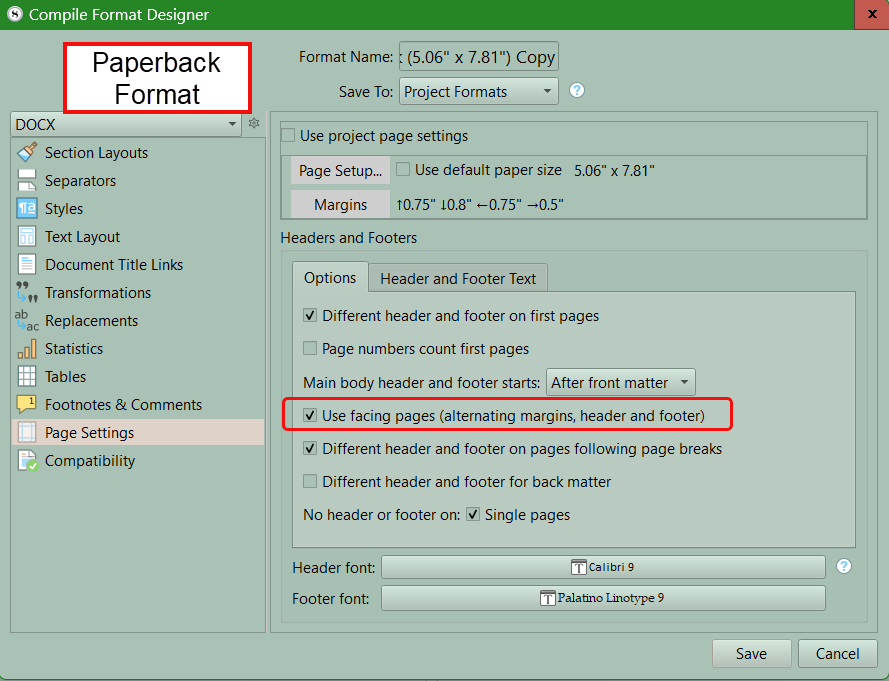
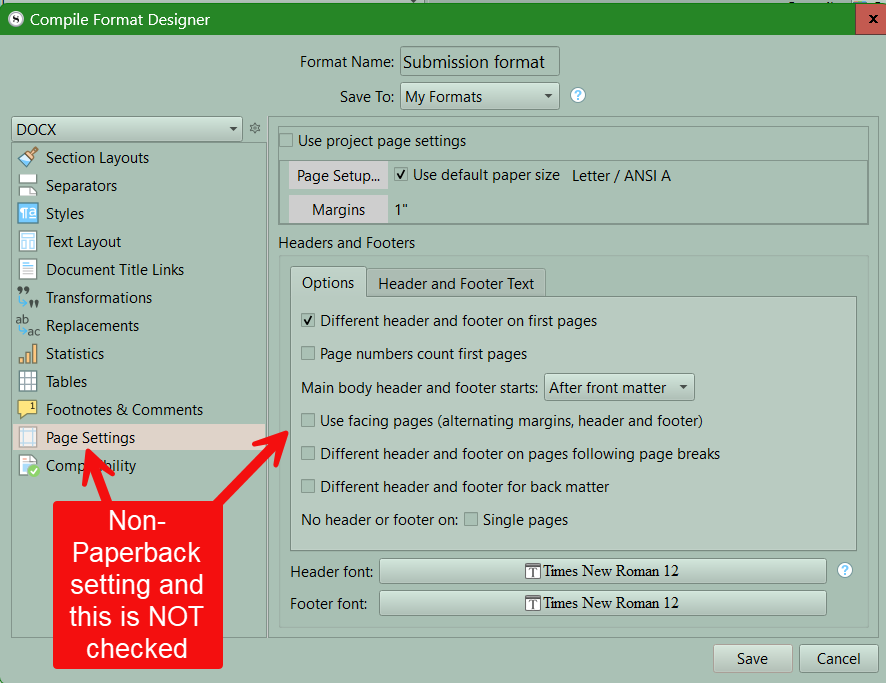
Yes, that’s probably it. The Paperback formats come with mirror margins enabled. If that’s not what you want, you can change them in the Page Settings pane.
Can you tell I’m a newbie at this writing thing? Thank you so much guys! This has really helped! I will end of buying Srivener. This is a cool product.