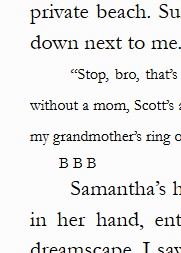
Well No clue now… but quitting here… maybe this thread will keep some other person from going insane. It’s official, it’s not scrivener, it’s Kindle Create + Bookfunnel.
BBB & no indent on following
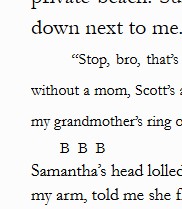
BBB & indent on following
Well No clue now… but quitting here… maybe this thread will keep some other person from going insane. It’s official, it’s not scrivener, it’s Kindle Create + Bookfunnel.
BBB & no indent on following
BBB & indent on following
This is of course not True. Scrivener won’t Compile an embedded font, but you can just add them to your Stylesheet, and use them in your e-book.
Readers should have the Publisher font setting in their e-reader set to see it.
Check this if that’s what you want.
Well,
First, to be within the law you’d need to request and obtain permission from Microsoft to embed the font. The OS license (Windows or else, the font installed on your computer) doesn’t include distribution of the proprietary font.
Then, you’d need to put some kind of message/instruction in the early pages of your ebook as to the fact that one needs to have his/her ereader display the publisher’s font. You’d risk confusing people who won’t have a clue what you are talking about, and who, in most cases, already have it turned on anyways.
And then there are all those apps (phone/tablet) that will bypass your CSS, rendering your glyph as a tofu – best case scenario ; perhaps here you’d get a string of awkward letters. (There is no fallback for a Wingdings glyph.)
→ Tofu : 

All this trouble for… ?
If it was about letters a-z and standard punctuation, I wouldn’t say. If the user’s ereader isn’t set to display the intended font, the text would still be perfectly readable, only in a different font. But this is something else completely.
So, imo, no. Don’t.
The way to get around for an ebook is save winding as transparent png. And use image as the separator. text in word and pasted into paint. I used adobe photoshop. An image bypasses font issue though not license for font. You could take winding image and modify “letters” so would not be true font.