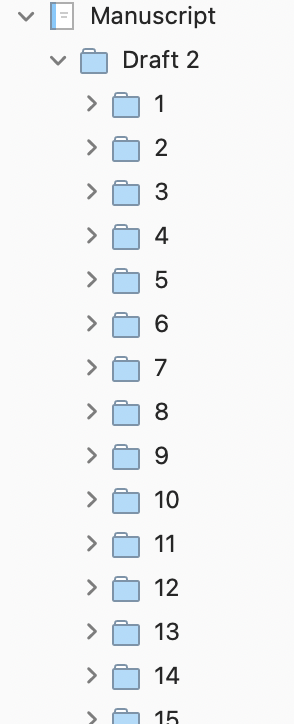
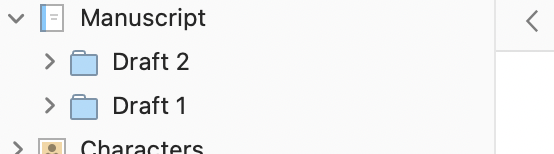
For my Draft 2, I duplicated Draft 1. So I currently have Draft 2 in a folder under “manuscript” and then Draft 1 in a folder under Draft 2. When I compile, everything works fine except the chapters are off. It starts with 2 even though the subfolders are labeled correctly. Clearly I am missing something. Thanks!
Unfortunately, I can’t tell why the numbering is incorrect. To do that, we would need to know how numbering and titles are set in Compile.
Scrivener can handle chapter numbering by variables, which allows reordering chapters without having to rename them manually.
However, the ‘Draft’ folder (here called ‘Manuscript’) is intended for the draft only. When you have more than one draft, I suggest putting the older ones into the ‘Research’ folder. Even better, you could create another folder at the same level as ‘Draft’ and ‘Research’ and call it ‘Older Drafts’ or something similar.
2 Likes
It starts with “2” because your custom “Draft x” folder adds an element, and gets numbered as “1”. I think that you could simply mark it as excluded from compile.
The other solution would be to assign it a section type - section layout that doesn’t number it. And so your first chapter will be numbered “0+1”, which comes out as “1”.
Currently your “Draft x” folder most certainly gets this “0+1” number, and so your first chapter actually gets “current-value (1) + 1”. … So : 2
Scrivener is oblivious to your labelling. The numbering (auto-numbering) is purely sequential. (Current value + 1)
If you want the numbering to be manual, as per your labelling, then you’d have to remove the auto-numbering from your compile format, and use your binder titles instead. (More work for no concrete gain.)
. . . . . . . . . .
By the way, all these folders (though your screenshot doesn’t show the content itself), all with each invariably sub-content, was likely overdone, and unnecessary.
(Leave it if you are done, it doesn’t block you, but perhaps investigate the matter before next time.)
2 Likes
This is the crux of it. If you tell Scrivener to use the Title, it will use what’s in the Binder. If you tell it to auto-number, it will do that. The two are completely independent of each other.
(As an experiment, you could rename the first three folders to ‘A, B, C’ or to ‘Tom, Dick, Harry’ and get the same results.)
2 Likes