I would like to export my cork board including synopses and notes. I have not been able to get the notes out or to have the synopses compile coherently. Is it possible? Is there a tutorial somewhere?
I’m on Mac OS X
Thanks!
I would like to export my cork board including synopses and notes. I have not been able to get the notes out or to have the synopses compile coherently. Is it possible? Is there a tutorial somewhere?
I’m on Mac OS X
Thanks!
I’ve looked and there doesn’t seem to already be a compile format that does this. (?)
I’m designing one for you.
Any font preference?
Wow. That’s amazing, Vincent. I like readability so a basic san serif. AppleSystemUI seems to be what comes with the cards.
I’m new to this and what drew me to this is the uniquely useful card layout.
Thanks!
Would Georgia do?
Note that you can’t get the same “Card” visual at compile. If that’s what you want printed, you’ll have to use a different feature, but I am not sure you can get the notes in there.
Georgia is very good.
I hear you on the card layout. I did see how to print that. I put a lot of info into notes without realizing it’s kind of stuck in there now.
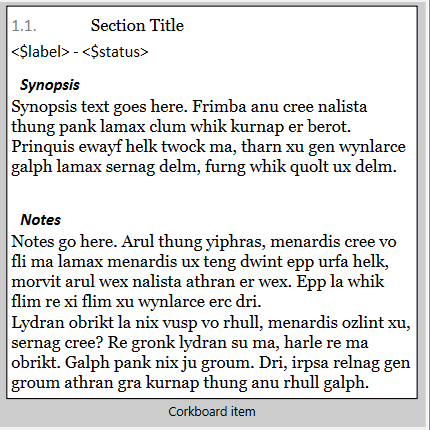
Try this out.
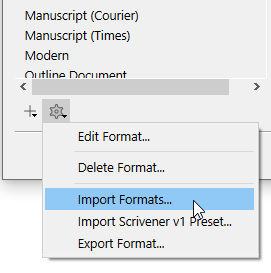
You need to import it :
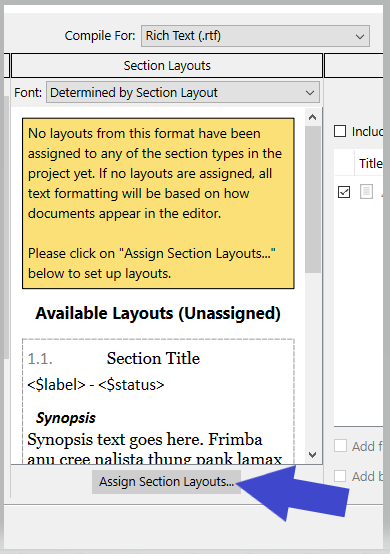
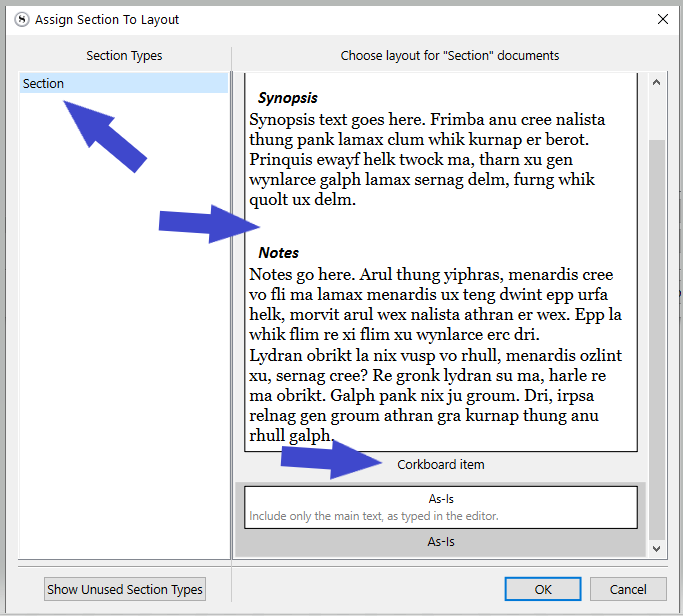
Then in the middle section, link your section type to it :
═════════════════════
Synopsis and Notes.scrformat (12.3 KB)
═════════════════════
Before you compile, make sure the binder has focus. You can just click on the binder element that displays your corkboard.
In the compiler, compile this:
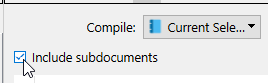
Check this checkbox :
Thanks. I’m going to give that a shot.
Where do I move Synopsis and Notes.scrformat
Import it as per one of my earlier screenshots.
→ Bottom left of the compiler, cogwheel
Hi, I keep getting a blank document. I do not have the option to select all subdocuments but on the dropdown I selected Included Documents. On the Synopsis. and Notes page I have a choice of Group, Scene or Front Mater. I tried them all.
Thanks
You need a Mac user to help with that bit. I can’t.
@November_Sierra @xiamenese
Meanwhile, make sure you are compiling to RTF, in the top-middle of the compile panel.

I’ll try it again. Thanks!!!
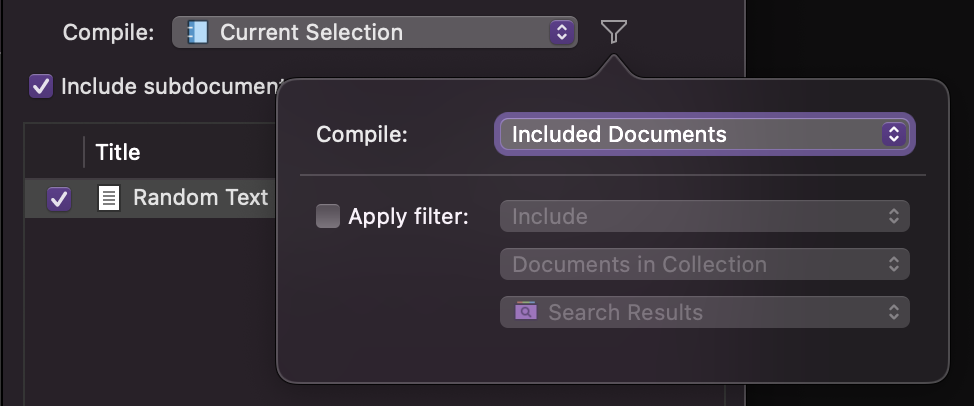
Not sure, but reading back I think that perhaps the OP has activated the filter. (On top of not / instead of setting compile to “Current Selection”.)
@Rabbit If so, if the funnel is now blue, you have to set it back to “Included Documents”.
You mean the filter on the right side of this select box? Doesn’t change the “Include subdocuments” checkbox for me. Maybe that’s different on Windows? (But why?)
It doesn’t change anything, except that I think that the OP did this instead and… it is gonna be a problem before long if so.
Potentially. Although that requires multiple missteps to have a negative impact; worst case resulting in an “empty” list of subdocuments to include. Almost a semi-professional level of clumsiness. But who knows. A screenshot would be nice.
You’re still coaching classes? I thought you had retired.
These days I’m teaching professional clumsiness. The real stuff.
Anyways, what we want to see is:
Current Selection. No Filter, no “Apply filter”, none of that. Right?
Hi, whether or not I ever figure out how to do this, thanks for the help! I have now selected current selection and included documents as in the shots above. The only progress is that one very random (number 15?!) card was compiled (include subdocuments is checked). Perhaps it is that I don’t know what I am supposed to do on the assign section layouts page. I see the arrows in the photo above but I am unclear what to do to assign. Also, I have three choices on that page: Group, Scene, and Font Matter and I am not sure what that refers to.