Hi all
I’ve set my outliner up to be included in compile but the details aren’t there. What am I doing wrong?
Happy Monday!
Hi all
I’ve set my outliner up to be included in compile but the details aren’t there. What am I doing wrong?
Happy Monday!
You can create a compile format to only compile titles and synopsis. You can’t export the outliner itself.
Thanks Laura. Now I’m wondering what the ‘include in compile’ option actually means in the outliner? I’ve done a lot of work here setting up my story and it would be nice to be able to print it out.
Oh, that box just means that whatever document you check it for will be compiled. If you’re mainly writing in the Draft/Manuscript folder, you don’t need to check this.
Ah ok. I don’t need it then. I’ve taken screen shots to work on when I’m not in scrivener as a solution.
Thanks Laura 
No problem. I’d still recommend creating an outline-only compile format for reference elsewhere, though.
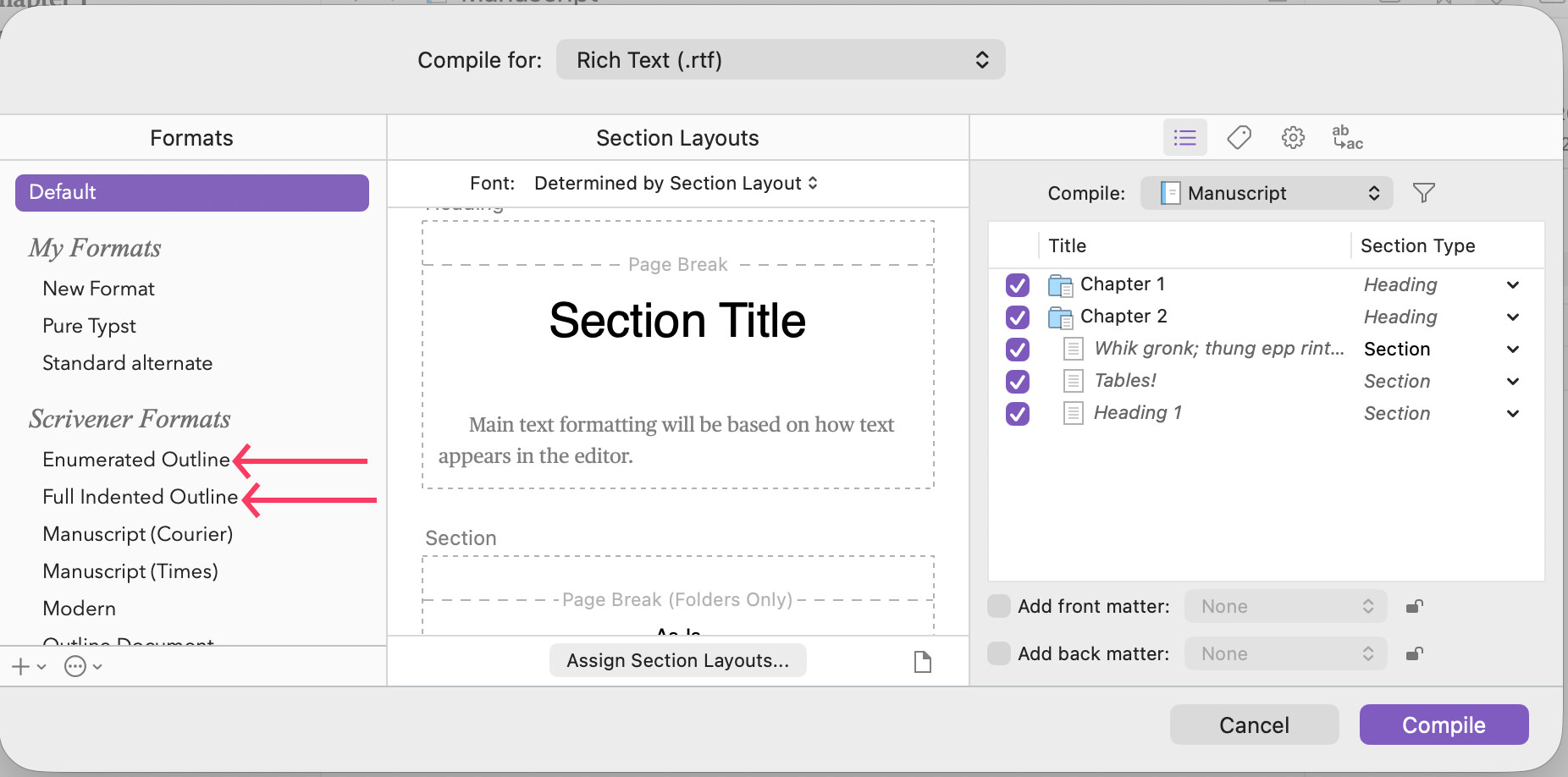
We actually supply two outline formats. One that’s just numbered headings, and one that includes synopses.
I suppose OP could use one of those. I had to create my own because my projects are very specific, so…
Lol I don’t know what this means! I’ve tried to use the software several times and given up. Now I’m finding the outliner very helpful but if I can’t print it to work on when I’m not on my computer I can’t see the benefit. I may as well start an excel sheet. Help!
Thanks
Liz
Hi
What does OP mean? I haven’t got to grips with all the terms. Massive learning curve and I’m finding it complicated to learn, so I’m keeping things simple ergo I’ve not learnt about things I may not need.
Thanks Liz
If you are just looking to work with the columns of data you can see in the Outliner view, then you might indeed find a spreadsheet useful—but you don’t have to give up on one to use the other. The File ▸ Export ▸ Outliner Contents as CSV... menu command will produce a file that can be opened in any spreadsheet program. You can set it to export all columns, or just the ones you have set up to show in the outliner.
What you can’t do is get any changes made there back into Scrivener, so think of it more as a way of producing reports or print-outs.
If you don’t need columns, and just need information, then all you need to do is click into the outliner and press ⌘P / CtrlP. Refer to the beginning of Chapter 26 for tips on how to adjust the output, and §26.3, Printing Outlines, for the types of content you can optionally include (or disable).
What does OP mean?
Original Poster, typically, which means you. 
Thanks so much! This is exactly what I want. I’ve been searching the manual and didn’t spot it because I was looking for outliner options not printing options!
Liz
Can you let me know what these outlines are? In the manuscript or cork board? Or is this in the compile section?
Many thanks
Liz