I am new to Scrivener. I have created a character folder from scratch.
I would like to create a template on the caracter folder, in order that by adding new characters inside it, these added character could have automatically the same template as the character folder.
Duplicate the Character Folder you created. Right-click on it in the Binder and select Duplicate.
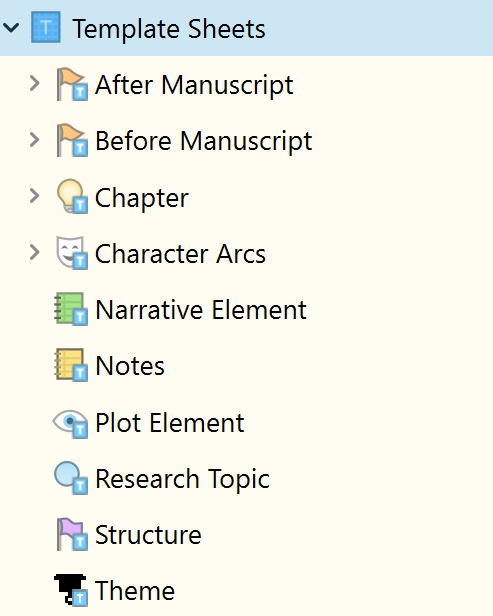
Then drag or copy and paste the Character Folder to the Template Sheets Folder. Mine is not in this example, as I have a dedicated Scrivener project for my Character Sheets to prevent bloated projects and to promote reuse without contradictory duplication of Character Sheets in a series.
Hello! This detail is intriguing to me. Would you explain further? Is one Scrivener project somehow linked to the other? Or do you open them manually, side by side, and only use the other for notes and references?
I love the screenshots, by the way. It’s really nice to see how others use Scrivener (and all its features)!
I have a List of Character document in each project, e.g.
Project 1
John Jones
Mike Smith
Ian Hastings
Carol Taylor
Project 2
John Jones
Pete Best
Ringo Starr
Jam Packed
Carl Taylor
Project 3
John Jones
Carol Taylor
Maggie Smith
Jam Packed
Project 4 - Series Resources
All Character Sheets are stored in this project
So John Jones and Carol Taylor are common to all 3 projects
Jam Packed is common to Projects 2 & 3
The rest are unique to each project.
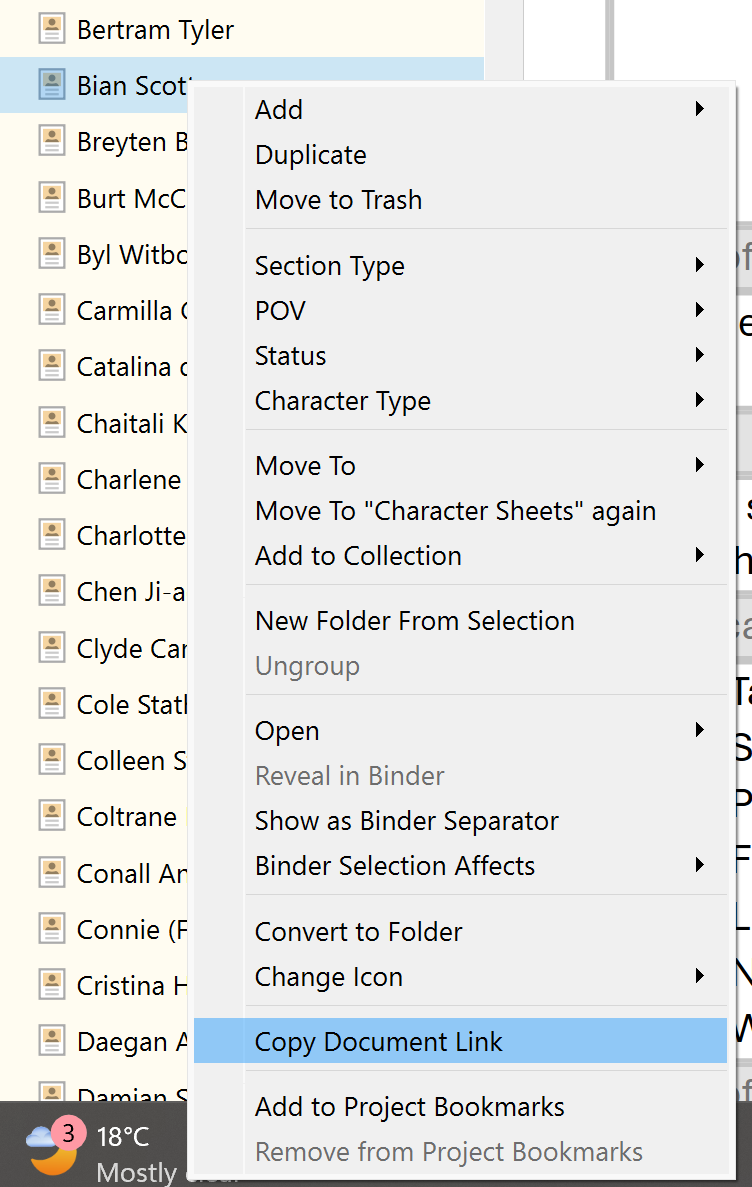
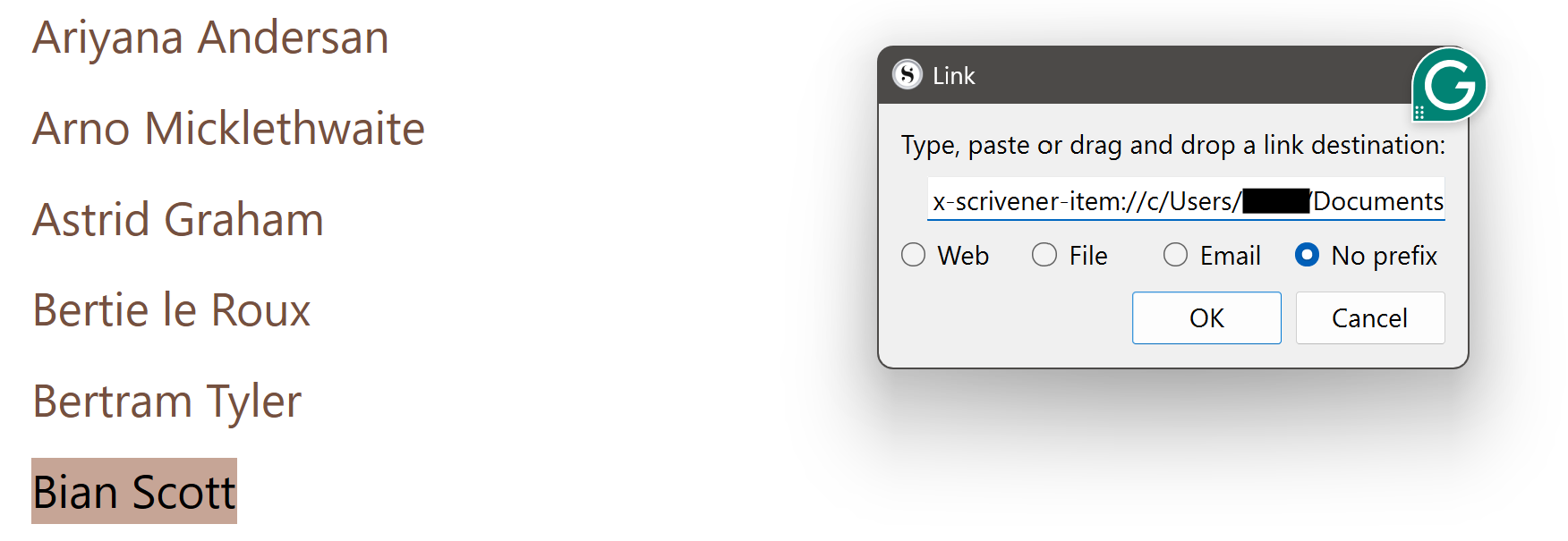
To link to the character sheet in Series Resources, right-click on a Character’s sheet in the Binder in the Series Resources Project, select Copy Document Link, go to the project the character is in, access the list of names in the project, highlight the character’s name, select Ctrl+Shift+L and paste the link. You now have a link to the character sheet in the Series Resources project fro a work in progress.
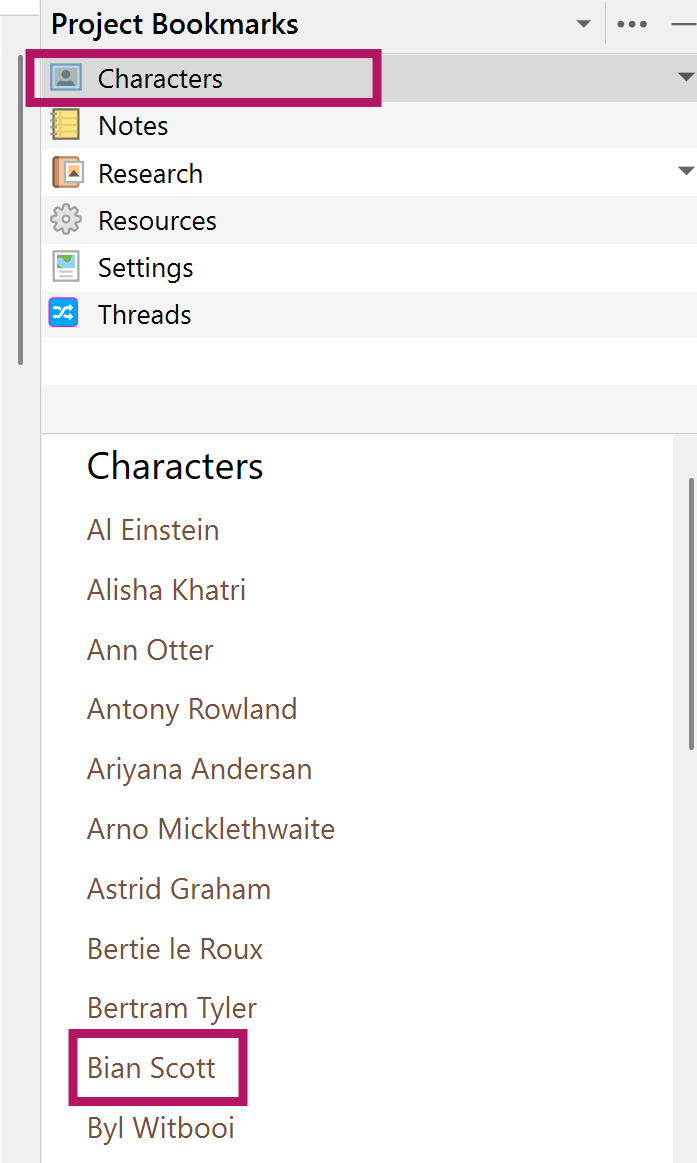
When done linking to each character’s sheet, drag the List of Characters to Project Bookmarks in each project.
The links are live (clickable) in the Preview Pane beneath bookmarks.
If you want to take this one step further and have any new document in your character folder automatically have the character template…
Once you have a) identified your Templates folder and b) created the specific character template as in @AntoniDol’s post above, then:
Select your Character folder in the Binder
Choose Documents > Default Templates for Subdocuments > and the available templates will be shown for you to choose the right one.
Then whenever you’re in your Character folder, all you need to do is press cmd-n (or Ctl-n on Windows) and a new document will be created with that template.