I figured out something that’s actually very simple, but it took me two weeks, so I’m bringing it here in case it’s useful.
You can set a custom “Documents” directory in the Wine Config options inside your Scrivener installation in Lutris:
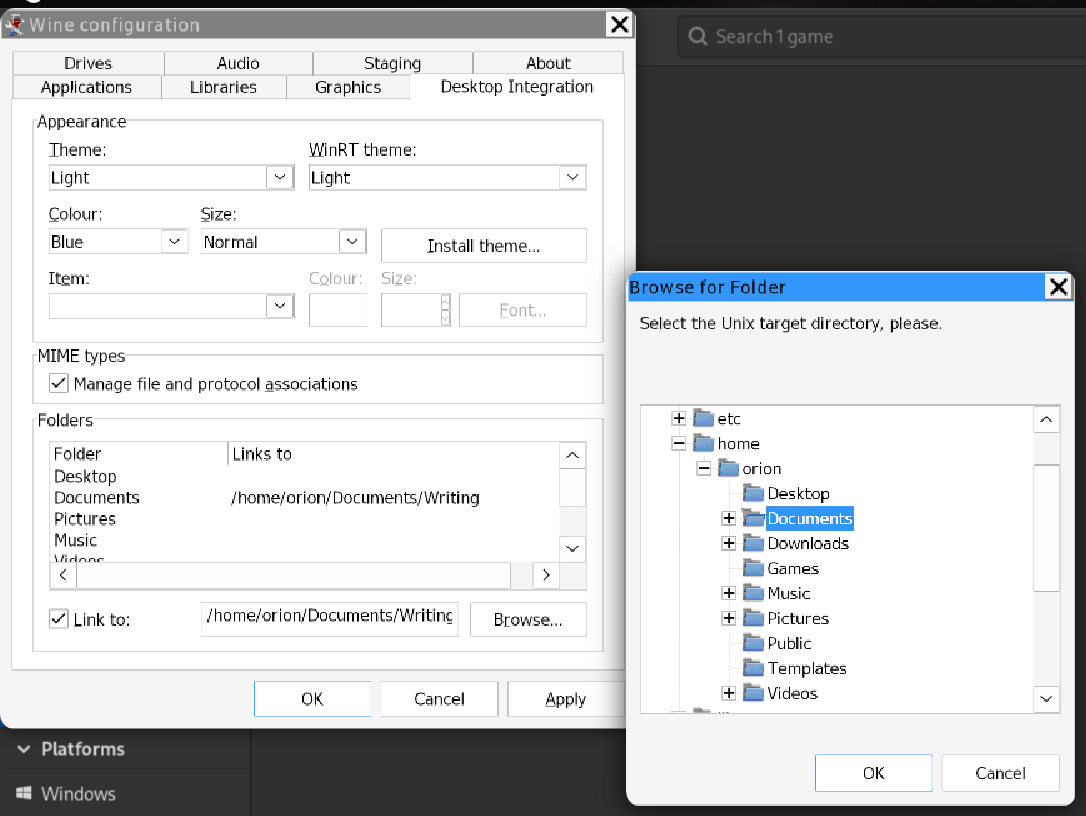
Once you “OK” that change, the File → Open command inside Lutris will open on whatever directory you pick.