I have a large Research folder with a complex hierarchy and am trying to find a way to make material therein accessible by topic. Specifically, I’m wondering two things:
(1) Is there a way to get Collections to display the hierarchical structure of subfolders/-files?
(2) Has anyone found a way to replicate more or less the behavior of what is called an “alias” of a folder in Finder on macOS.
Here’s my scenario: The research folder has the following subfolders: Notes, Events and workshops, Conference Presentations, Application materials, and Archive. Each of these has subfolders organized by topics and appropriately labeled (and colored): So there are subfolders of Topic X under notes (for random notes and brainstorming regarding topic X), under events (events that had to do with topic X), presentations (that I gave on topic X) and so on. In turn, the actual content is nested under them in multiple levels of sub-sub-folders and -files.
I have labeled them Topic X, Topic Y, and so on, and each has its own color for easy identification. However, my research folder has grown super large and with many dozens of topics showing up in multiple places it’s become a bit unwieldy. So when I’m working on a paper or chapter regarding Topic X, I’d love to find a way to isolate only that material regarding Topic X.
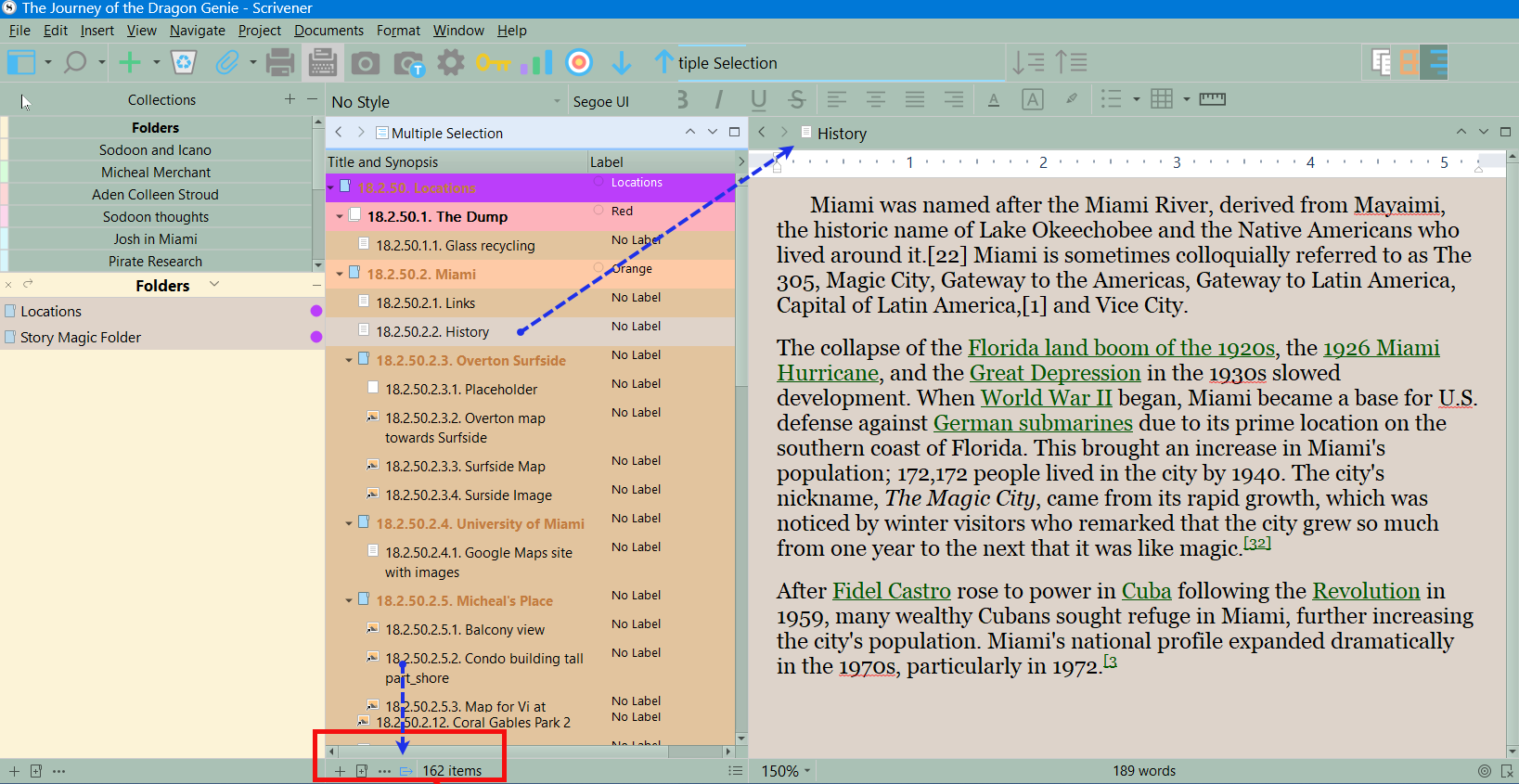
It seems that Collections are meant for that purpose. But there is one crucial limitation: A selection doesn’t show me subfolders. Whether it’s a Saved Search or a manually created collection, it just dumps everything with that label on the same level and there’s no way to expand or collapse as I am normally able to in the regular Binder. And with hundreds of files/folders/subfolders it’s even more unwieldy.
Let’s say in the (regular) Binder under Research I have:
Notes
 |—Topic X
    |— Discussion with Justin
    |— Brilliant idea on the train
 |—Topic Y
 |—Topic Z
Events
 |—Topic X
    |— March 30
    |— October 18-19
    |— November online workshop
 |—Topic Y
 |—Topic Z
Archive
 |—Topic X
    |— Outtakes from paper in journal A
    |— Outtakes from paper in journal B
 |—Topic Y
...
Then, when assembled in a collection, I’d love to see that hierarchy, but simply without Topic Y and Z etc. (bc. there are way too many topics  )
)
Unfortunately (in the case of a Saved Search), if the label Topic X is applied to all files/folders, I end up with:
 Topic X
 Discussion with Justin
 Brilliant idea on the train
 Topic X
 March 30
 October 18-19
 November online workshop
 Topic X
 Outtakes from paper in journal A
 Outtakes from paper in journal B
On the other hand, if the label Topic X is applied only to top level folders (Topic X), the collection looks like this:
 Topic X
 Topic X
 Topic X
Neither of those solutions are desirable.
In the second scenario, when I activate Scrivenings mode, the subfolders will show up in the editor – but depending on the subfolder-depth it is still too much information.
As an alternative I thought, perhaps there’s a way to manually build something like a collection in the regular Binder that would still show the hierarchy via document links or bookmarks – replicating what in the Finder is called “Alias”. But I couldn’t figure out how it might work. I tried to “Copy a Document Link” to a Folder in Scrivener, which gives me x-scrivener-item:///Users/… and then tried to use the “Add Webpage …”-function under a different folder, pasting the link from the Clipboard into the dialog box – alas it gives me an Error Message – I guess that’s not how it was intended.
So I’m wondering, are there any other solutions for my scenario?
Or perhaps others have come up with better ways of organizing their Research folders such that they don’t run into this problem?
Any ideas much appreciated!