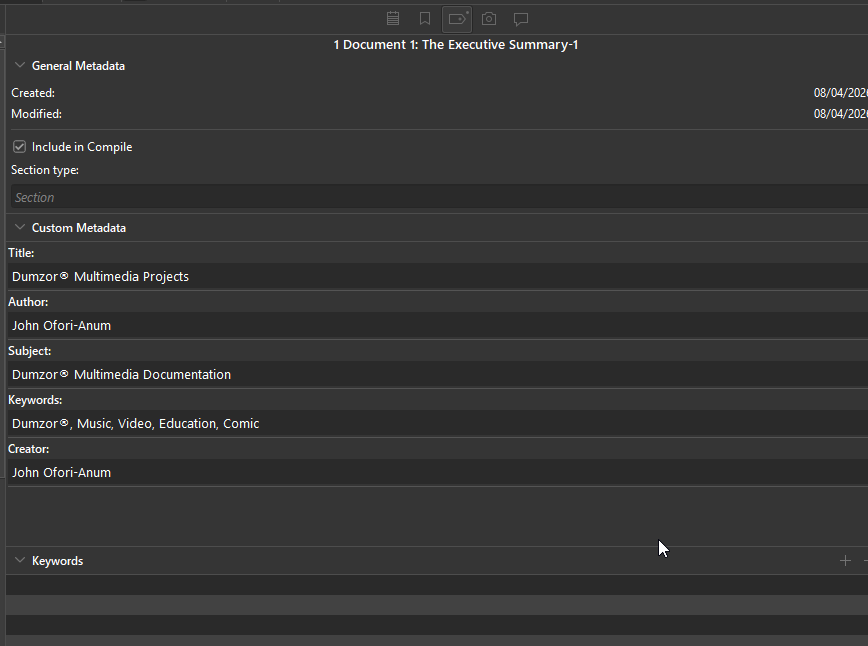
Custom MetaData empty fields when Exporting any text Document as PDF

Hi,

I am having a lot of difficulty seeing my Custom metadata showing up in properties of my PDFs, I’ve tried
(1) File → Print Current Document
(2) File→ Export→ Files
(3) File→Compile

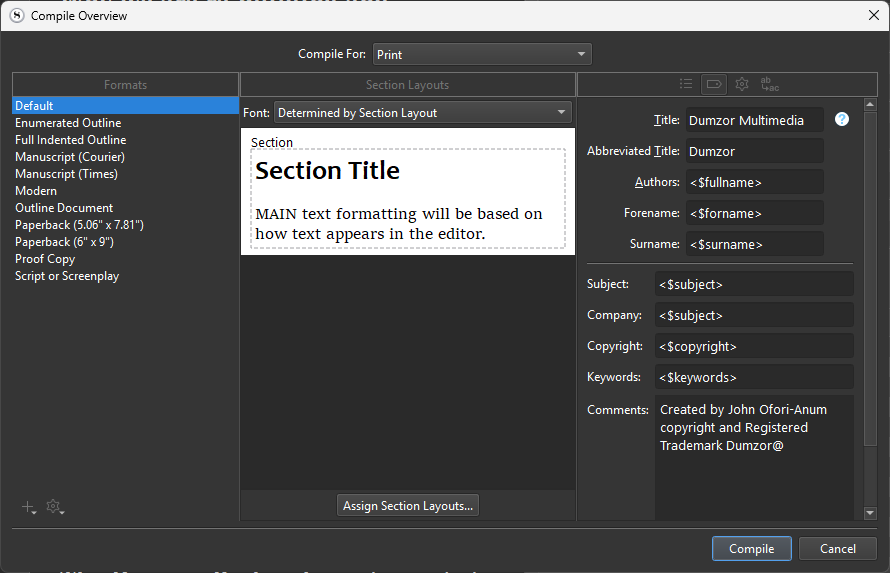
Please can any one help, please see screen shot below
For Example Subject and Keywords Don’t show?

There are a few problems going on here:

Placeholder scope

It’s important to note the intended scope of the metadata placeholders, in the documentation (Help ▸ List of All Placeholders). Particularly where it comes to compile, there are only a handful that will work in most contexts—especially global areas. The main reason for this is that most of the placeholders pertain to individual chunks of text, rather than the global document that compile will be producing, as a whole.

For example, what is <$keywords>, in the Metadata tab of the compiler meant to do? You could have thousands of items in the draft folder, all with their own keywords—which is it supposed to use? There isn’t a good answer to that question, so placeholders such as these are ignored in global contexts.

The main exception is in the Section Layouts compile format option tab, as well as the Styles prefix/suffix fields. In those cases, these generate content that individual binder items will use, or the text within them, and so having a section layout or style insert a placeholder becomes synonymous with using it in the text editor, and it pulls its data from that item the text comes from (not some global area).

Printing is not PDF production

In your screenshot you are printing, which sends data to the system’s print drivers through standardised dialogue boxes. While it is true that print dialogues have ways of saving a PDF of the print data, you will get better results using the PDF compile setting, if it is your intention to make a PDF. I’m not sure what it would mean to set the metadata of a print job, and in fact that you can even see these fields at all when printing is a bug.

Placeholder names

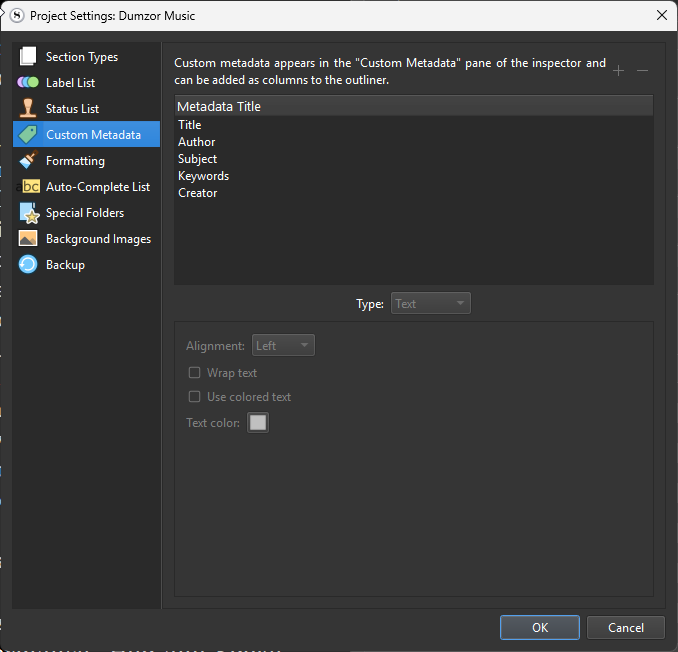
Custom metadata placeholders are formatted as, <$custom:FieldName>, to avoid clashes with built-in placeholders. You provide a good example of this in fact, by creating a custom metadata field called “Keywords”. There is already a keyword system in Scrivener, in the inspector’s metadata tab for each item, and it uses the <$keywords> placeholder.

Again though, these are item level placeholders, they won’t do anything in the page header or footer, or the document title, or metadata fields.


I doubt the above helps you much in a practical way, unfortunately, since it seems you are trying to do something Scrivener just doesn’t do. I can only presume you produce multiple PDFs from this one project, and wish to somehow automate filling out these fields, but there isn’t a good way of doing that.

Well, Scrivener can do it, but you would need to gear your work over to a Pandoc+Markdown based workflow. That way of using Scrivener allows for metadata to be defined by formatted text in the editor, and thus each branch in the binder can have its own document configuration settings.
1 Like

Hi Amber and thank you for detailed reply,

You may have already answered what I was trying to do, but let me just clarify…
I create/send and receive PDF Project management documents for all kinds of tech related things and when I right click on a file or open the document in some applications there are Custom Metadata fields - those are the ones I was trying to mimic.

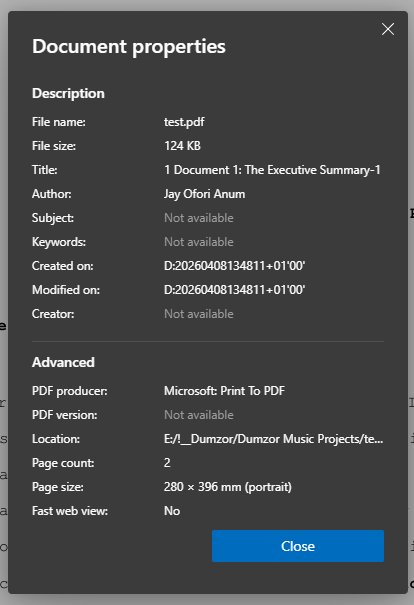
Example:
So say I write a an “Executive Summary” of a large project, export it as a PDF, those fields I was trying to automatically populate, or even Manually populate were not exporting with the document, no matter which option I chose and yet they are right in front of me on the screen.

What I am looking for is a way to identify, by example, which workflow will get me most or even some of the common embedded Metadata tags at the very least identify the document by meta of the - creator, owner, company etc

I cannot seem to work out how to get anything useful, is that what you are saying is not really possible even if I choose Export or Compile for PDFs?

If it is possible could please help guide just to create a test example?
Is there a specific set of steps, document types etc I have to take?
I have not created any documents using any templates.

Kindest regards
Jay

1 Like

Okay, sorry, I might have misunderstood the scope of your original query and fixated too much on the particulars of the screenshots, and how custom metadata was being used. I also forgot this stuff was entirely broken (it was, to be fair, three years ago that I filed it).

I’ve move your post to the Windows-specific category and flagged it as a bug. Having reviewed the ticket, the known bugs are:

  • Print should have no fields at all other than the title/author section. While those won’t be applied to the print job in a way that the print dialogue could attach to PDF fields, they are used internally for header/footer, title pages, and whatever else one might want to use the placeholders for, that they define.
  • And realistically, the PDF variant should have no fields either, since these are 100% inert and, best I can tell, not even tied up to any code. They do nothing.
  • There are other things it does wrong as well, such as how it sets the title to the first group in the Contents tab rather than that actual project title, or how it doesn’t set the dates right.

If PDF metadata is important to your overall pipeline, then you’ll want to compile to DOCX or ODT format, and generate PDFs from LibreOffice, Word, or a more specialised tool such as Distiller. In most cases I would recommend that anyway, as the typesetting and design quality of our PDF generator is proofing level at best, and how we describe its intended usage in the documentation.

I create/send and receive PDF Project management documents for all kinds of tech related things and when I right click on a file or open the document in some applications there are Custom Metadata fields - those are the ones I was trying to mimic.

Ah, I see what you were going for specifically, there. The custom fields in Scrivener are first and foremost writing tools (as is most everything in the software). For example, I can create a field that lets me set whether a particular chunk of text in the outline has been reviewed for glossary terms yet, as part of a workflow, and run a search that looks for all sections not yet checked off.

You can print their values when compiling (as you can print the Label, or its Keywords), via the placeholder system, but that is not their chief purpose, and they have no correlation with document level metadata systems, like custom fields in the PDF Info hash, or similarly in DOCX files, etc.

So hopefully they make more sense. They are meant to describe variations among the many, rather than unique values that essentially all items in the binder (or a major subsection of it) would share together.

1 Like