That was super helpful! I was able to analyze how you did that and craft CSS code that changed the scrollbar handle to the color I wanted:
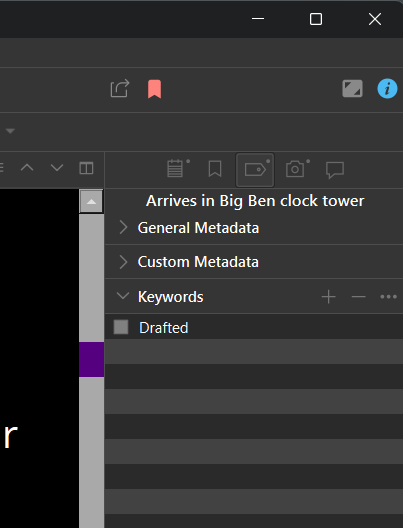
Here is the code I added to the .qss file:
/* Horizontal scrollbar */
QScrollBar:horizontal {
   border: none;
   background: darkgray;
   height: 20px;
   margin: 0px 20px;
}
QScrollBar::handle:horizontal {
   background: #55007F; /* Desired hex color */
   min-width: 20px;
}

/* Vertical scrollbar */
QScrollBar:vertical {
   border: none;
   background: darkgray;
   width: 20px;
   margin: 20px 0px;
}
QScrollBar::handle:vertical {
   background: #55007F; /* Desired hex color */
   min-height: 20px;
}
It was cool that you provided those white vector files, especially that 3d gripper image for the handle. When I have some time, I’ll try adding them. Can you tell me where they go? Do I need to create the appropriate image folder, add the .svg files to it, and then include it in the .scrtheme (zipped) file?