It was a common enough opinion based on hold-over notions from professionals having used WordStar and WordPerfect on IBM/DOS machines back in the 80’s.
To be fair about it, there is an allure to the simplicity of 80x25 composition, but I realize that my nostalgia is not yours. More than once I’ve thought about trying to code a “scrivener lite” that could run on paleotech computers and that didn’t add all the current spate of must-have features that bloat most never writing software.
Well, as @Dain said, it was the de-facto look of almost all professional software (roughly mid 1980s to mid 1990s). It lived on as the proverbial “blue screen of death”. Which is the last thing you want to see as a writer. People are weird.
Theming wasn’t a thing in Scrivener 1? I wasn’t around at the time.
Pages didn’t exist back then, but the whole point was that I was looking for something more than a word processor - something that allowed the rich text editing of a word processor but with organisational features, so that I didn’t end up with a bunch of different Word documents and research files that all related to the same project. The original concept, in fact, was for a sort of combination of Windows Explorer and a word processor in a single app (this was before I moved to a Mac).
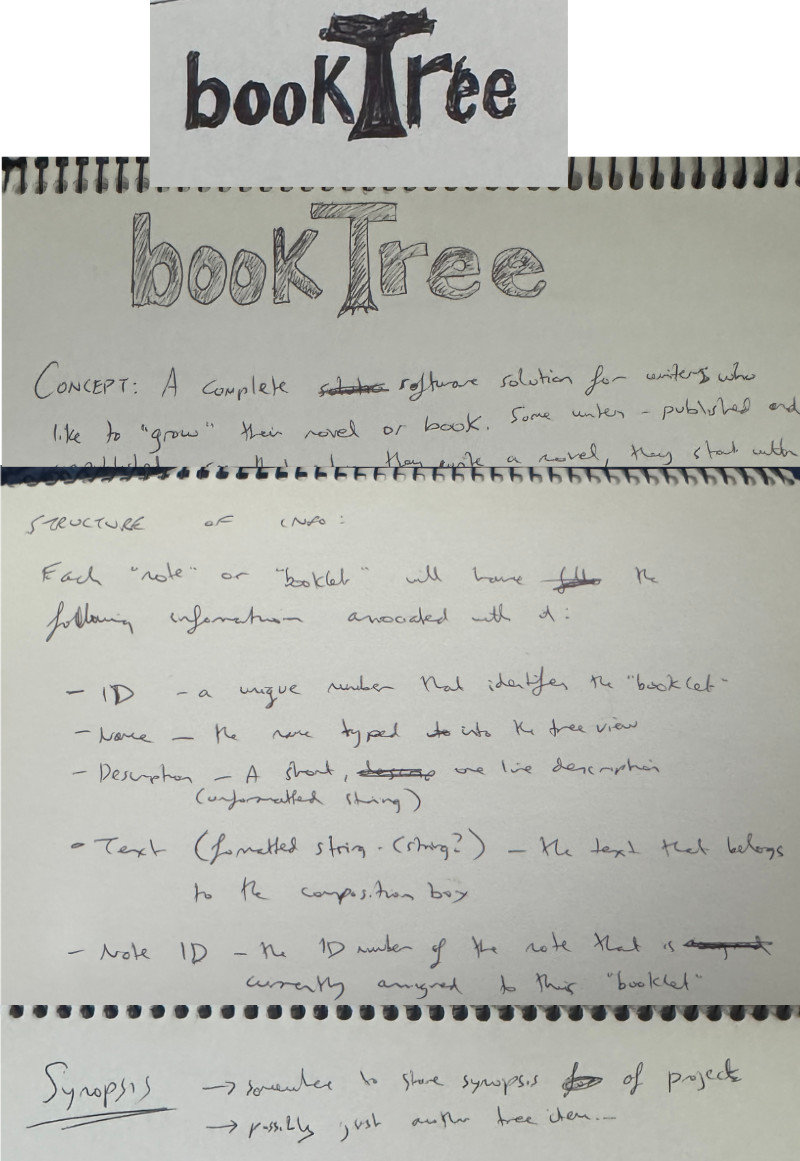
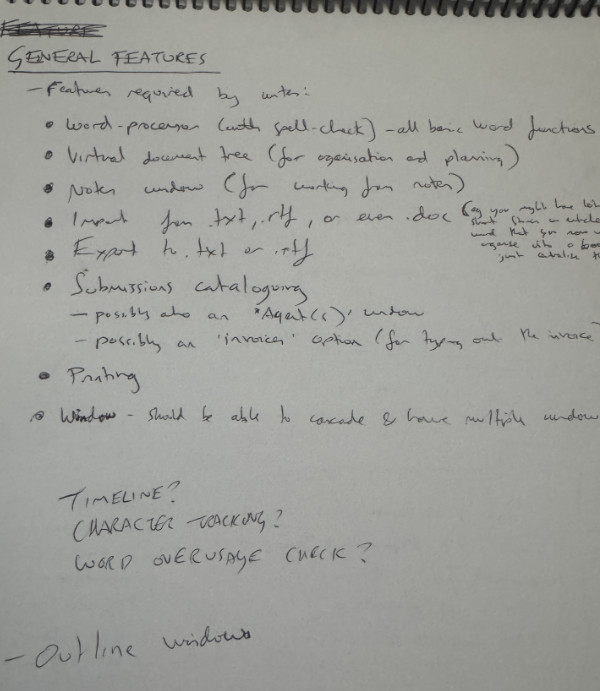
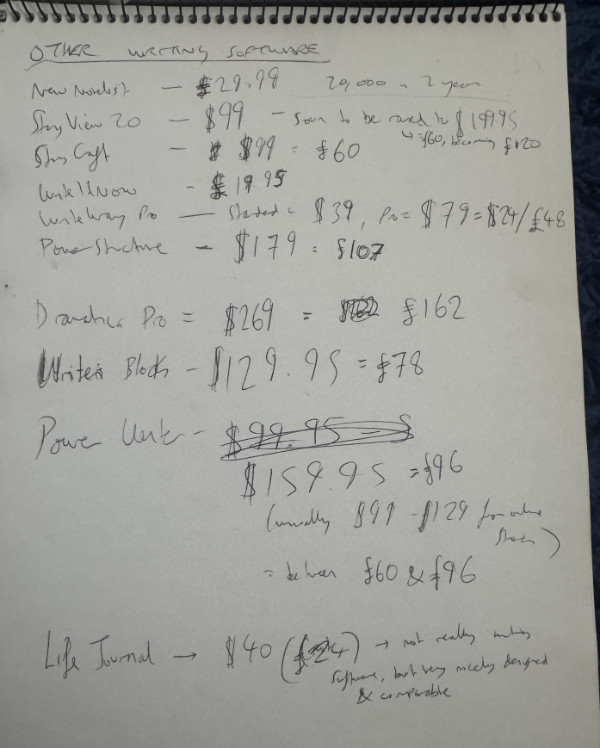
When I first had the idea for such an app, I figured there must already be something out there that did what I was looking for, so I looked at a whole slew of software (we didn’t say “apps” back then!). My initial search was on Windows, because the idea for Scrivener predated my switch to a Mac. For nostalgia, I have attached some snippets of my original sketches and notes for my initial app idea, which were made some time between 2001 and 2003. You’ll note that they refer to it having a word processor built in (and that it’s all Windows-based). I tried to teach myself C++ and Microsoft Visual Studio in the hopes of building the app and failed miserably.
There’s a list there of Windows software I looked at back then. There were some apps I had forgotten about that were already making it easier to break writing a novel down into parts - WriteItNow, WriteWay Pro, NewNovelist - but what I didn’t like about them was that they were all very prescriptive, and did not allow you to structure your book in any way you wanted. (NewNovelist forced you to use Vogler’s 12-step Hero’s Journey; the other two forced you into writing in three acts, if I recall correctly.) There were also some interesting apps for planning a story - StoryView was particularly unique and interesting.
I discovered Ulysses when I finally switched to a Mac in 2004 and renewed my search with Mac software. Ulysses came closest to what I wanted (and provided some new ideas, as mentioned above), but still didn’t do the trick. Fortunately Objective-C and Xcode proved a lot easier to learn.
Anyway, apologies for the self-indulgent off-topic digression!
EDIT: I just noticed my “20,000 in 2 years” note next to NewNovelist’s price. I was clearly dreaming of vast riches before I could write a line of code, presumably because I was pretty skint at that point in my life.
I don’t remember that being a thing, weirdly. They did have full screen mode, which switched automatically to something like green on black, and you couldn’t change it, if I recall correctly, so maybe that’s what you’re thinking about? As far as I’m aware, in fact, Ulysses pioneered writing in full screen, and it’s even possible that their innovation was what led to Apple introducing full screen mode to Mac windows.
One thing I feel compelled to note about the “white text on blue background” thing. Back when software like WordStar or WordPerfect were the only really serious options for professional word processing outside of dedicated machines (the Wang Writer comes to mind here) one of the biggest hassles for programmers was trying to make sure that their customers didn’t have to spend all day changing settings to get their video card and monitor showing something usable.
80 columns over 25 lines of mono-spaced system font where the text was encoded as white and the background blue rendered well on almost every combination of monochrome, grayscale, CGA, EGA, or VGA card and grayscale, amberscale, greenscale, and color monitors on the market. This metric was developed before Steve Jobs came around and turned everything on it’s head with the first Macintosh system where all the text was a graphical construct, not just the same old 80x25 text mode, allowing that system to offer black text on white consistently. There was that part about having a curated list of hardware to write to as well, but that’s not my point.
I remember finding Boxer in 1995 (on a twelve year old Panasonic Senior Partner – a luggable XT class all-in-one-case computer) and finding it did all sorts of things that were superior to using MS-DOS’s edit command for writing. Especially the crisp way it showed the text on its integrated 5” greenscale CRT. Compared to the black text on cyan background that QuickBasic was defaulting to at the time, it was far more readable. Led me to appreciate the effort some programmers spend on making sure that things can be easy on the eyes.
Thank you, this was a really interesting and fascinating story about the development of Scrivener. You have indeed had a very clear and consistent vision from the very beginning about what kind of functionality you want to include in Scrivener. As we know, it then became a kind of reference app for professional writing, against which other writing apps are compared.
To my younger self, Ulysses 1.0 was bracingly but terrifyingly austere. I loved the idea of it – and out of throroughly irrational loyalty, continue to subscribe without ever actually using it. But I was never able to get any work done with it.
The default “full screen” mode was amber on black I believe. However I too seem to remember white text on a blue background. Maybe there was a preference.
But all of us here owe a debt to Ulysses. To the best of my knowledge it was the first application to reconceptualise the metaphor for writing on screen. I loved the mad scrabble of half-brilliant apps that bubbled up around the same time: Hog Bay Notebook, the now largely forgotten CopyWrite, the charming and inspired but wholly vaporous Jer’s Novel Writer. There were many more, and I think I tried them all.
Scrivener (Gold!) came off the blocks as the best of the bunch, and it’s a testament to its excellence that it retains its place. I mean, twenty-odd years later, it’s still basically Scrivener vs Ulysses… and some others.
New apps still apear. People like the quietly brilliant Augmented Text Company continue to extend and tweak the metaphor. Others, like Jesse Grosjean at Hog Bay Software keep the individualist flame alive. But I do slightly miss the old days.
At this point, I think most of us who were posting on this forum back when Scrivener was in beta can plead age.
CopyWrite! I knew there was something I’d forgotten. Come to think of it there was Avenir too, which later turned into StoryMill and got sold to a company that did no further development but just put it on sale regularly as part of a bundle.
The full list here – this, I think, is the page I stumbled across on the internet one day that first introduced me to Scrivener. Worth a read to see KB explaining what Wikipedia is. An elegant link for a more civilised age.
“The naming of cats is a difficult matter, It isn’t just one of your holiday games….”
”CopyWrite” sounds cheesy. That’s partly because it was cheesy; but it’s also partly because it failed as an endeavour. So give them a break. They were human beings who made something they believed in that didn’t work. It’s no worse a name than, frankly, Scrivener or Ulysses. Or indeed, the Beatles – which is the cheesiest possible name for a rock and roll band. Except they were very successful, so we don’t really notice.
Of course, it would be easy to prove this thesis wrong by coming up with a better name.