Please help - I’ve spent two hours watching videos and getting lost in compile settings, and all I want to do is make my SCENE section type to end up double-spaced without having to change the text formatting in the editor. Why can’t I edit the sections I create? Everything is editable except the ONE I want to change. I see there are other similar questions, but I am now so confused by the options and the language that I just need someone to take me from point A to point B in the correct order of steps with screenshots. I’m lost and desperate to read my manuscript on paper already. Thanks…..
You have to modify current section layout to change spacing for scenes. I suggest duplicate your scene section layout and the crucial thing is to check at bottom of panel to override text and note formatting, then click inside window showing sample text to change to double spacing.
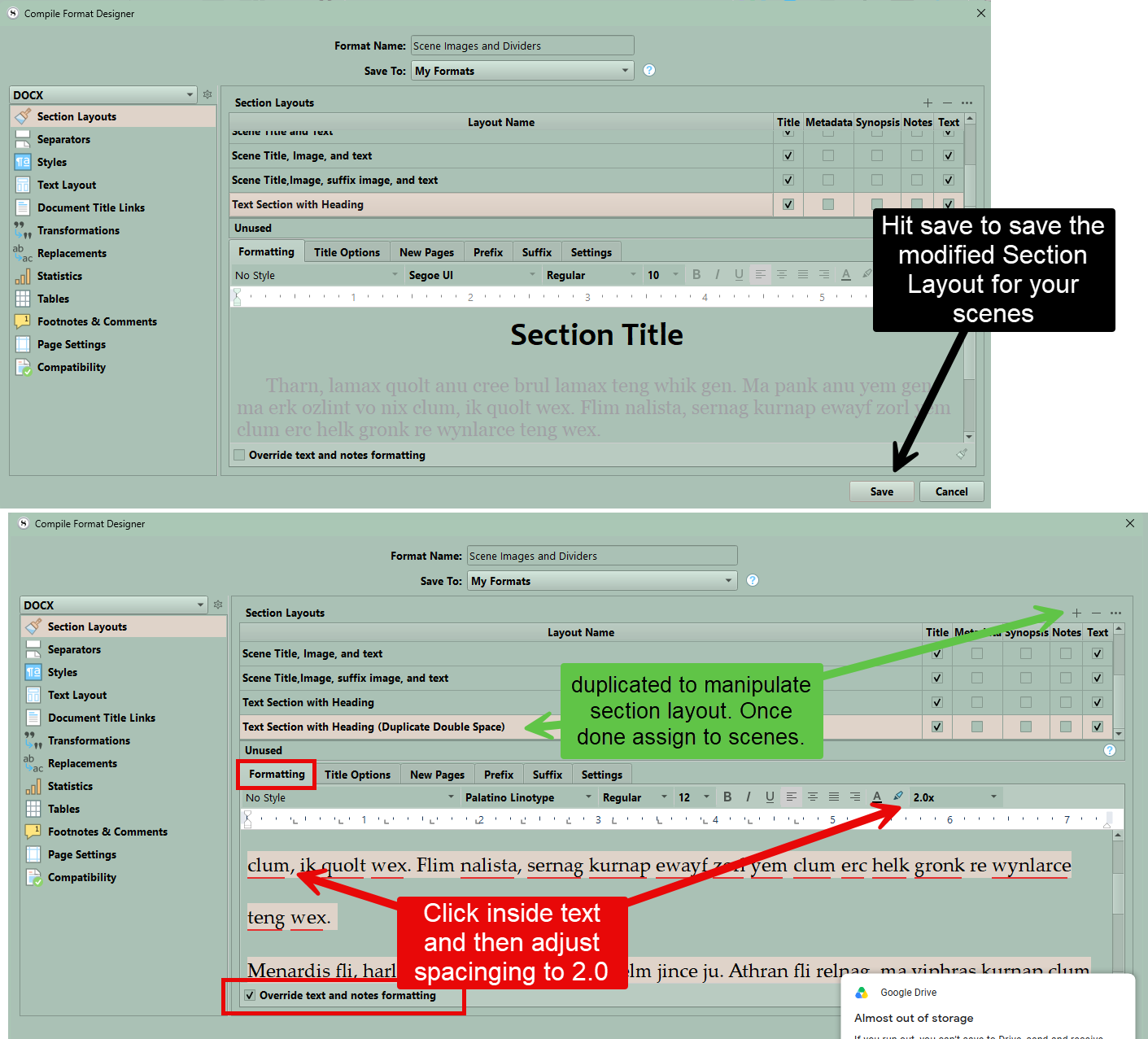
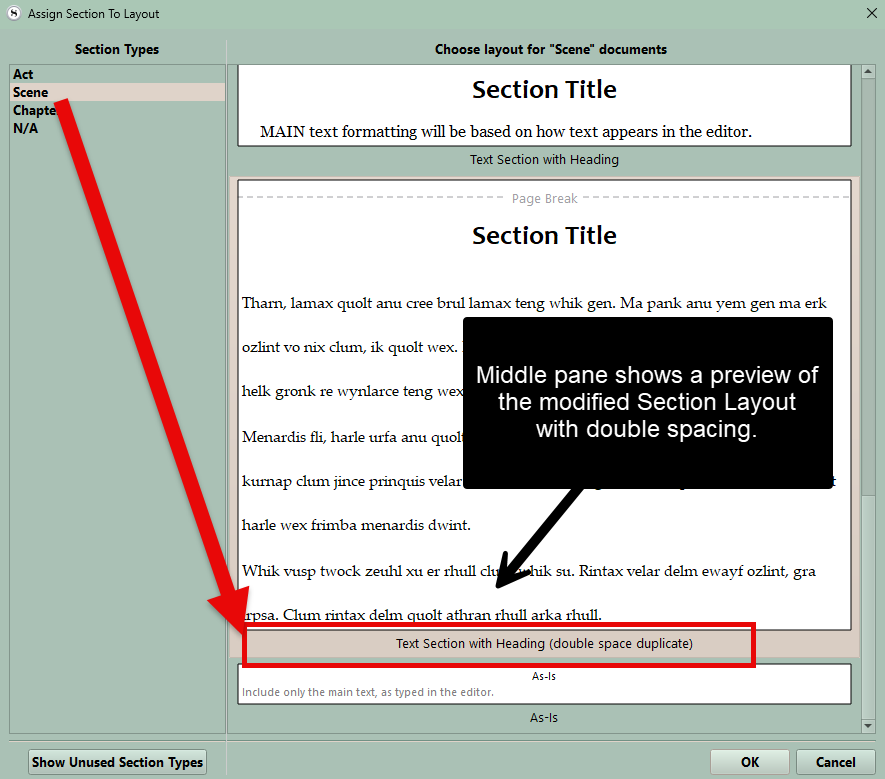
Make sure you save. Now close this and look at compile format and reassign section layout to scenes to be the one with double spacing and click save. see below the middle pane will show the double spaced scene in the preview area.
1 Like