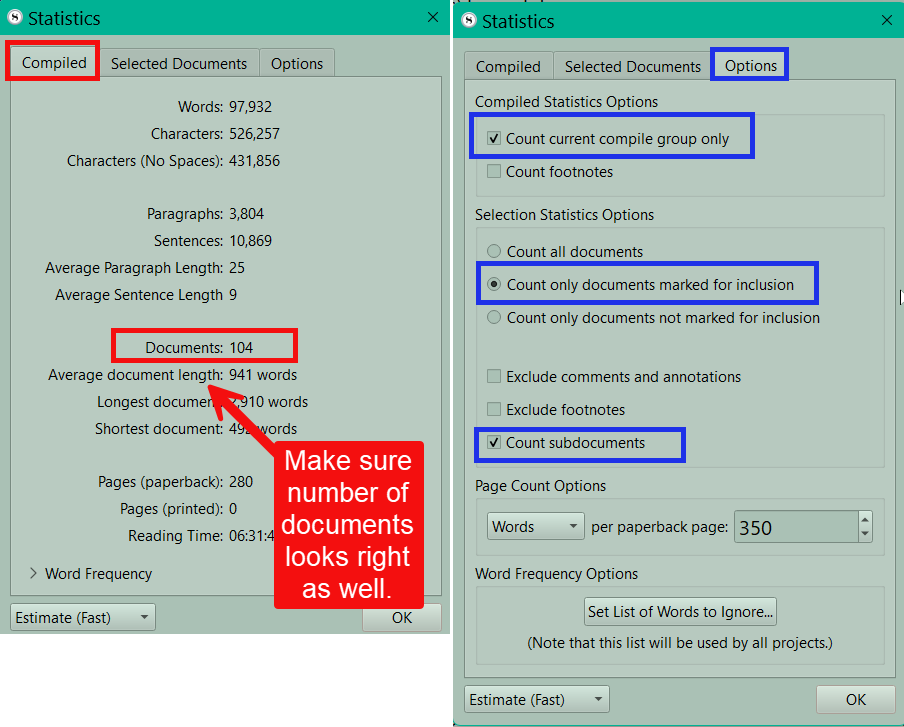
I’m at my wit’s end. For some reason, my project target will only count the words in my Notes folder, no matter how I tinker with the settings to make it count my Draft instead.
Each time I change something, I went into the options for project target and tinkered with “count current compile group only” / “only count documents set to be included in compile.” Checking both made the total word count go to 0; checking “count current compile group only” made the total word count go to 0; checking “only count documents set to be included in compile” made it only count the words in my Notes folder.
Here’s what I’ve tried:
Compiled the documents in my Draft folder I wanted to be tallied in the draft target: it still only counts the Notes folder.
Manually went through and unchecked “include in compile” on each document in my Notes folder (the total word count went down) and then checked “include in compile” on all the documents in my Draft folder (the total word count did not go up).
Restarted, resetted, etc.
Is there some kind of setting that’s making it only count my Notes folder towards the draft? Please help, I’ve wasted so much time on this already
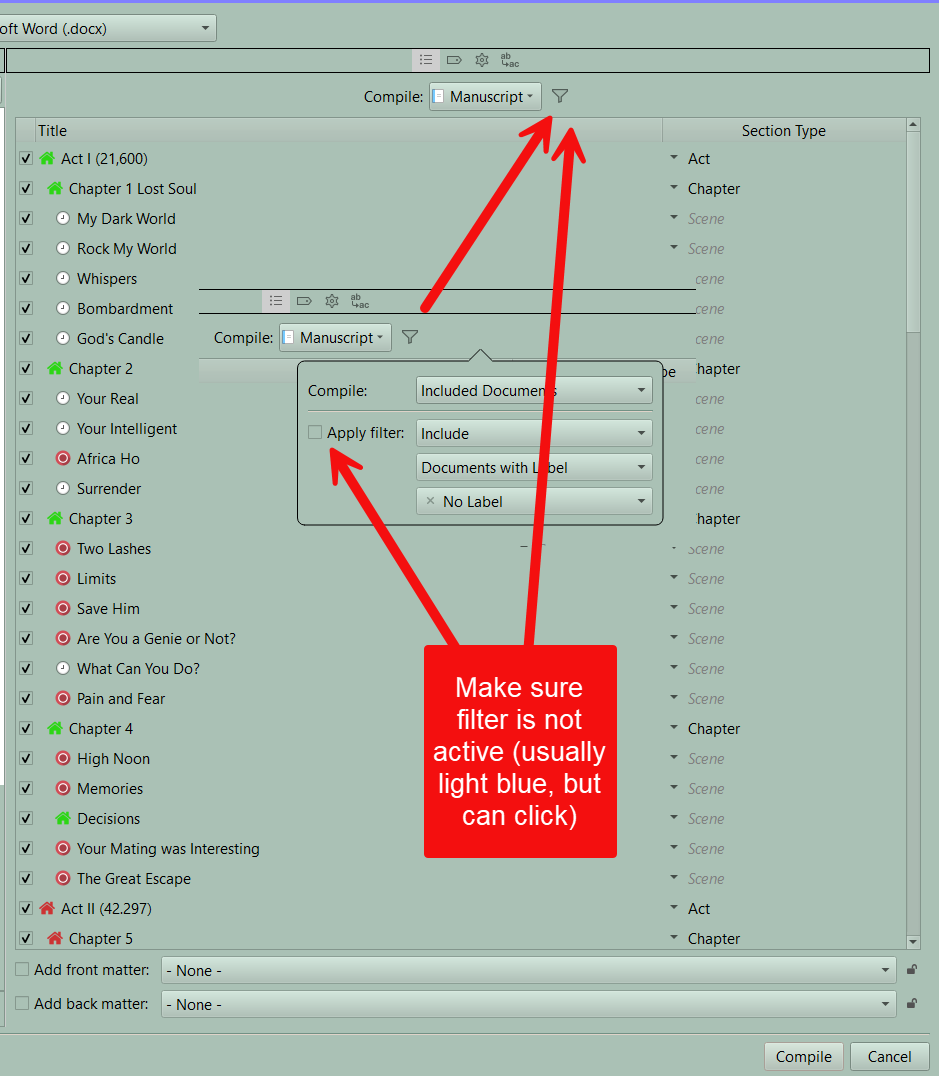
Look at the compile settings in the third pane, is it set to count your current selection. If so and statistics is set to count current compile group only, that could be causing the problem.
This is a long shot, it’s probably something else, but just in case —
Is there any chance that at some point you renamed the Draft & Notes folders? Scrivener knows which folder was the original Draft folder; the software doesn’t care what you call it. So if the current “Notes” folder was originally the Draft folder, that might explain this behavior.
Do you mean the third pane of the compile window? It is set to current selection, but the current selection IS the one I’m trying to get it to count instead. Other than “current selection,” the only other options on that dropdown menu are “search results” “synced documents” and then the Notes folder.
Is there a way to add another specific folder to that dropdown menu?
That is possible–I’ve been working in this project file for quite a while and am not sure what I might have done when I first made it. If that is the case, do you have any recommendations to get it to stop relentlessly picking that folder and ignoring everything else? Is there some metadata setting I can change?
I’ve adjusted your account status so you can post images.
You could check this in your project via Navigate ▸ Reveal Draft Folder. If that selects your “Notes” folder, then the issue is simply that you renamed it at some point, and the solution is going to be to shift around the contents and rename the folders so you’ll know what they are.
It’s also possible that content you expected to be contained as a child item of the Draft folder is actually outside it at the same level of the outline. If Reveal Draft Folder does select the folder you expected, try toggling the chevron to the left to collapse it. If you can still see the items whose word count you’re trying to check, select them and either drag them onto the Draft to drop them into the folder or right-click and use the Move To ▸ Draft command. (“Draft” here will be whatever you’ve named the Draft folder.)
At least while testing all this, I’d also deselect both Count current compile group only and Only count documents set to be included in compile. Both of those Draft target options will only restrict what from the Draft is included, and if you’re not getting anything with both those turned off, the trouble is about what’s actually in the Draft folder.
Yes, the Draft, along with Research and Trash, is one of the special root folders in every Scrivener project and has some unique properties. It’s the one intended to hold the text you ultimately want to compile, so for instance it can’t contain items that can’t be compiled like audio and PDFs (whereas you can throw any file type you want in any other part of the binder), and it’s the container used for the “Draft” word-count target.
The three root folders are described in Scrivener Manual from the Help menu, section 6.2.
You can definitely do this, keeping multiple revisions of a manuscript in the same project or even multiple books in a project, and you can even keep multiple in a single folder. This for instance is where options like setting the Draft target to Count current compile group only would be helpful—if your binder looks like
Draft
    Book 1
      [chapters and scenes of book 1]
    Book 2
      [etc.]
you can choose “Book 2” from the popup menu in compile and save those settings, even if you don’t run the compile (hold the Option key to change the Compile button to a Save button), and then have your “Draft” target focused only on the contents of Book 2 as you work in it.
Another option, maybe simpler if you’re looking at multiple revisions of a single work, or something like a series where you’re only going to compile one particular set at a time (vs. a collection of stories where you may be writing one at a time but ultimately compiling them together) is to keep only your current work in the Draft folder and move the rest to a different location in the binder. Select the Draft in the binder, then choose Edit ▸ Select ▸ Select with Subdocuments to grab all the contents, Cmd-click on the Draft folder itself to remove that from the selection, and then use Documents ▸ New Folder from Selection (also in the context menu) to give them a new parent folder that you can then drag out of the Draft folder.
Those are just a couple of tricks; if you search the forums, you’ll come up with a number of other threads discussing merits and ways of keeping multiple books/stories/etc. in a single Scrivener Project. Search terms like “multiple books”, “trilogy”, or “anthology” will probably get you the best results.