After your wonderful help with the heading numbering, I’m trying my luck here again for a figure numbering issue in my thesis. The figure number should have the format Figure 1.1 for the first figure in chapter one, increasing by one increment for each figure regardess of the section, but restarting on 2.1 in the next chapter. My current setup gives me 1.1, 2.2, 3.3 etc within the same Chapter. How can I fix it? Any help greatly appreciated!
Here’s my current placeholder setup
Figure <$n:chapter>.<$n:figure> - Taxonomy of Contemporary Practices
[EDIT : There is a much cleaner answer in the next post.]
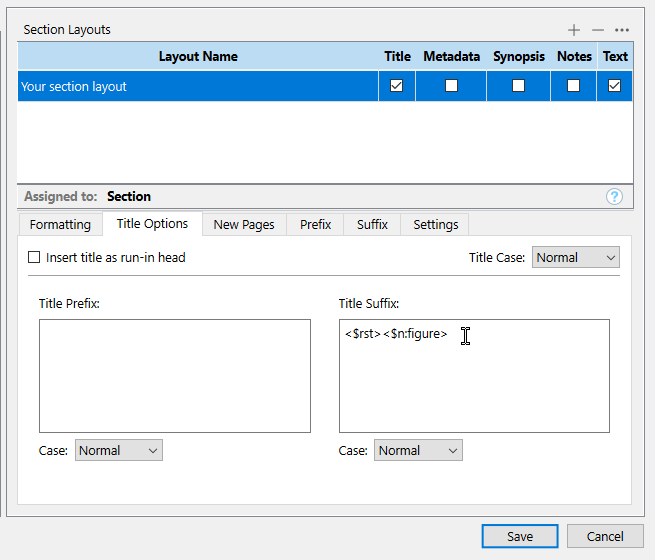
<$rst><$n:figure> at the begining of your chapters. You can put it in the title suffix (so if you have sub-documents for a single chapter, having no title it won’t reset, as intended).
. . . . . . .
P.S. I recall that the <$rst> placeholder is not quite acting as it should. So that might render my reply about <$rst><$n:figure> wrong. I don’t recall having it figured out. @AmberV would know.
…And I just ran a test, and I now believe that you couldn’t use it in the title suffix anyways, as it will output “1” in this location. You likely will have to reset wherever your first use of <$n:figure> is, within each chapters. [My test also confirms that <$rst> isn’t doing so well (Windows version).]
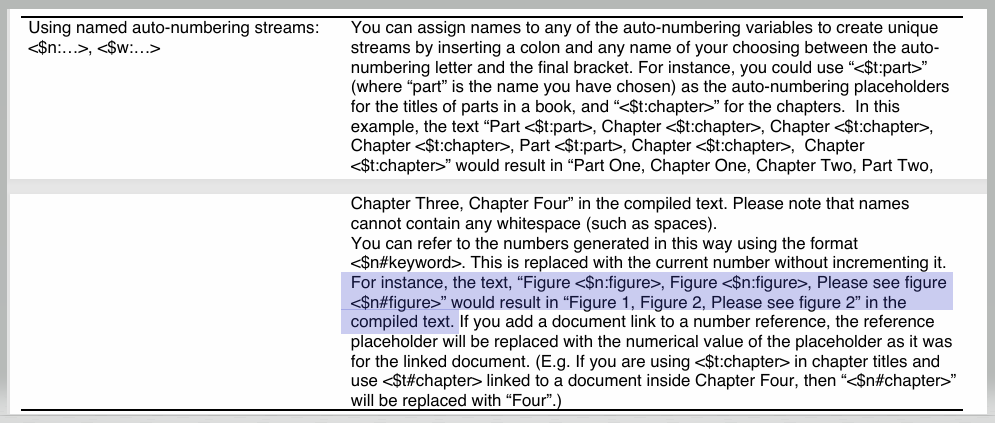
For some reason the solution found in this thread has stopped working. The compile now renders Figure <$n#chapter>.1, Figure <$n#chapter>.2, Figure <$n#chapter>.3 etc. So while the second number is counting up as it should, the chapter number has stopped working altogether.
Can you (or anyone ) help?
UPDATE: the second number is resetting after each section. So figures in section 3.1 and 3.2 each start on .1 again… They should only reset at the beginning of a new chapter not a section.
You’ll have to create a dedicated section type + section layout for the first document of your chapters in order to apply the reset to it, but your sub-documents (“sections”) not getting one, having a layout of their own.
Alternatively, you could type the reset directly in the first document (and remove it from your compile format). It would work, although not ideal, as it requires you to handle it manually for each of your chapters.
As for the other issue, why it worked and no longer does, off the top of my head I have no idea. Later, perhaps. (..?) I’d try a reboot.
…Perhaps the placeholder is compiled as readable if the source placeholder fails. (? I’ve never tested.) Maybe you no longer have the one with : in your compile format?
 ) help?