The font override is checked for one of my section layouts and it works perfectly. For another section layout, I have unchecked it but it still overrides the font in that section, turning it into TNR (which is different to the font I have chosen for the other section layout). I have “Determined by Section Layout” selected so I’m unsure of what the issue is.
I’m on Windows attempting to create a .docx
Check your routing in the middle section of the compile panel. Make sure your section type isn’t actually assigned to a different layout than the one you are tweaking to no avail.
I only have two section layouts in this compiling profile because I was getting so confused with all the different options. But thank you for the suggestion, I’ve definitely made that mistake in the past.
Check in the editor to see if you have mistakenly styled the body text for that document.
Also check for Format / Preserve Formatting if TNR is the font you used in your project.
Preserve formatting isn’t selected. The text in the body is styled as Centered but I didn’t realize that was a mistake?
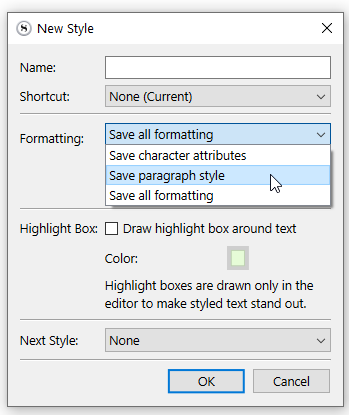
Select a bit of text of that style.
Redefine your “centered” style to be paragraph formatting only.
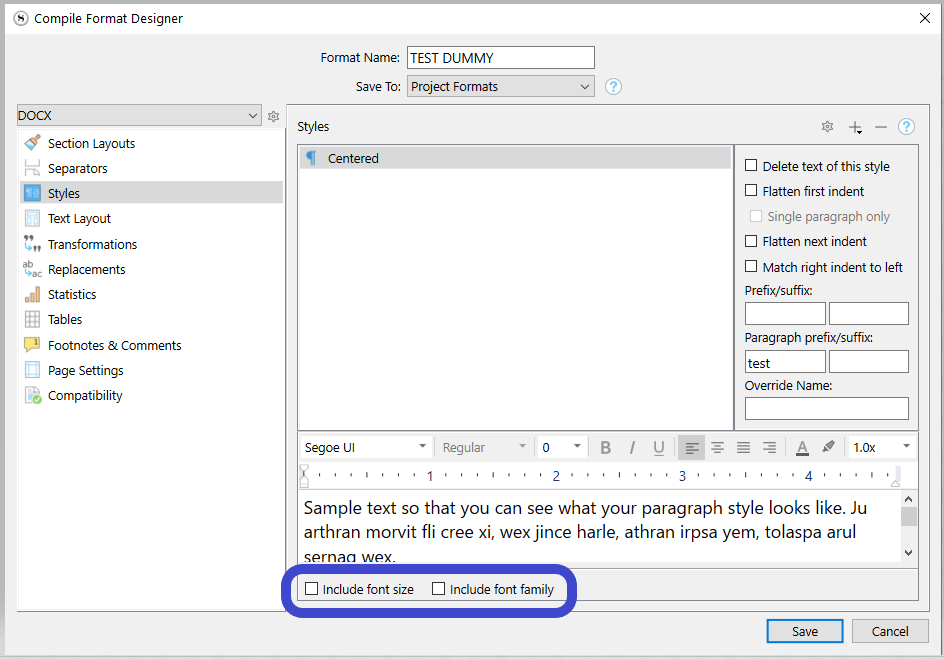
Make sure to uncheck these :

(This will have your paragraphs formatted as per the style, but will cancel the font override. You’ll have control over the font in your compile format / section layout.)
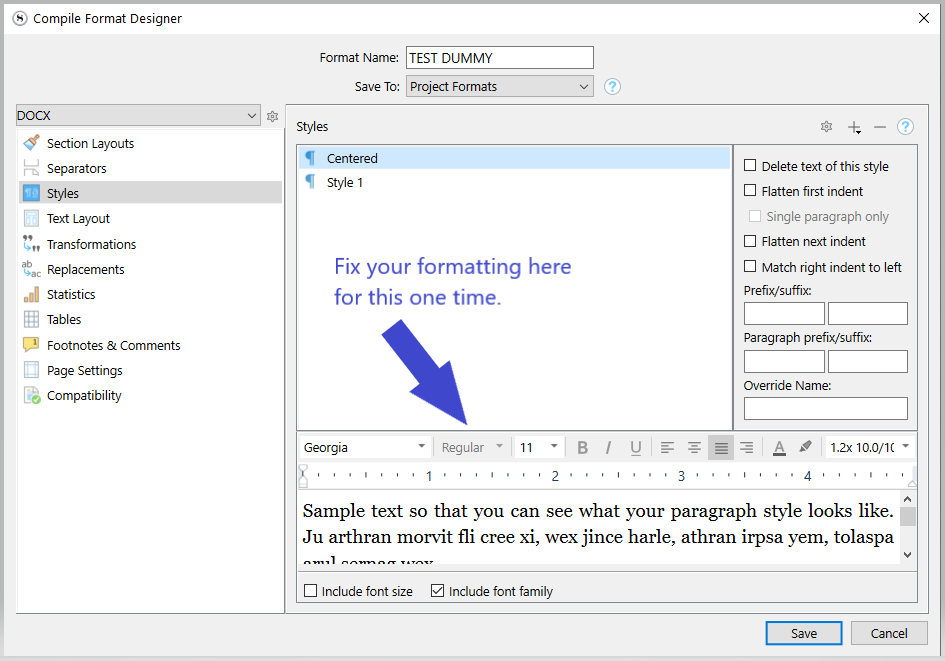
In your compile format, go to the styles tab and if that style is listed, remove it or uncheck “Include font size / family”.
Screenshot
(…This can be handled in a couple of ways / combination. It is hard to come up with an accurate answer.)
. . . . . . .
Or, if it is all over the text (everywhere without exception), you’d better remove it and format the whole in your section layout of your compile format.
. . . . . . . . .
Styles are intended to be used for bits of text that you want formatted differently than the body text. A blockquote etc.
A style is not intended to be applied to the body text, as it voids or complicates your control at compile. – What you are currently experiencing.
So if I understand you correctly, whatever style choice we make in the body while we’re typing everything up is essentially pointless? Because everything is decided in Compile? Makes me wonder why we have the choice to change everything in the body in the first place if that’s the case…
Because it allows you to output your project in different formattings without having to change anything in the editor.
If a publisher wants it X way, you make a compile format for that.
Another situation requires a Y formatting for your compiled document ? all you have to do is tweak another compile format and voilà, the whole of your project compiles out formatted as Y without any changes to your project.
And in the project itself you tweak the default formatting (no style) and styles the way you want your project to look – for you – on screen.
1 Like
I get that. I guess I just thought that saying “don’t override” would actually prevent the body from being overridden across the board. But obviously I still have to go in and check each individual style as well. I’ve been tweaking a compile format that already existed (because I thought it would only need a couple small changes) but I’m realizing now I might need to create one from scratch and go through every single setting. A headache since I’m still new to this but probably worth it in the long run (because I want to be able to print exactly what I’m seeing on screen for my own personal hard copy.)
Anyway, I appreciate your help. I learned quite a bit! Thank you so much
You don’t have to go to extremes.
Just clean out what should have been “no style” and later fix whatever isn’t right as it shows up.
Use
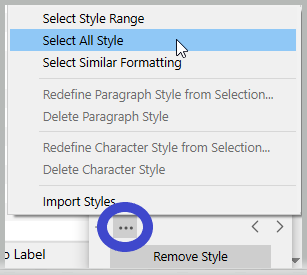
Format / Styles / Styles Panel
Bottom of the styles panel :
and restore what style you used for your body text as “no style”.
. . . . . . . . .
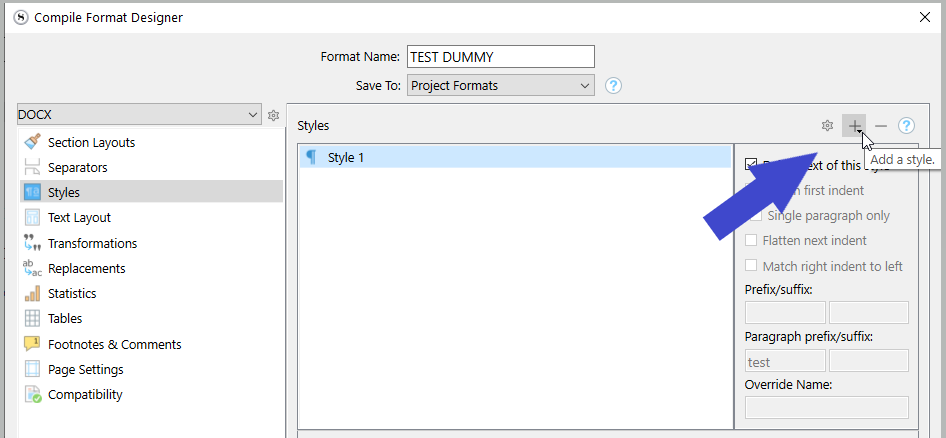
If you don’t need versatility at compile, for this one project you could simply go to the styles tab of your compile format, add your “centered” style to the list if it isn’t already there, and format it properly there. Not ideal, but it would get you out of your issue without too much of an hassle.
3 Likes