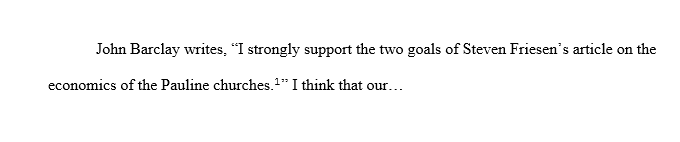
How do you set footnotes to compile outside of quotation marks, rather than inside of them, when compiling to RTF? Right now, Scrivener is compiling footnotes inside of quotation marks, which is obviously not ideal (see picture below).
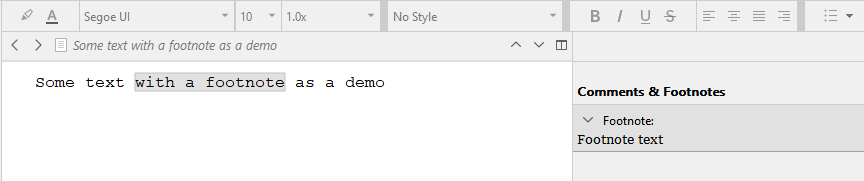
If you use this instead of selecting text, you can put it wherever you want.
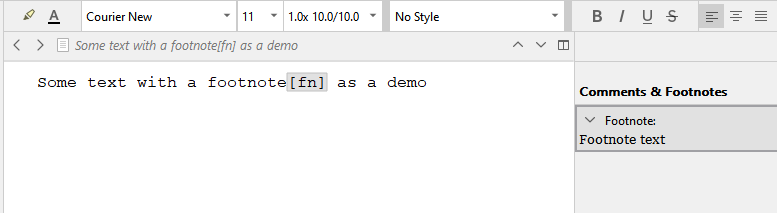
After making sure that option is checked, all you have to do is to create a footnote with no text selected. Place the cursor where you want the marker, or move it afterwards.
Incidentally, remember that the marker you choose will only appear in the Scrivener Editor. The marker in the output document is set by the Compile command.
I find it useful to choose a marker that is more than a single character wide, because that makes it easier to land the mouse on it for editing or deletion.
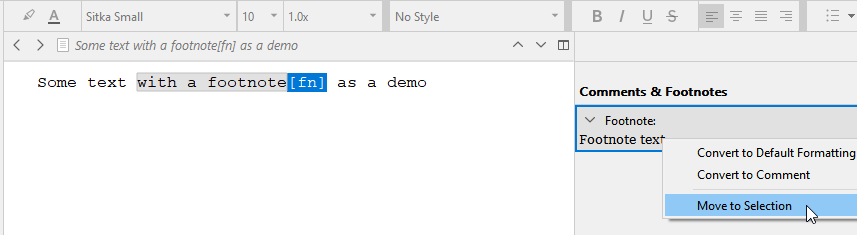
If you manually insert your footnote marker (as plain text in the editor, not via the add footnote command/button) where you would have wanted it have you known before, you can select it, then right-click the footnote in the right panel, and choose “move to selection”.
I don’t think it is worth going through your work and change them all one by one. The result at compile is exactly the same.
So personally, knowing this, I’d just change footnotes that bother me as I come across them working my document as I otherwise normally would.
I wouldn’t invest much of my time in it.