Dear developers would you be so kind and fully integrate Scapple into Scrivener? As a thinking board.
That would be very useful to me!
Hi.
Do you know that you can link to a Scapple project by dropping it (its file) in Scrivener’s editor?
It won’t be “fully integrated”, but it doesn’t really make much of a difference.
It is then no more “alien” to Scrivener than a quick reference window.
In case you don’t need all the lines and arrows from Scapple, perhaps see if you get what you want out of a freeform corkboard instead?
This request is addressed here.
1 Like
Thank you for pointing this out. I am already familiar with the link. But actually, what I like about Scrivener is the possibility to have all relevant documents in one interface. There are other authoring programs, such as Papyrus Author, that have integrated thinking boards.
Thank you for your detailed and profound explanation! Which I appreciate very much! However, I don’t understand why other authoring programs manage to integrate mindmaps seamlessly?
But well, then I’ll just have to keep hopping back and forth between different programs.
However, I don’t understand why other authoring programs manage to integrate mindmaps seamlessly?
The clue may well be in the wording you have used here. If Scrivener were to ever have such a visual view mode added to it, it probably would follow the traditional mind-map model, because that very closely adheres to its core nested outline structure in the binder. The “Draft” is in the middle of the screen, “Chapter 2” in green to the right, “Section 2.1” in a fork from that, add “Chapter 3” and it pops up in pink below 2, and so on.
That Scapple isn’t that kind of engine is what goes into point (2) on the linked page for why there is no more integration than what already exists: hosting .scap files in your binder and making it easy to open and edit them in Scapple (and on the Mac, where there is a system-wide mechanism for previewing files, a picture of the board in the main editor).
Thank you very much for this answer. But I can already see that my request is being elegantly but firmly dismissed here. Well, then I’ll chalk up the price for Scrivener as an apprenticeship.
Hello,
i am quite new to the whole “writing books” thing. I came very frustrated from MS Word to Scrivener and Scapple and really fell in love with the tools. So, of course I bought them. Now, after a couple hundred pages written, I think I understand at least the basics of both, but was left with one thing that felt a bit off for me.
I track my story and connections with scapple, and of course, I imported them to Scrivener. And here’s the point: I have a large 4k Monitor, I have all the desktop space I could wish for. So, I started to use split screen, and its amazing. But i really wish for an better integration of Scrapple into Scrivener itself, not just showing me a link, that opens Scapple in a different window. It would be great if I could actually USE Scapple, or the scapple project, within the spit screen, see it there, change the connections or move stuff around. Maybe even store diffenent “story-time-settings” (okay, that could be done with copy&paste projects).
Is there something that does what I ask for and I have just not seen it?
TLDR: Split-Screen, add full Scapple functionality?
BR Bernd
Hello,
With this much available space, why not simply have them apps side by side?
What difference would a full integration make?
1 Like
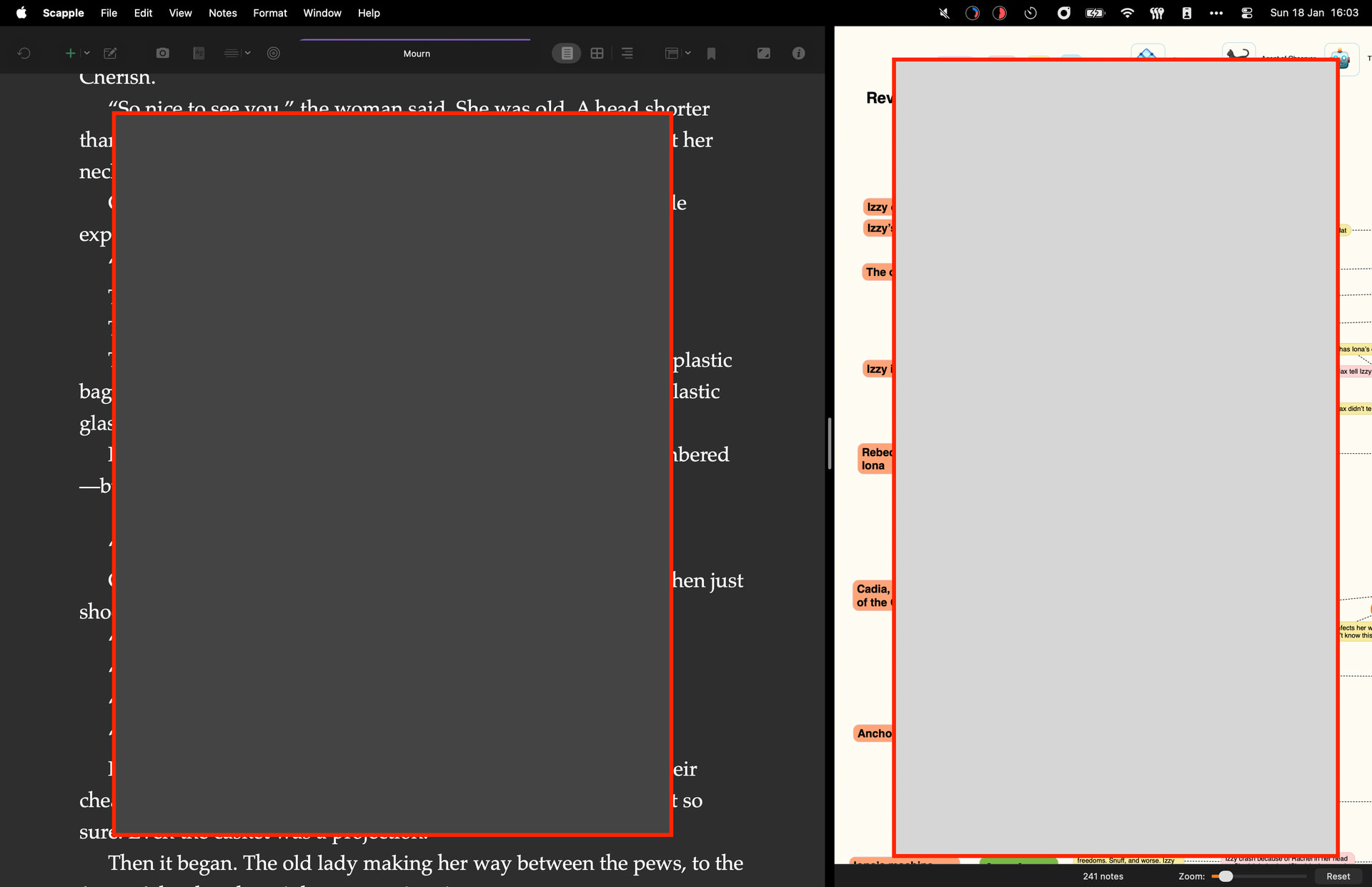
Indeed, this is exactly what I do. Here’s my current project, screen-split with Scapple on the right.
2 Likes
This is actually an FAQ, addressed here: Embedding Scapple Within Scrivener / Common Feature Requests / Knowledge Base - Literature and Latte Support
1 Like
Thanks for combining those, haven’t found this old one despite using the search.
Yes, I used the side-by-side method as well. It’s just getting uncomfortable if you use another additional app like a browser for reserach in the background. Than you have to to pull back both windows all the time, it takes several clicks. Its not even seamless without other apps, you have to activate the windows first by clicking into. Full integration would be a zero click solution.
The FAQ is not really an FAQ in that point, it justs states “Hey, it’s too complicated.”
But most of the compliated functions and objects should allready exist. Maybe even in the same programming language. You allready have the split screen within Scrivener, this should have been the most complex thing to build i imagine. You could add a button next to the Viewer/Corkboard/Outliner selection. A copy of those Scapple functions to Scrivener is not a problem, you just have to work on the integration itself, and even the display objects exists within Scaple. This is what I can see/assume with my limited knowledge of programming.
I could imagine, this beeing more of a monetary issue than a technical. Or it may be a problem getting the licence data from Scapple to Scrivener.
There was also the argument with the mindmapping tool, ignoring that a mindmapping tool is - in its core - Scapple with additional added restrictions (And even good ones are for free, just saying).
You appear to have missed the fundamental point in the article I linked:
Even more important, there is a fundamental disconnect between the information models these two programs use. Scrivener is founded upon a rigid outline model, where every item in the binder must have one (and only one) parent item and those items fall in a linear order. Scapple on the other hand has no concept at all of linear order or nesting. What does dragging a note up and to the left mean, in terms of where that note should end up in Scrivener’s outline?
Scapple as currently designed has no “files,” no “folders,” no objects that correspond to any element in Scrivener’s Binder. Scapple, at its core, simply places visual elements on a canvas. Moreover, Scrivener already has a visual interface – the Freeform Corkboard — that does correspond to elements in its Binder.
1 Like
@Shelin What you need is a productivity app that “sticks” the Scrivener window and the Scapple window together.
So, when you bring the Scrivener window to the foreground, the other one automatically comes with it and vice versa. It’s as if it were just one window.
Apps like this should be available for every operating system. They make life much easier because neither Scrivener nor any other app will ever be exactly the way you want it to be.
Instead of getting annoyed that the world isn’t perfect by default, customize it and make it perfect for you 
Placing this topic in terms of Scrivener “thing differently”, where you want a Scapple board to open for a whole project, create a Project Bookmark to the Board (.SCAP file). Or if you have a whole host of boards, fill out a sheet with links to all your Scapple boards and add the sheet to your Project Bookmarks, opening the links, as required, from the active Preview Pane.
Alternatively, if you have one Scapple board and it’s relevant to some Scrivener documents, then create a direct link by dragging the board to each relevant document’s Document Bookmark.
When working this way, everything opens on the fly and can open things in a variety of ways without leaving your Editor.
So, whether you want to integrate Scapple or Excel or PowerPoint, or whatever else, the world is at your fingertips, and you don’t lose your place in the Editor.
That’s true integration from within Scrivener of disparate software towards one goal—writing.
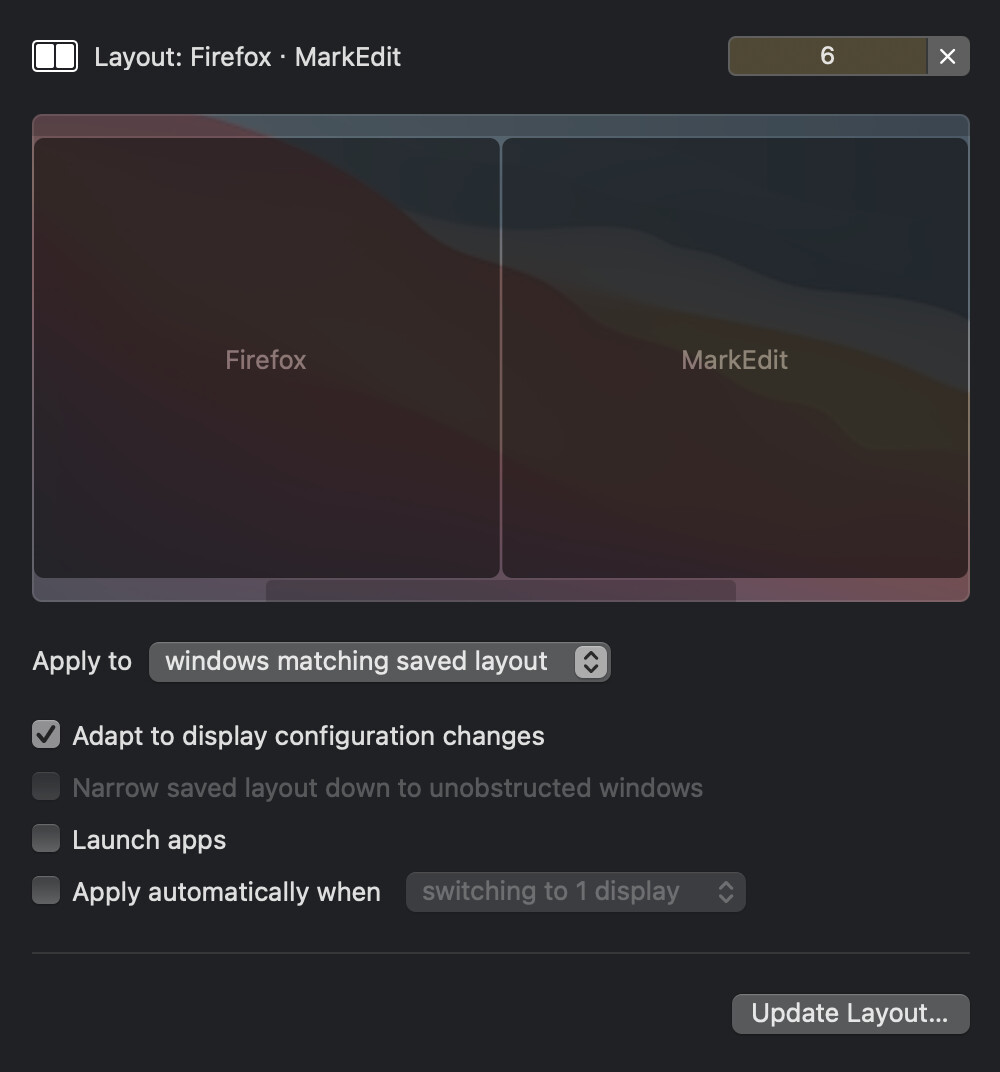
I’m sure there are many ways to do this, but I use Moom, whose Layout feature can do it. Each layout can be assigned a keyboard shortcut. (This feature is the only reason I use a window manager.)
Here’s a simple example. Browser side-by-side with an editor:
3 Likes
Rectangle (Pro) has a similar feature.
I don’t see the point of merging the two apps when you can have the two windows split side by side on both Windows and Mac.
1 Like
I could maybe see a case for being able to display Scapple files within Scrivener, but bringing Scapples functionality into Scrivener risks complicating the app, IMO.
3 Likes
This is a better suggestion that could be added without overcomplicating Scriv.
1 Like